Updated June 21, 2024: After close evaluation of this rollout, we have decided to discontinue the launch of this new file creation experience and will revert to the previous experience (screenshot below). Users will no longer be able to create files from templates or choose a new location to create in. Please update your documentation to reflect this change.

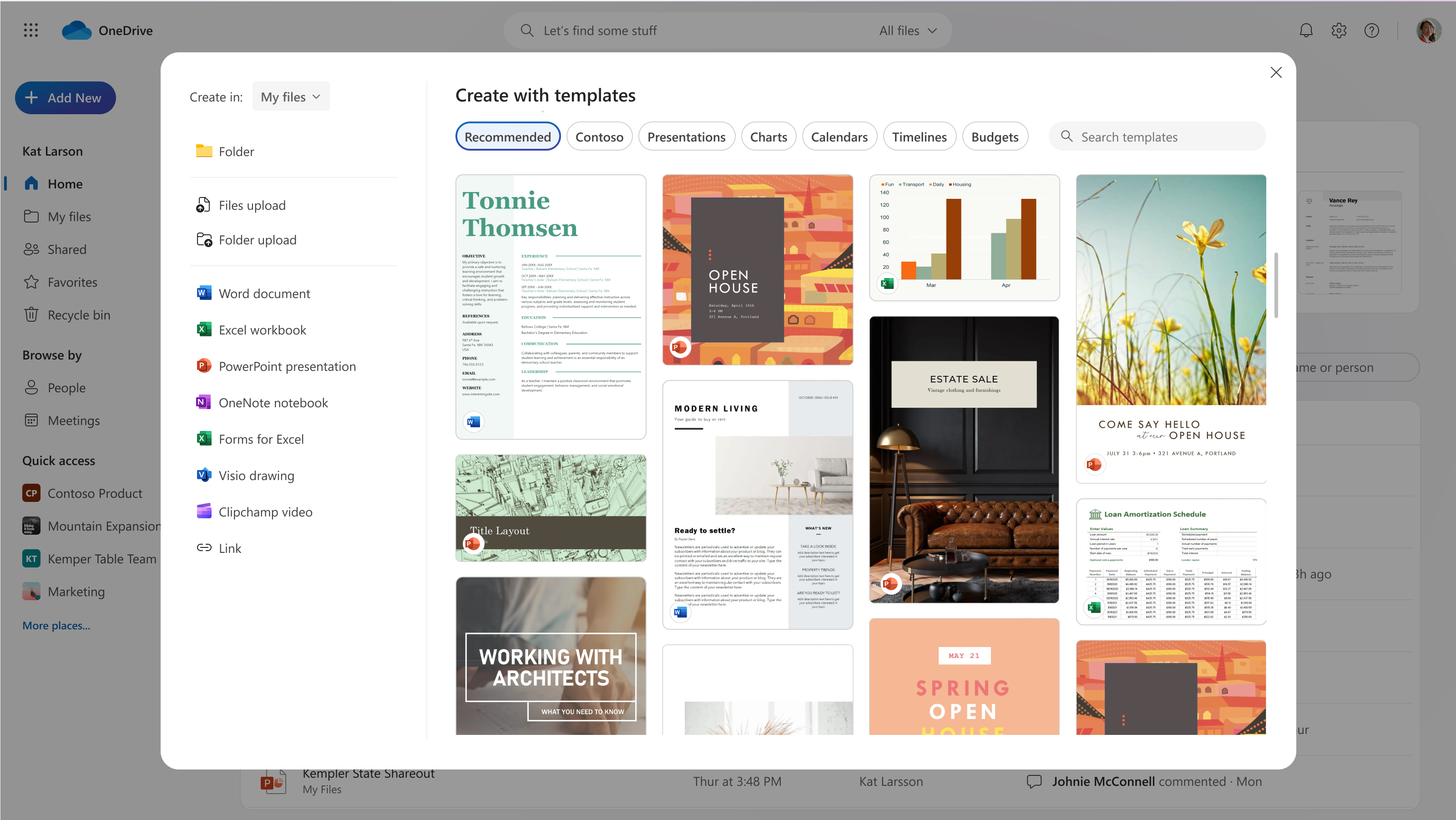
We're refreshing the file creation experience in OneDrive for the web. Soon, when you select the Add new button, you will have the option to create a new blank file or to choose from high-quality, beautifully designed templates in Microsoft Word, Excel and PowerPoint to jumpstart your work. You’ll also be able to create new files using your company templates.
This message is associated with Microsoft 365 Roadmap ID 363474.
When this will happen:
Note: Some users may see these features before other users within the same organization.
Targeted Release: We will begin rolling out early March and expect to complete by late March 2024.
General Availability (Worldwide): We will begin rolling out late March and expect to complete by late June 2024 (previously late May).
How this will affect your organization:
When this change rolls out, you’ll see a refreshed experience when you select Add New in OneDrive for the web. You’ll continue to be able to upload files and folders and create new files and folders, just as before. Now you’ll also be able to create new files from templates and easily choose where your new files will be stored.
Create with templates
We’ve designed and curated a vast selection of templates to help you and your users get a jump start on work. You can browse templates by category (for example, Presentations) or search for a specific template. You can preview each template and create a new file from it in one click or navigate to the template details page for more information.
If your tenant has templates stored in an organizational asset library, these templates also will be available. You’ll see a separate category for your tenant’s templates listed after the Recommended category.
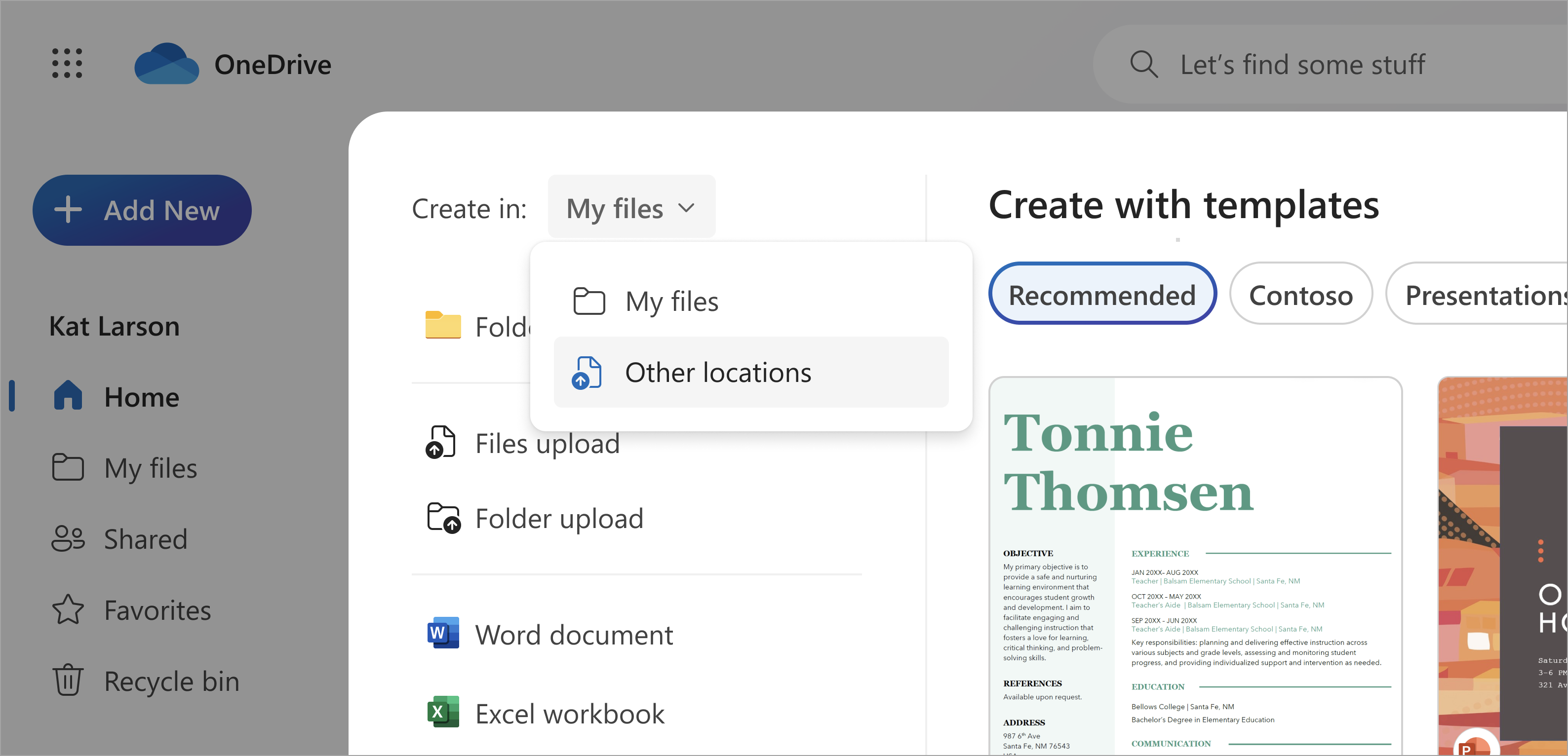
Select a Location
You can choose where your new file is created with a simple dropdown. The default location will continue to be My files, but you can select a new location if you want to create in a specific folder or in a Document library in Quick access. If you've selected Add New from inside a folder, the new file will be created in that folder.
What you need to do to prepare:
No action is needed from admins to prepare for this rollout. You may want to notify your users about this change and update any relevant documentation as appropriate.
Learn more: Create an organization assets library - SharePoint in Microsoft 365 | Microsoft Learn