🦉
Message CenterMicrosoft 365 Updates
HomePermissionsTenant FinderPortfolio
🦉
M365 Message Centerby Cengiz YILMAZ

Track the latest updates, features, and announcements for Microsoft 365 services. Comprehensive archive of service updates and important changes.

Quick Links

HomePermissionsTenant FinderPortfolio

Connect

© 2026 M365 Message Center. Created with ❤️ by Cengiz YILMAZ

Data sourced from Microsoft 365 Message Center • Not affiliated with Microsoft

  1. Home
  2. /
  3. MC711335

Microsoft Defender for Office 365: Quarantine End User Allow and Block list management

Informational

Message ID

MC711335
View in Admin Center

Roadmap ID

380185
View in Roadmap

Services

Exchange Online
Microsoft Defender XDR

Affected Platforms

Web

Summary

Microsoft Defender for Office 365 is updating the way end users allow and block emails in Exchange Online. The update will allow end users to block emails from unwanted senders and prevent those emails from showing up in their default quarantine view and in their quarantine notifications. The rollout will begin late April 2024 and expect to complete by late June 2024. No action is needed to prepare for this change.

Details

Updated June 27, 2024: We have updated the rollout timeline below. Thank you for your patience.

In Microsoft Defender for Office 365, we are updating the way end users allow and block emails in Exchange Online. 

This message is associated with Microsoft 365 Roadmap ID 380185.

When this will happen:

Worldwide: We will begin rolling out late April 2024 (previously late March) and expect to complete by mid-June 2024 (previously mid-May).

GCC, GCC High and DoD: We will begin rolling out mid-Mary 2024 (previously late April) and expect to complete by late June 2024 (previously mid-June).

How this will affect your organization:

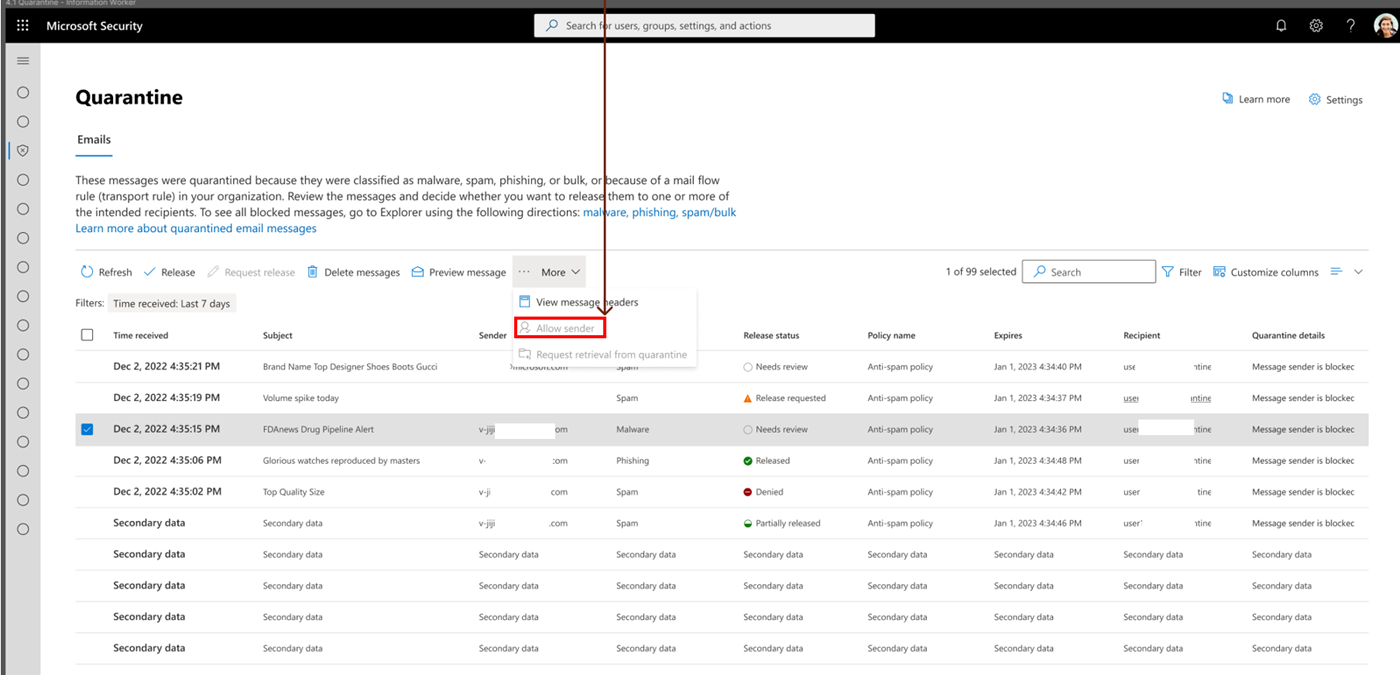
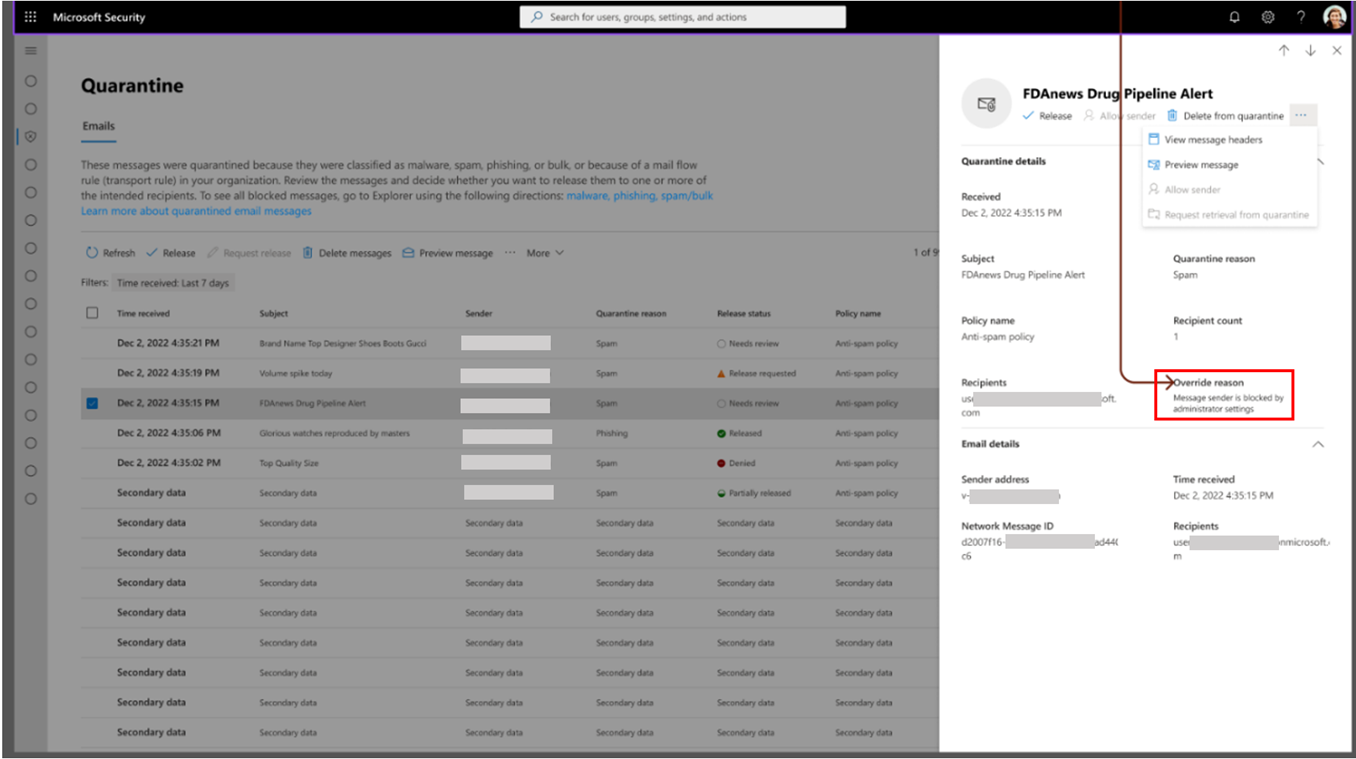
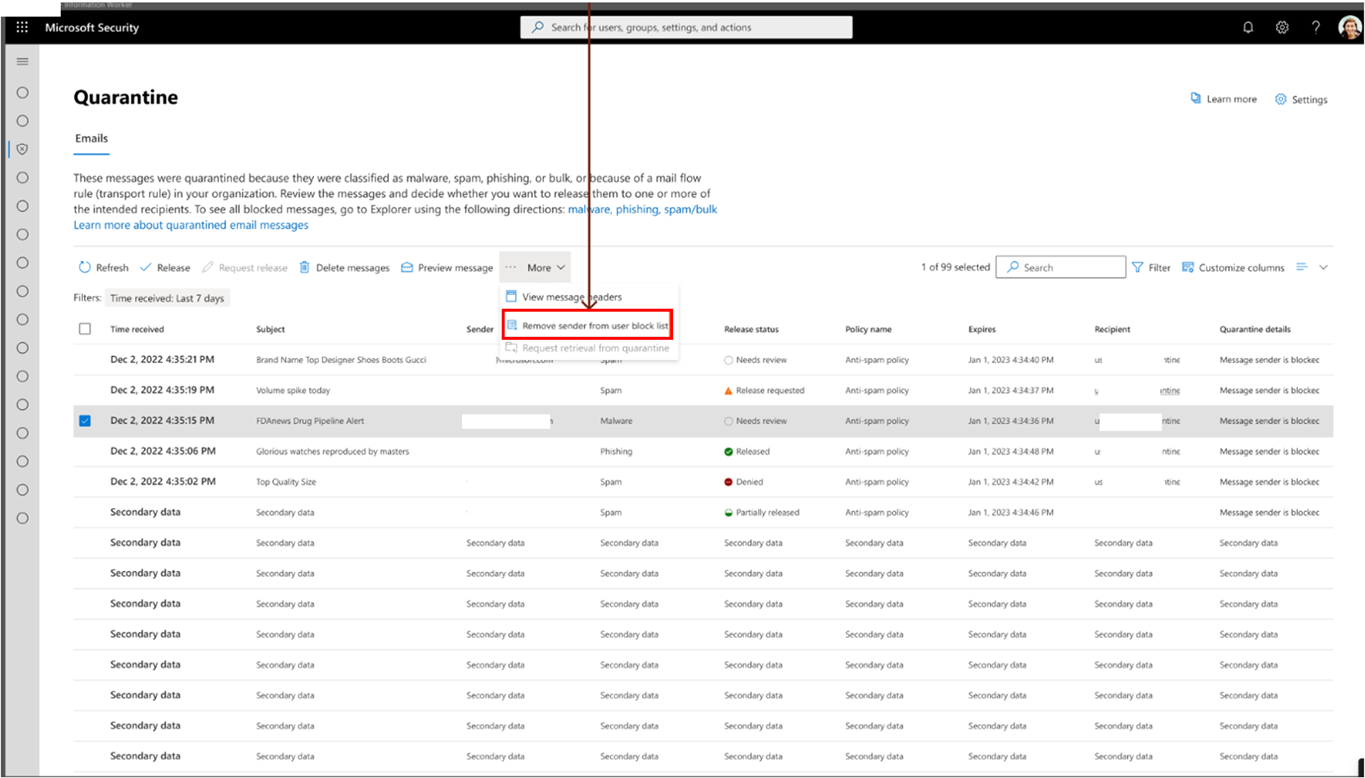
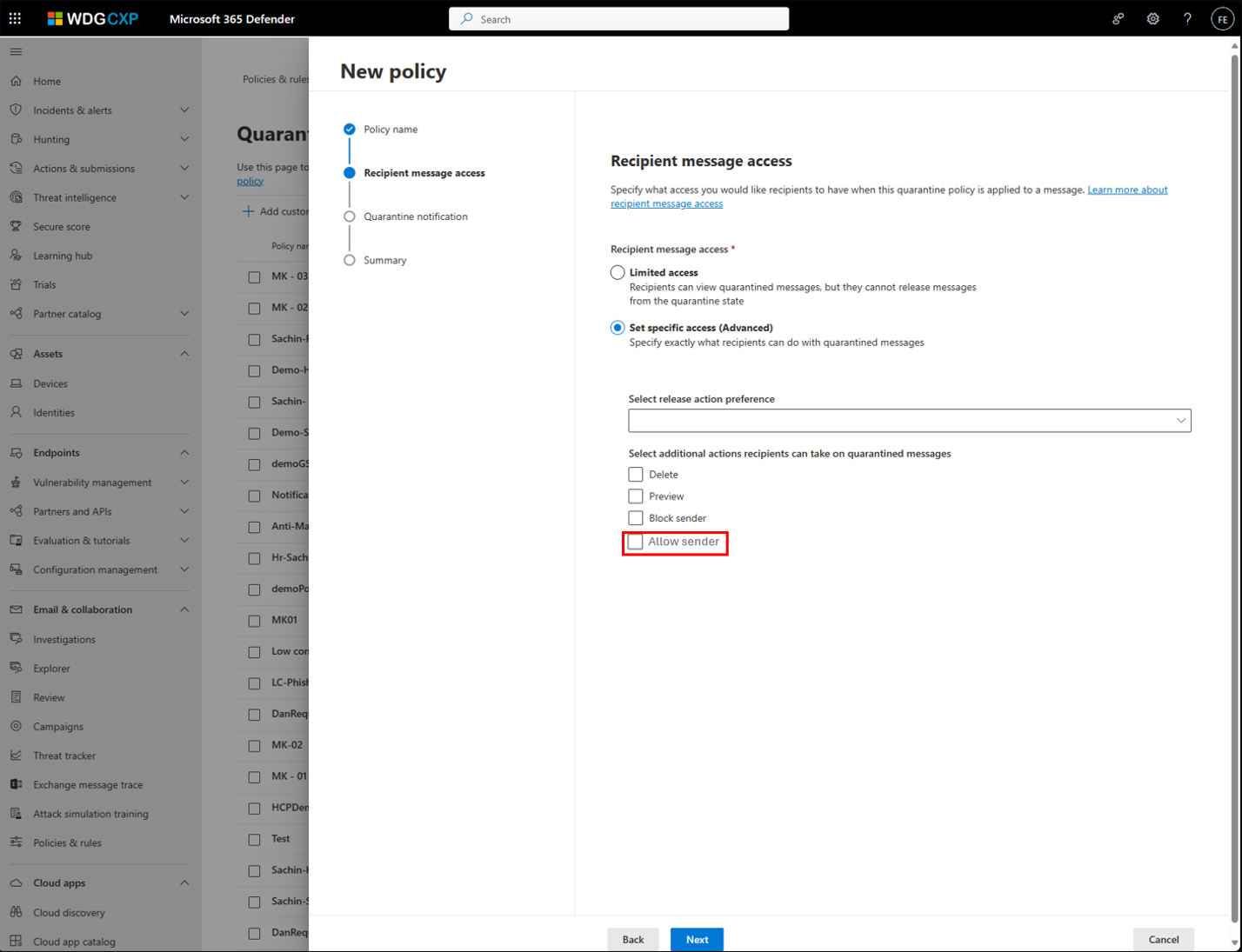
With one click, end users will block emails from unwanted senders and prevent those emails from showing up in their default quarantine view and in their quarantine notifications. If no admin overrides exist, end users will also be able to allow emails from trusted senders and prevent future emails from those senders from going into quarantine. End users can now review admin any override reasons that lead to quarantined emails.

Figure 1: Allow sender action:

User settings

Figure 2: Review admin Override reason:

User settings

Figure 3: Undo Block sender:

User settings

Figure 4: Allow sender in Quarantine policy:

User settings

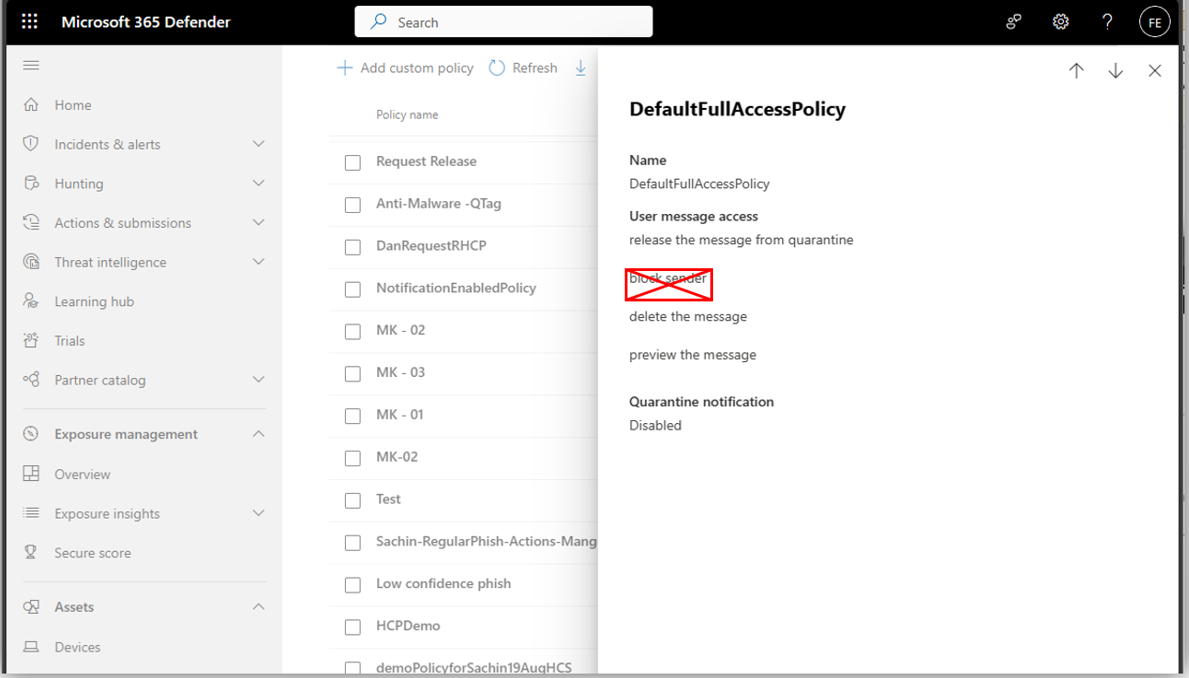
Figure 5: Block sender action eliminated from default Quarantine policies:

User settings

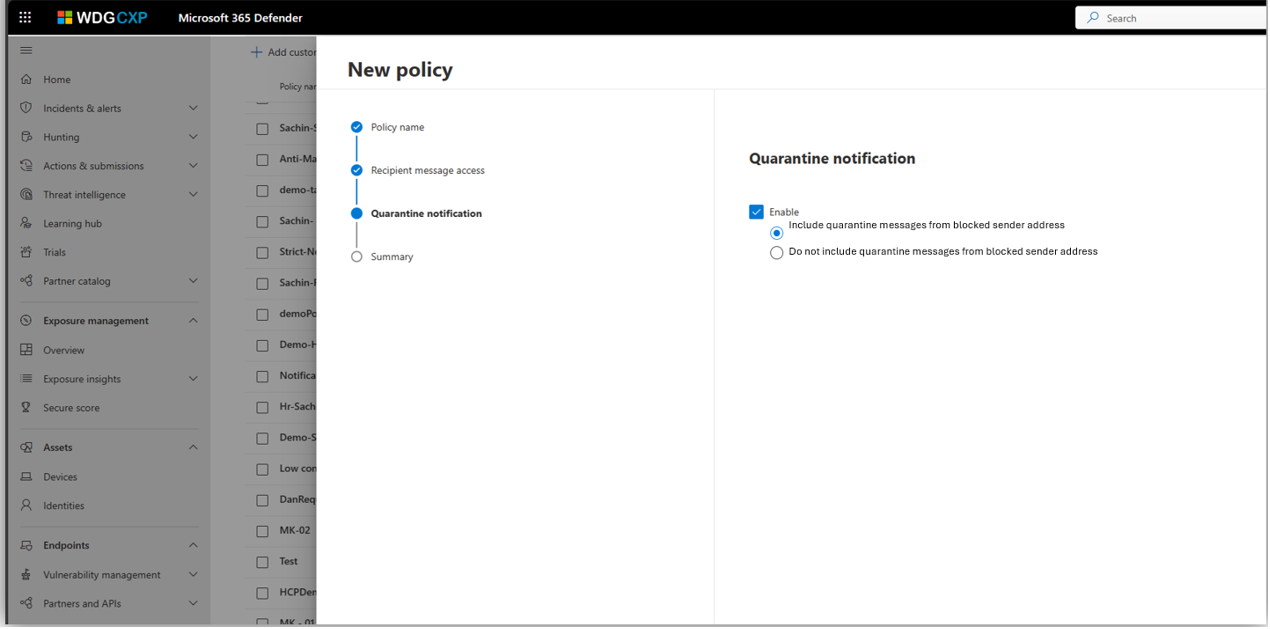
Figure 6: How to include or exclude messages from blocked sender in Quarantine notification:

User settings

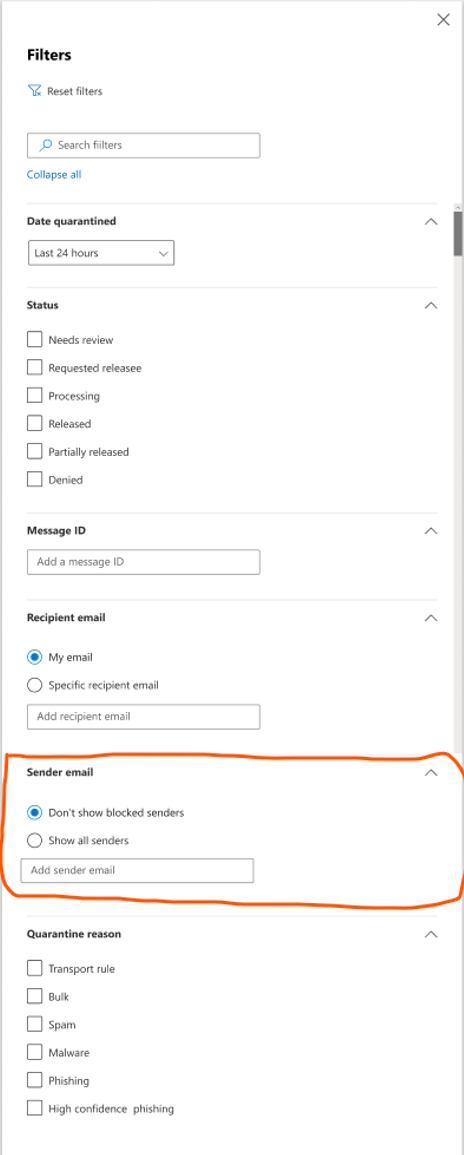
Figure 7: Quarantined messages from blocked senders are excluded from Quarantine view by default:

User settings

What you need to do to prepare:

No action is needed to prepare for this change. You may want to notify your users about this change and update any relevant documentation as appropriate.

Timeline

📅
Published
Jan 30, 2024
Message published to Message Center
✏️
Updated
Jun 27, 2024
Message content updated
🏁
End Date
Jul 29, 2024
Message timeline ends

Tags

#Updated message#Feature update#User impact#Admin impact

Category

📖Stay Informed

Related Messages

Similar updates

MC841229

Classic Microsoft Outlook for Windows: New reporting buttons integrated with Microsoft Defender for Office 365

Jul 29, 2024
MC744113

Microsoft Defender for Office 365: New Quarantine release details

Mar 18, 2024
MC765801

Microsoft Defender for Microsoft Office 365: enhanced clarity in submission results

Apr 2, 2024
MC718246

Defender for Office 365: Block Sender in Quarantine notification will require signing in to security portal

Feb 21, 2024
MC1069558

Microsoft Defender: Updates to Export Quarantine Message cmdlet

May 7, 2025