What and Why:
Microsoft Purview Data Loss Prevention (DLP) is introducing user-based aggregation of alerts, enabling related DLP events triggered by the same user to be grouped into a single alert. This enhancement reduces alert noise, streamlines investigation workflows, and provides richer context for security and compliance teams.
This message is associated with Microsoft 365 Roadmap ID 564765.
Rollout Schedule:
- General availability (Worldwide): We will begin rolling out in mid-August 2026 and expect to complete by mid-August 2026.
Impact on Your Organization:
Who is affected: Compliance admins and security admins managing Microsoft Purview DLP
Platforms/Services:
-
Microsoft Purview compliance portal (web)
- Data Loss Prevention (DLP)
What will happen:
- A new configuration option will be available for event aggregation into alerts.
- Admins can select user-based aggregation and define an aggregation time window.
- Multiple DLP events triggered by the same user within the defined time window will be consolidated into a single alert.
- Alerts may include events that match different DLP rules.
- The feature is not enabled by default and requires admin configuration.
- No change to DLP policy enforcement.
Once enabled, alerts are aggregated by user, regardless of which DLP rules are matched within the defined aggregation window.
Example: A single alert may include multiple events triggered by the same user, even when those events match different DLP rules.
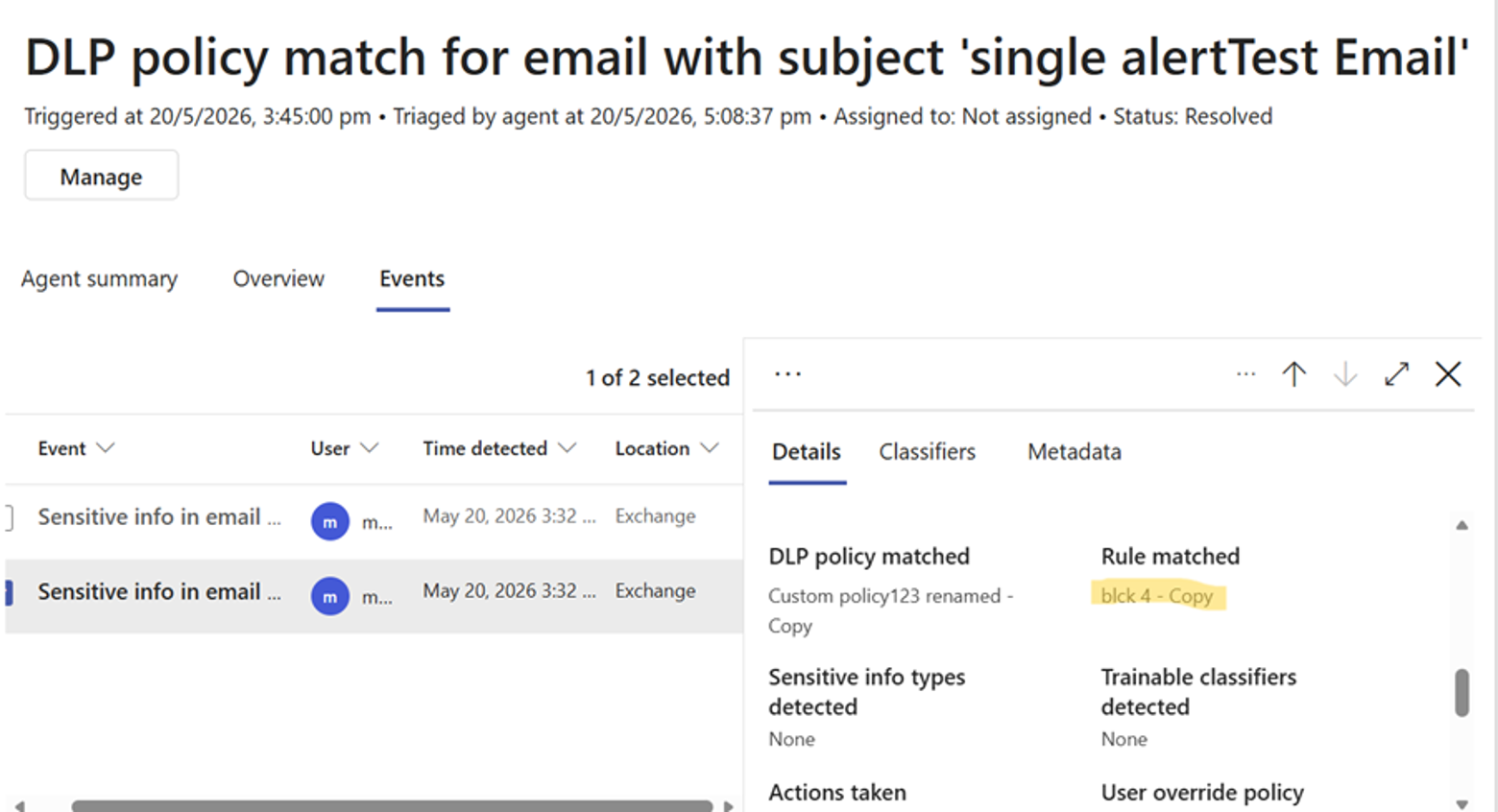
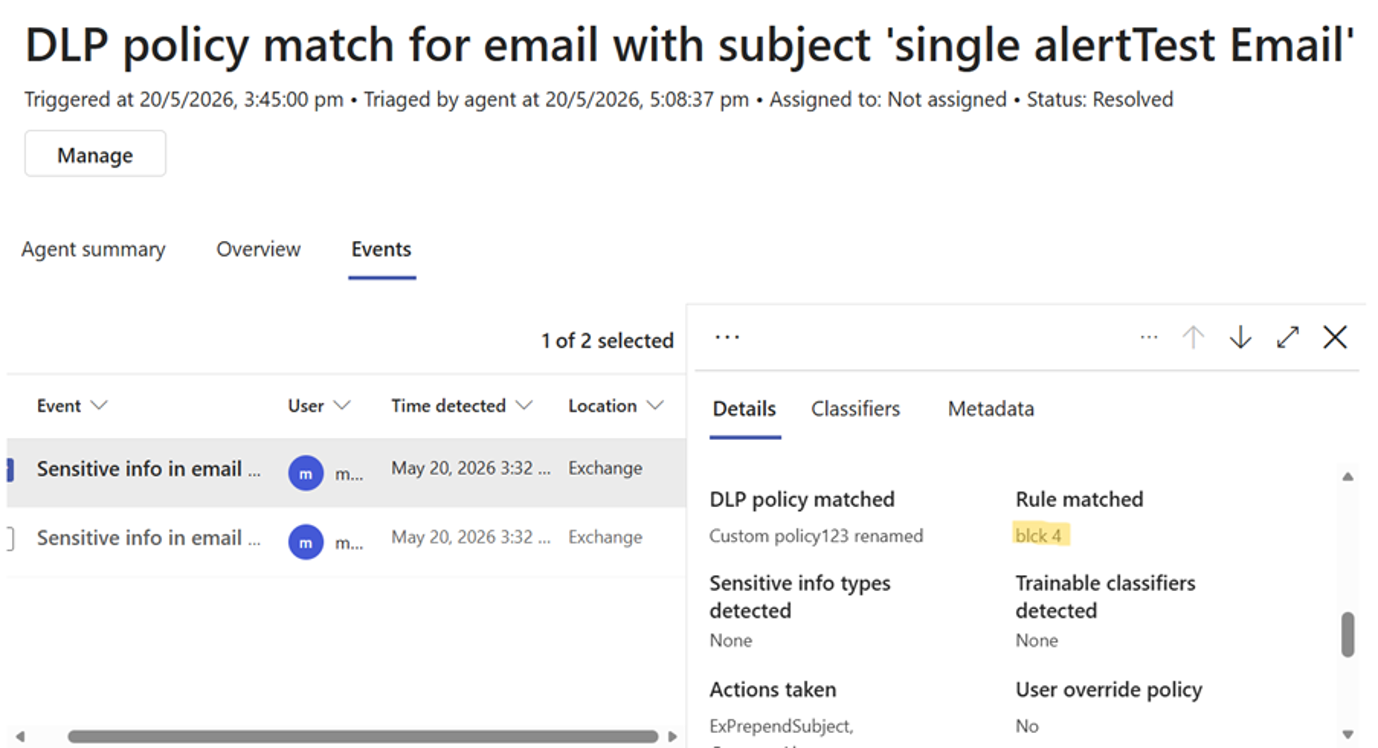
The following examples illustrate the difference between aggregated and non-aggregated alerts:
Screenshot 1: Aggregated alert — multiple events triggered by the same user are grouped into a single alert, including events that match different DLP rules:
Screenshot 2: Non-aggregated alert — each event generates a separate alert, showing a single event and rule match:
Action Required/Recommendations:
- Review the new setting once available in your tenant.
- To enable:
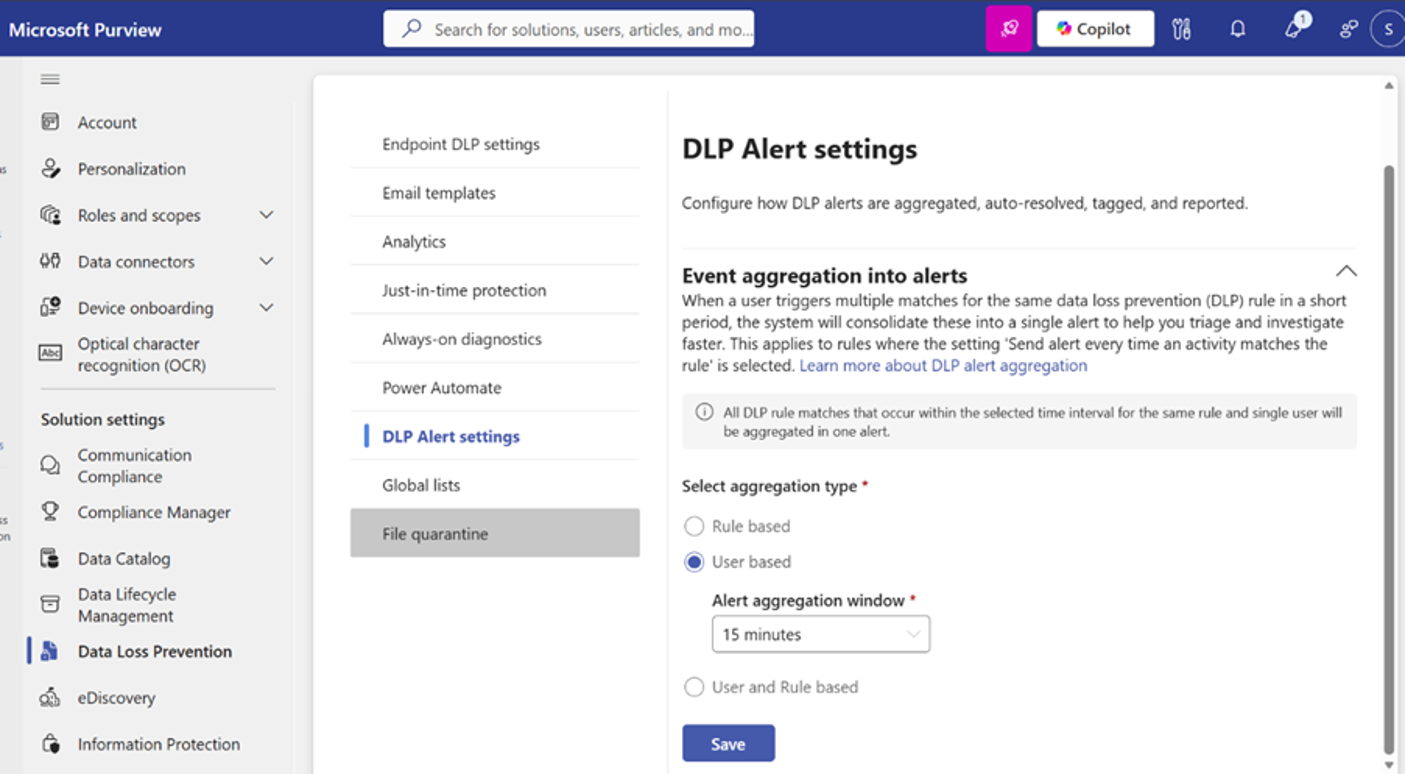
- Go to Settings > DLP settings > Alert settings > Event aggregation into alerts
- Select User-based aggregation
- Configure the alert aggregation time window
- Select Save
Screenshot 3: Enable user-based aggregation and set the alert aggregation window in DLP Alert settings
- Evaluate whether aggregation aligns with your organization’s alert triage and investigation processes.
- Communicate this change to your security operations or compliance teams.
- Update internal documentation or runbooks if you rely on DLP alert workflows.
Compliance considerations:
| Compliance Area |
Explanation |
| Alters how existing customer data is processed, stored, or accessed |
DLP alert data is processed differently by aggregating multiple events into a single alert object for the same user. |
| Modifies DLP policies or enforcement behavior |
There is no change to policy enforcement itself, but alerting behavior and how events are surfaced to admins is modified. |
| Alters how admins monitor, report, or demonstrate compliance activities |
Alert aggregation changes how incidents are viewed, triaged, and reported in Purview. |
| Includes an admin control |
Admins can enable or disable user-based aggregation and configure the aggregation window in Purview settings. |