What and Why:
We’re introducing the first phase of a simplified, more consistent design and navigation experience in Viva Engage to help users focus on conversations and community engagement. This update aligns Engage’s web and Teams experiences with modern Microsoft design patterns, reduces visual clutter, and improves usability across screen sizes.
Rollout Schedule:
General Availability (Worldwide): Rollout begins in late June 2026 and is expected to complete by mid-August 2026.
Impact on Your Organization:
- Who is affected: All users who access Viva Engage on the web or in Microsoft Teams.
- Platforms / Services: Viva Engage (Web), Viva Engage app in Microsoft Teams.
What will happen:
- Users will see an updated layout and navigation with consistent design patterns across Viva Engage pages on web and in Microsoft Teams.
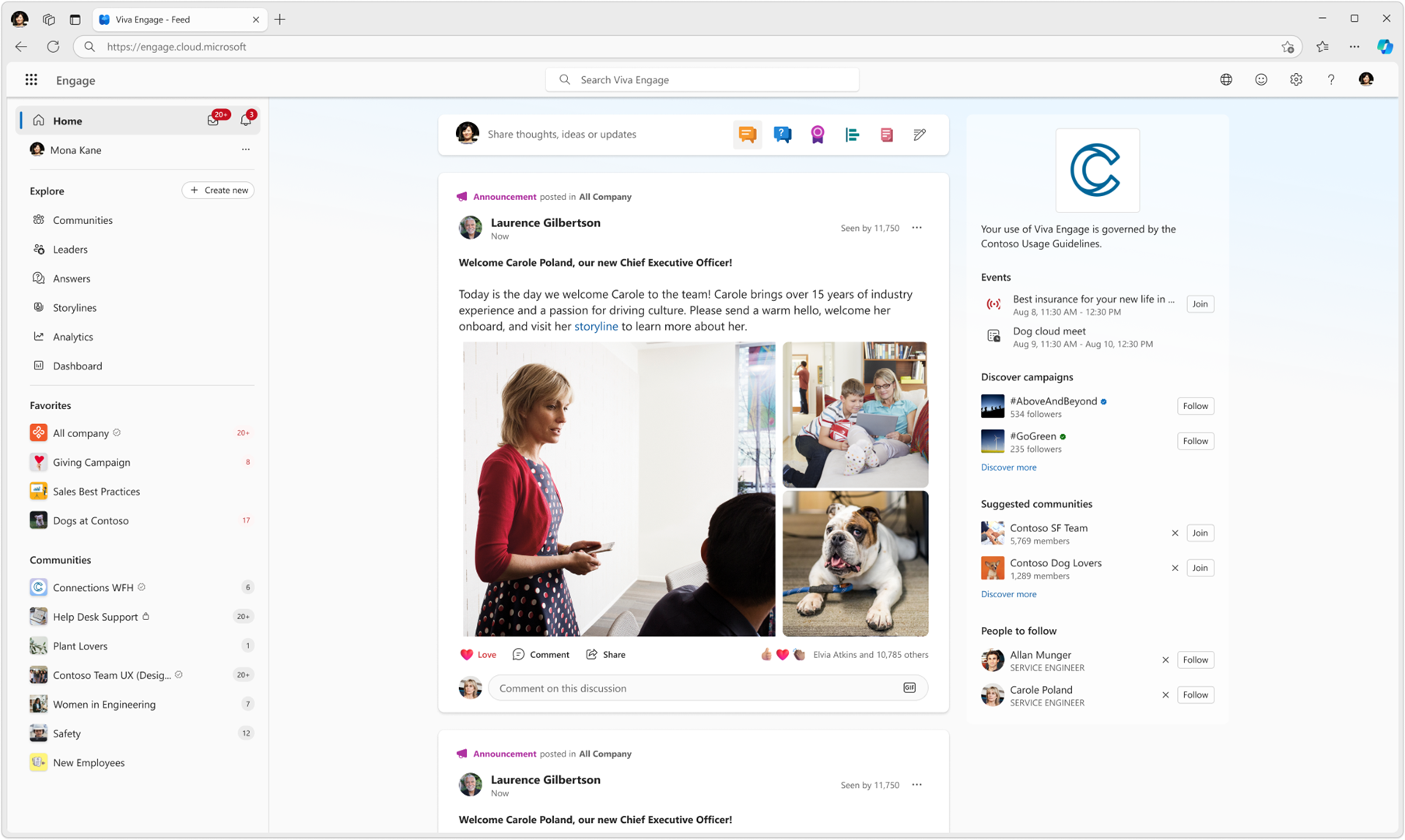
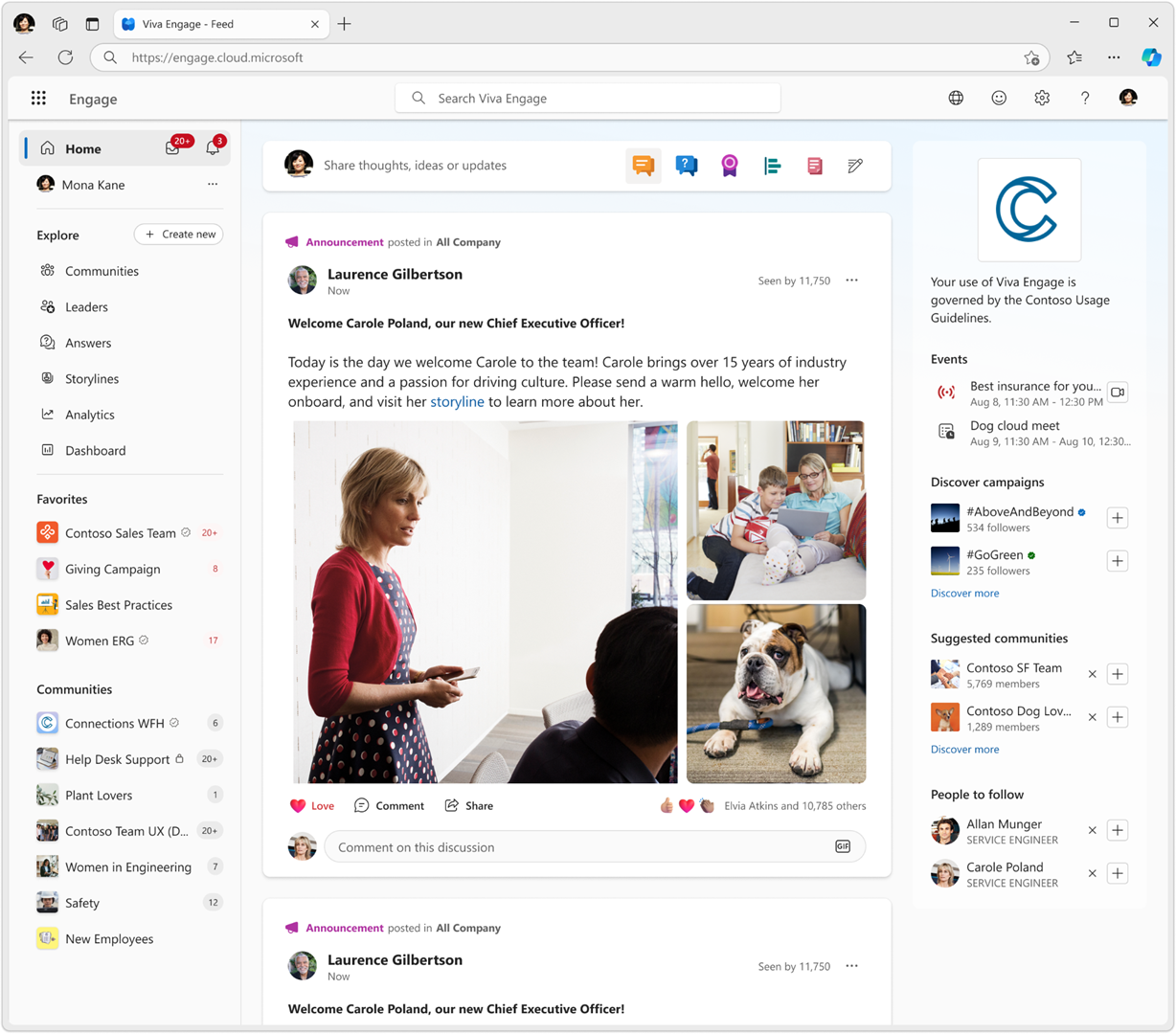
- A more consistent right-side panel will appear across all pages, showing the most relevant information alongside conversations to keep conversation content front and center.
Screenshot 1: Home feed with the new right-side panel on a wide screen:
Screenshot 2: Home feed with the new right-side panel on a narrow screen:
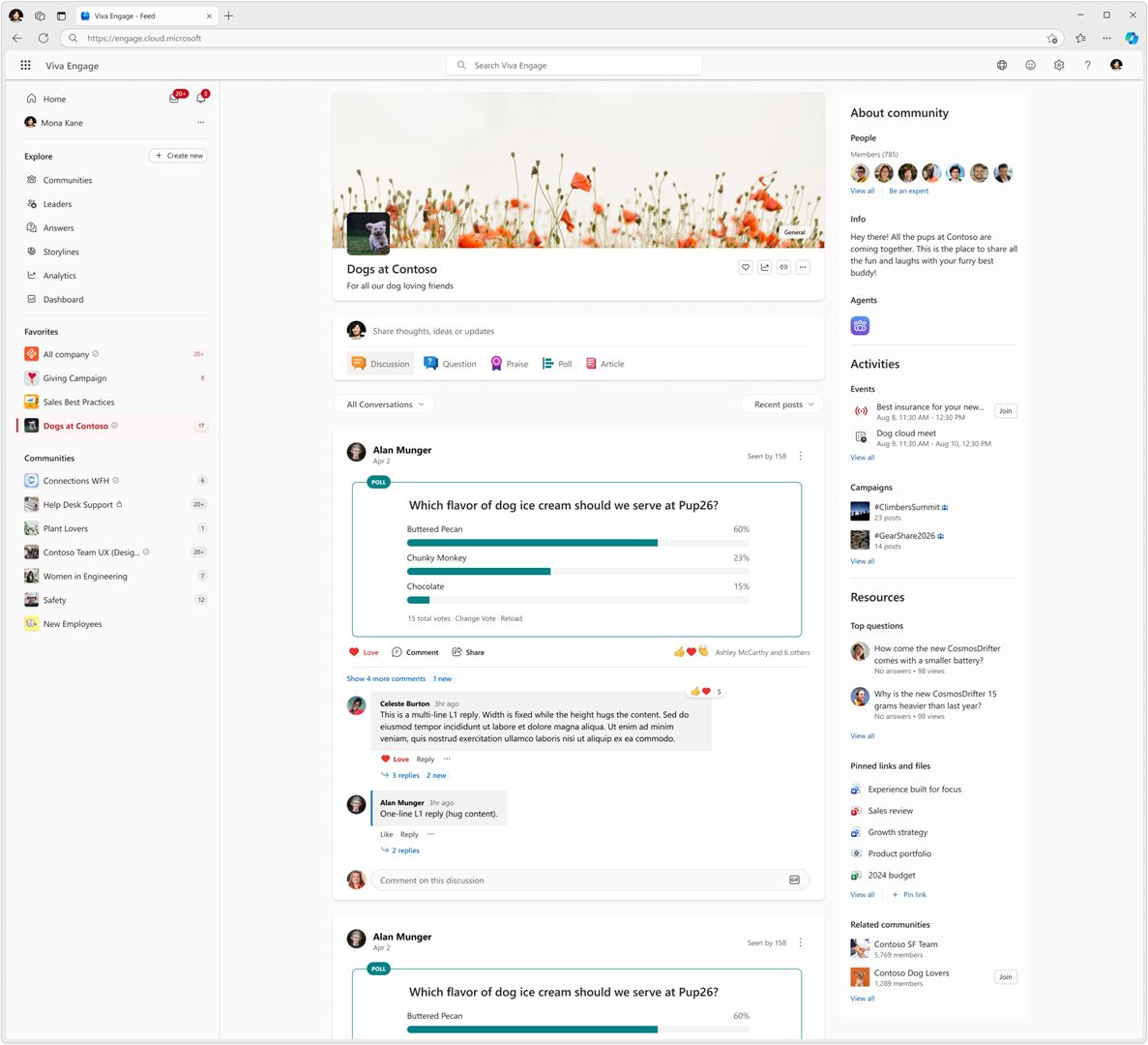
Screenshot 3: Community page with reconsolidated modules on right-side panel for community members:
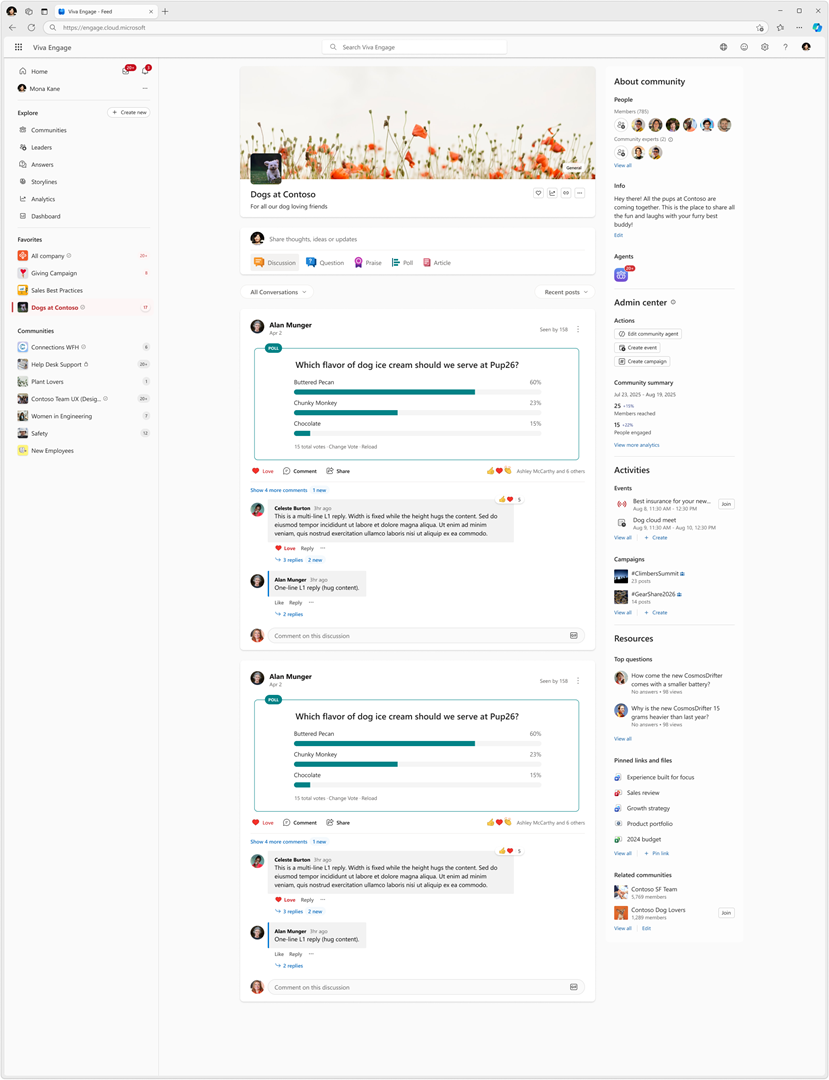
Screenshot 4: Community page with reconsolidated modules on right-side panel for community admins:
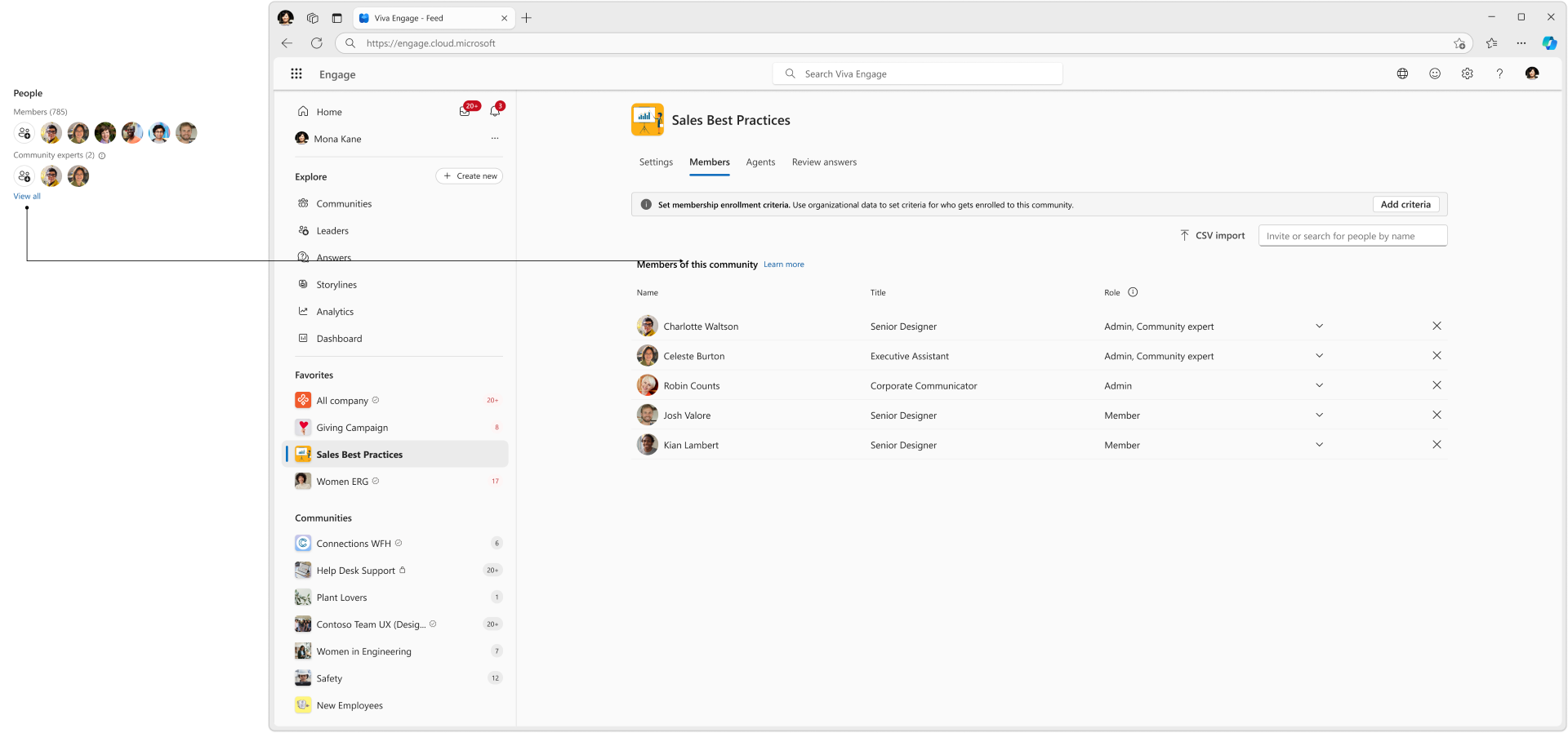
Screenshot 5: Membership page with tabs for Settings, Members, Agents for community admins when clicked on the right-side panel for People:
- On the web, users will see a better-fitting layout:
- A wider content area and right-side panel on larger screens.
- A narrow mode of the right-side panel on smaller screens.
- Community navigation is simplified:
- Redundant or empty entry points are removed.
- Existing modules are consolidated from the header into the right-side panel.
- Modules that are not relevant to a community (for example, events or campaigns when there is nothing to show) are hidden automatically
- In a community, users will see a dedicated membership page, replacing the previous Members panel. Community admins will see additional tabs for Agents, and Settings.
- Two older, low-use modules are removed from the community right-side panel:
- The intelligent importer for populating questions and answers.
- Community resources for the linked SharePoint library and site. This remains available through the overflow menu in the Files tab.
- The update is enabled by default. No admin configuration or policy changes are required.
Action Required / Recommendations:
-
No admin action is required.
- Consider informing community admins, updating internal documentation or screenshots, and notifying helpdesk teams of the layout changes.
Compliance considerations:
No compliance considerations identified; review as appropriate for your organization.