MC1489942Microsoft Viva Insights: New Power BI report publishing capabilities for leaders
Summary
Microsoft Viva Insights is expanding Power BI report publishing to leaders, allowing them to publish and distribute reports directly. The "Analyst report publish" setting is renamed "Report publish," managed by admins and on by default. Rollout begins November 2026, with no action required but governance review recommended.
More information
What and why
We are expanding report publishing capabilities in Microsoft Viva Insights to include leaders, such as chief officers, managers, and their delegates. As part of this update, in Viva Feature Access Management, the Analyst report publish setting will be renamed to Report publish. This setting, which is on by default, will continue to be managed by Global Admins and Insights Admins, and will govern publishing for both analysts and leaders. This update enables leaders to directly publish and distribute curated Power BI reports available in Viva Insights without requiring an analyst to publish on their behalf.
Rollout schedule
- General Availability (Worldwide and GCC): Rollout begins in early November 2026 and is expected to complete by late November 2026.
Impact on your organization
Who is affected
- Organizations using Microsoft Viva Insights report publishing capabilities.
- Analysts, chief officers, managers, delegates, Insights Admins, and Global Admins.
- Users who receive published Viva Insights reports.
Platforms and services
- Microsoft Viva Insights
- Power BI reports available through the Viva Insights Reports tab
What will happen
- All analysts and leaders will be able to publish Power BI reports that are available to them in the Reports tab.
- Users can publish either default or customized reports available to them.
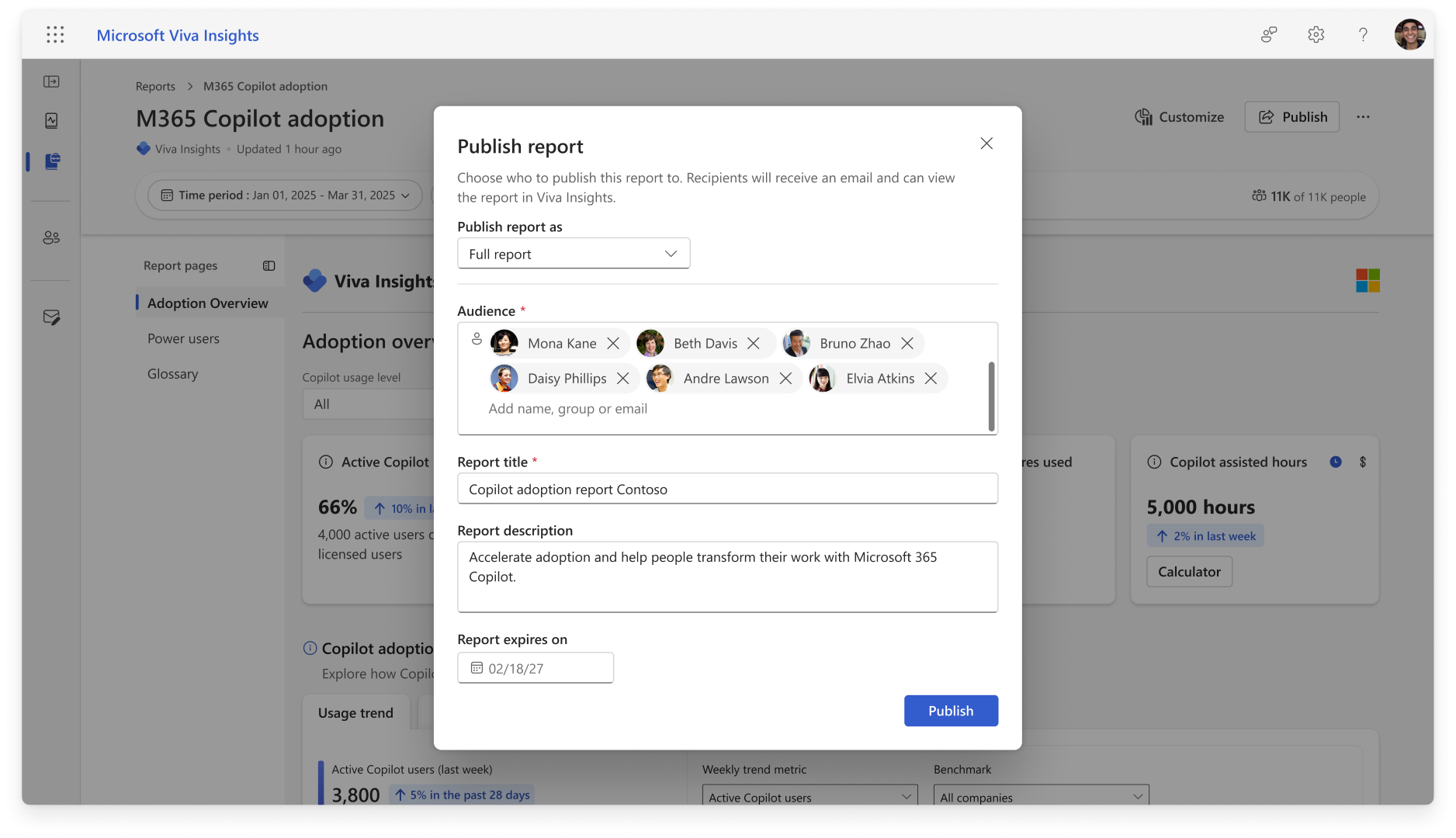
- Publishers can define the audience, report title, description, and publication end date.
- Recipients will receive an email notification when a report is published to them, and can access published reports from the Viva Insights Reports tab.
- Published reports can be shared using either:
- Unfiltered publish, where recipients view the report using the full data scope available for that report.
- Manager-hierarchy publish, where recipients view the report based on the applicable manager hierarchy.
- If a published report is configured to refresh weekly or monthly, the underlying query will continue to refresh until the publication end date.
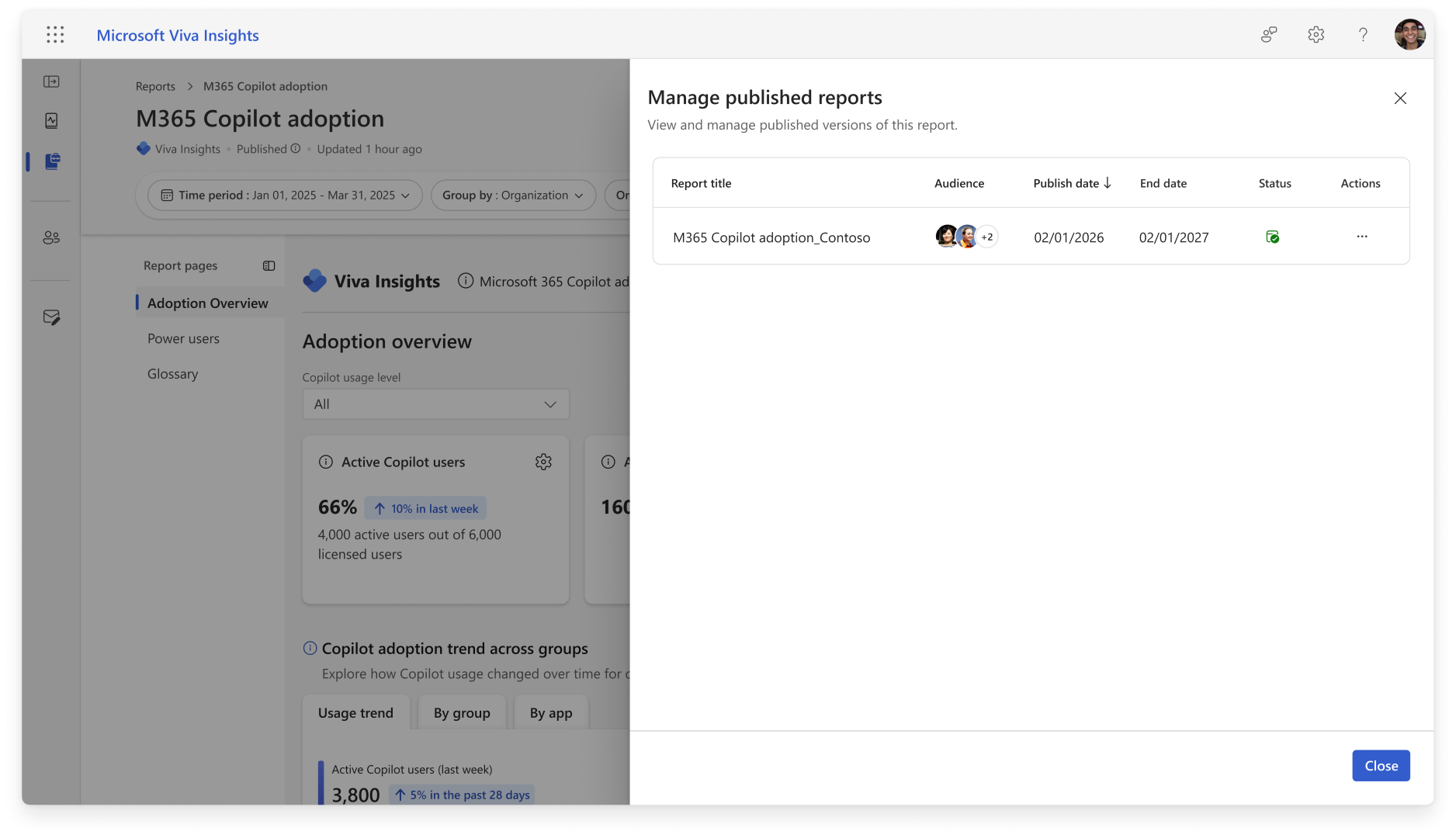
- Analysts and leaders will be able to manage published reports through the Manage publishes option.
- Recipients can view and interact with published reports but cannot download reports, access row-level data, modify or manage publications, extend access, or republish reports.
- If a publisher loses the qualifying role used to publish the report, recipients will retain access until the publication expires.
- The existing Analyst report publish feature access control will be renamed to Report publish. This control will govern report publishing for analysts and leader personas, remains managed by Global Admins and Insights Admins, and is on by default.
- Insights Admins will have visibility into published reports through the Admin Publish Reports experience, including the ability to view and remove publications and publish reports on behalf of users.
Setting up report properties prior to publishing
View and manage published reports
Action required and recommendations
No action is required. We recommend that you review your organization's report publishing governance and processes prior to rollout.
Learn more
Compliance considerations
No compliance considerations identified. Review as appropriate for your organization.