🦉
Message CenterMicrosoft 365 Updates
HomePermissionsTenant FinderPortfolio
🦉
M365 Message Centerby Cengiz YILMAZ

Track the latest updates, features, and announcements for Microsoft 365 services. Comprehensive archive of service updates and important changes.

Quick Links

HomePermissionsTenant FinderPortfolio

Connect

© 2026 M365 Message Center. Created with ❤️ by Cengiz YILMAZ

Data sourced from Microsoft 365 Message Center • Not affiliated with Microsoft

  1. Home
  2. /
  3. MC716665

Microsoft Exchange admin center: new troubleshooting option

Informational

Message ID

MC716665
View in Admin Center

Services

Exchange Online

Summary

Microsoft Exchange admin center is launching new troubleshooting workflows to help customers resolve common issues more efficiently. Admins will be able to access the new Troubleshoot option on the left navigation of the Microsoft Exchange admin center. The new workflows gather logs and data to provide relevant information, making troubleshooting easier. The rollout will begin mid-February 2024 and is expected to complete by late June 2024. No action is needed to prepare for this change.

Details

Updated August 1, 2024: The troubleshooting workflows, originally planned to be fully deployed by the end of June, were delayed due to the Exchange Admin Center security review, during which any new features were paused until the review was completed. With the security review now completed, the troubleshooting workflows will begin deploying starting the first week of August 2024.

The Microsoft Exchange admin center (EAC) is launching new troubleshooting workflows to help customers resolve common issues more efficiently.

When this will happen:

Standard Release: We will begin rolling out mid-February 2024 and expect to complete by late June 2024.

How will this affect your organization:

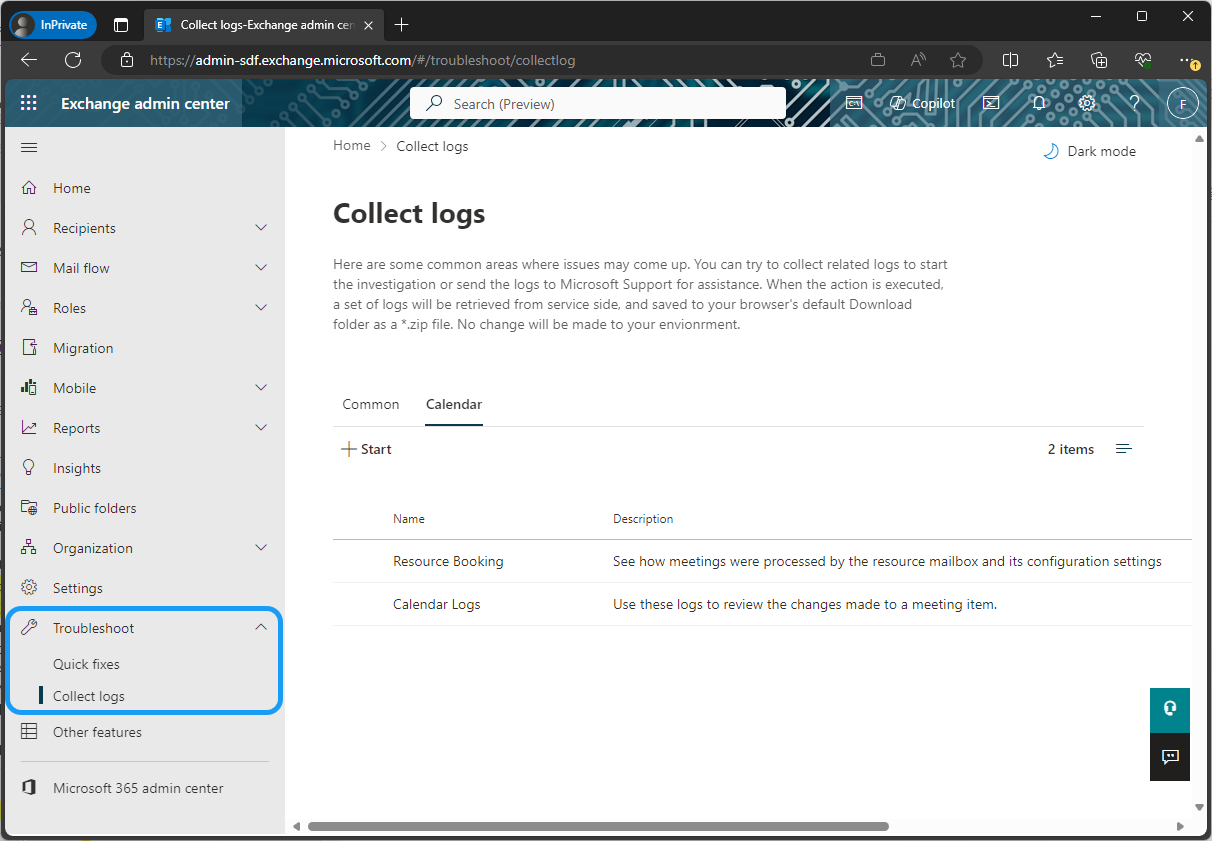
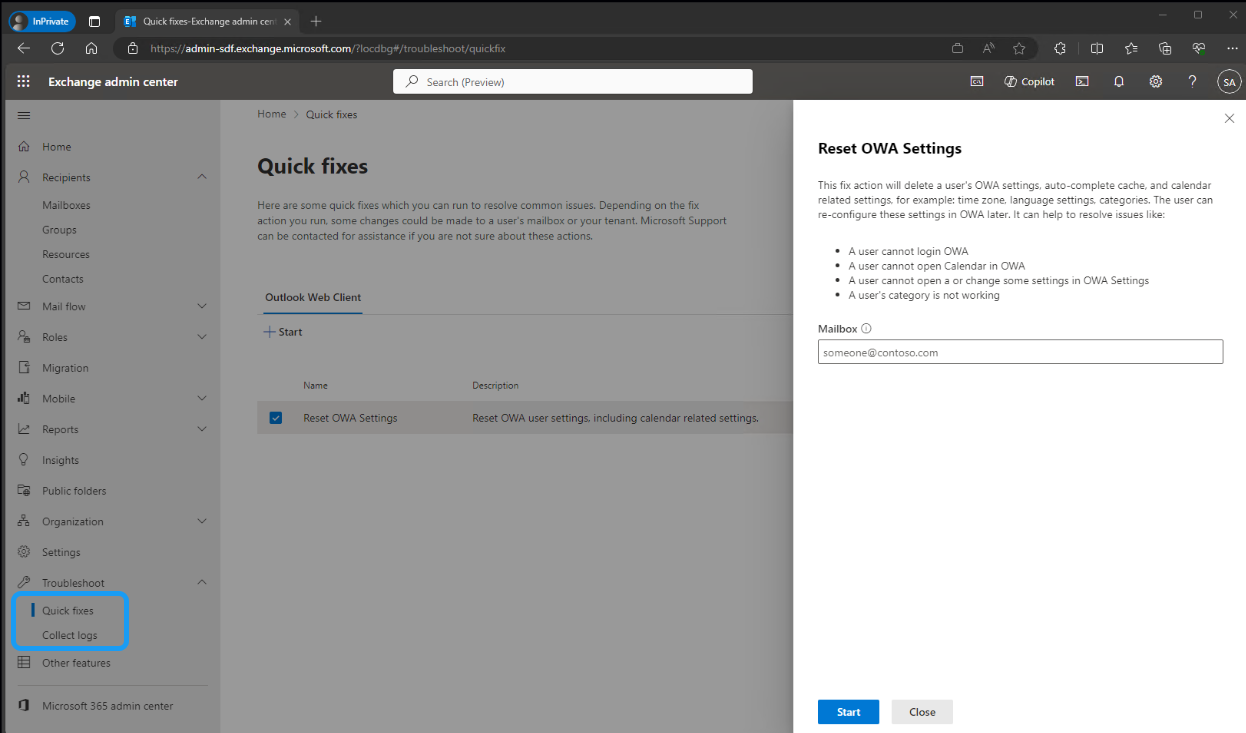
Admins will be able to access the new Troubleshoot option on the left navigation of the Microsoft Exchange admin center. When common issues arise, admins can run the Quick fixes workflow or Collect logs workflow to investigate. These workflows gather logs and data to provide relevant information, making troubleshooting easier. All logs and data are stored on the admin’s local machine for easy access.

The Quick fixes option includes workflows to resolve known issues. Each workflow provides detailed information about the actions it performs and the specific issue it addresses. In this initial release, admins will be able to quickly reset Outlook on the web (OWA) settings for users, helping to resolve various login and calendar-related issues.

The Collect logs workflows can be used to diagnose issues with resource mailboxes functioning in unexpected ways or meetings updating incorrectly for a mailbox. Each workflow executes multiple cmdlets and provides aggregated information, which is then downloaded to the admin’s local machine as logs. These logs can be used to diagnose issues independently or provide additional information before contacting Support.

admin screen

admin controls

What you need to do to prepare:

No action is needed to prepare for this change. You may want to notify your users about this change and update any relevant documentation as appropriate. 

Timeline

📅
Published
Feb 16, 2024
Message published to Message Center
✏️
Updated
Aug 1, 2024
Message content updated
🏁
End Date
Aug 26, 2024
Message timeline ends

Tags

#Updated message#New feature#Admin impact

Category

📖Stay Informed

Related Messages

Similar updates

MC711025

Microsoft 365 Groups: Users can now choose to switch to the new Groups experience in Outlook on the web

Jan 29, 2024
MC711018

Microsoft Exchange Online: Support for inbound SMTP DANE with DNSSEC

Jan 29, 2024
MC744122

Microsoft Outlook Mobile: To Do integration

Mar 18, 2024
MC765804

Microsoft Defender for Office 365: Adding last used dates to Tenant Allow/Block Lists

Apr 2, 2024
MC696850

Microsoft Defender for Office 365 enable admins to provide intent while submitting

Dec 8, 2023