What and Why:
Microsoft will begin rolling out a new feature in Teams
admin center that helps admins identify custom line-of-business (LOB) apps that
need updates to work in private and shared channels. Taking action now will
help organizations ensure apps are available in these channels and work
smoothly across evolving channel experiences.
This message is associated with Microsoft 365 Roadmap ID 569019
Rollout Schedule:
General Availability (Worldwide): We will begin rolling out on early September 2026 and expect to complete by late September 2026.
Impact on your organization:
If apps are not updated to support private and shared
channels, users may be unable to access those app experiences in these channels
until the required updates are completed.
Why this is
important:
- Business
continuity: As organizations adopt private and
shared channels, updating LOB apps helps reduce the risk of app access
gaps across channels.
- Lower
operational overhead: Completing these updates early can help
reduce admin escalations, helpdesk tickets, and reactive fixes.
What you can expect
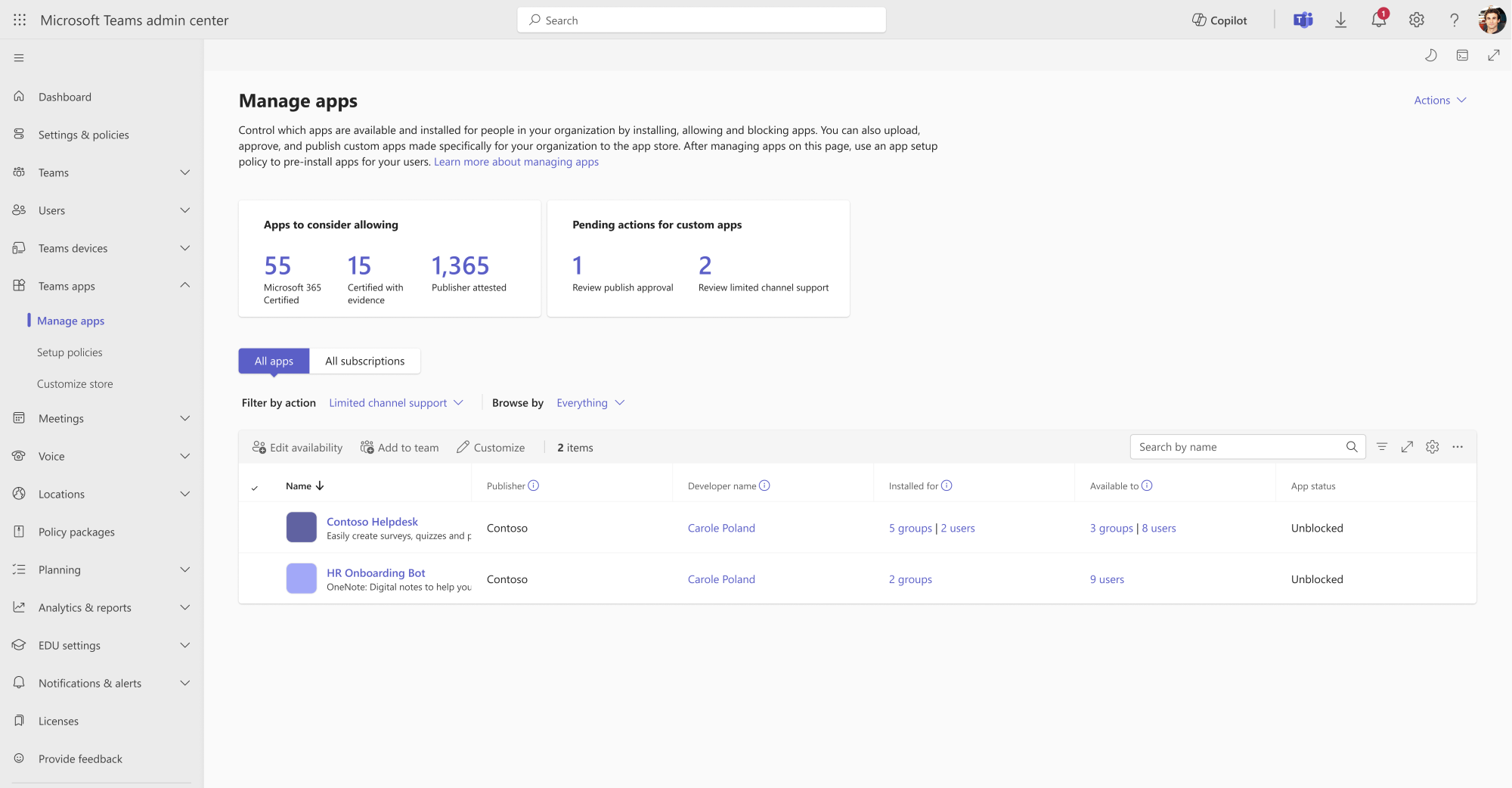
Admins will be able to view a list of custom LOB apps that
are not compatible with private and shared channels in the Teams admin center
under Teams apps > Manage apps.
Guidance is available now, enabling organizations to work
with custom LOB app developers to plan and complete the required updates.
Developers can review the documented
requirements, update their apps, and validate supported scenarios.
Action Required / Recommendations:
- Review custom apps used in team and channel
scenarios across your organization.
- Ask your app developers to complete the required
updates for private/shared channel scenarios.
- Validate that updated apps continue to support
the scenarios your users rely on.
Learn more:
Teams
connects shared and private channels - Teams | Microsoft Learn