What and Why:
We are updating the SharePoint page editing experience with a neutral-themed UI for system controls, including web part toolbars and property panes.
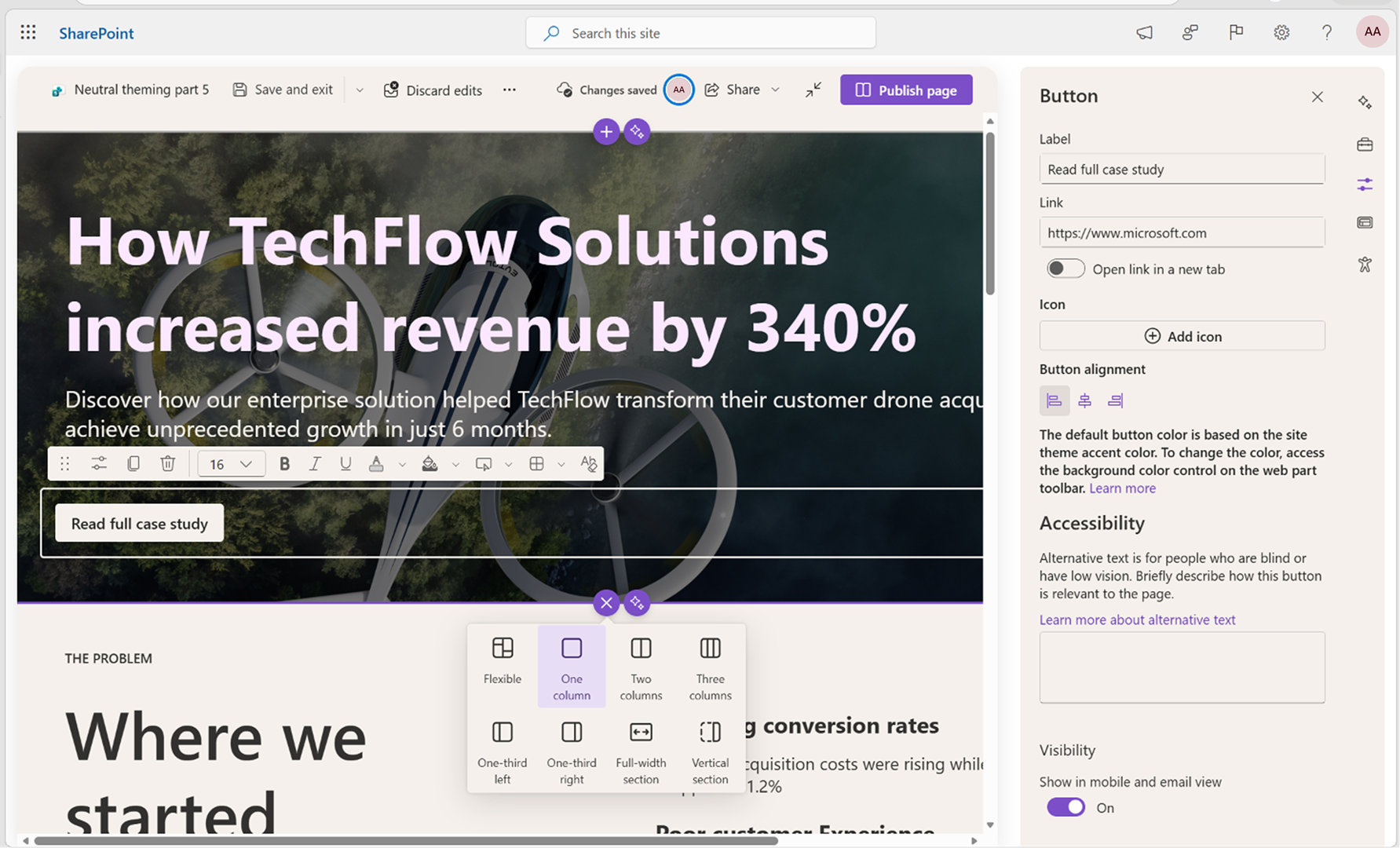
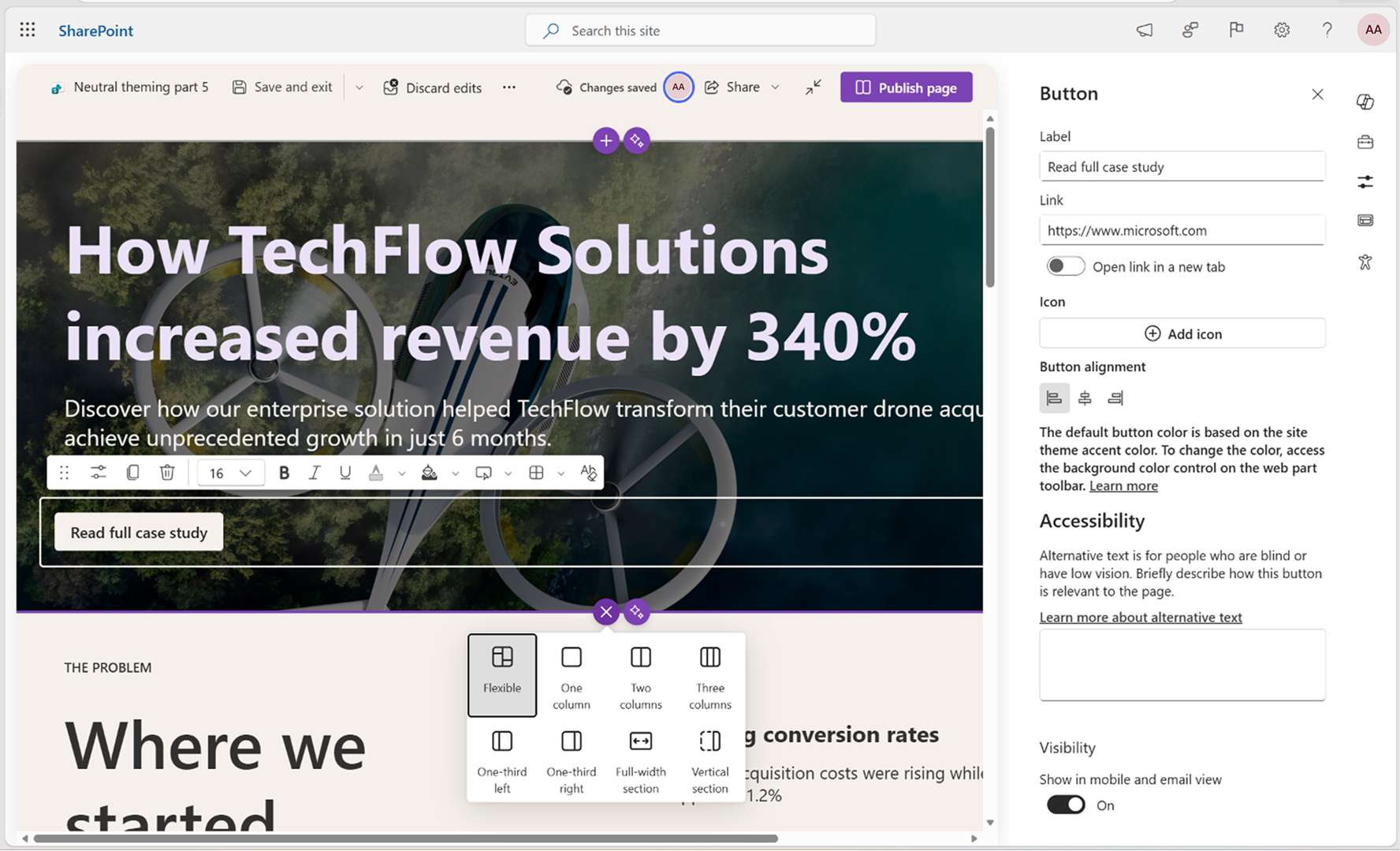
With this change, editing tools will use standard, neutral colors instead of inheriting site branding. This creates a clearer distinction between system controls and user-authored content, improving usability, accessibility, and consistency across light and dark themes as part of the SharePoint visual refresh.
This message is associated with Roadmap ID 566698.
Rollout Schedule:
- Targeted Release (Worldwide): Beginning late July 2026; expected to complete by early August 2026
- General Availability (Worldwide, GCC, GCC High, DoD): Beginning late August 2026; expected to complete by early September 2026
Impact on Your Organization:
Who is affected: Users who create or edit SharePoint pages and developers/admins managing custom or third-party SharePoint Framework web parts.
Platforms/Services: SharePoint (Web)
What will happen:
- Page editing tools (such as web part toolbars and property panes) will display using a neutral-themed UI instead of site theme colors.
- Site branding will continue to apply to page content, but not to editing controls.
- Users will see a clearer separation between editing UI and page content.
- The update improves consistency across light and dark modes.
- The change is enabled by default and requires no configuration.
- Third-party and custom web parts may show visual-only differences (for example, contrast or color mismatches), but functionality is not expected to be impacted.
Screenshot 1: Before: The System Control inherits the site's Custom Theme colors, including the light-yellow background and purple accent color:
Screenshot 2: After: The System Control now uses neutral theme colors. The previously applied Custom Theme colors (light yellow and purple accents) have been replaced:
Action Required/Recommendations:
No admin action is required for Microsoft-provided SharePoint experiences.
If your organization uses custom or third-party web parts, we recommend:
- Validate third-party and custom SPFx web parts in page editing and property pane scenarios before general availability (GA).
- Test web parts in both light and dark themes to identify potential contrast or theming issues.
- Review custom property pane controls for visual consistency with neutral theming.
- Engage your web part provider or internal developers if updates are needed.
- Share updated guidance with development teams.
- Update internal documentation or helpdesk scripts if needed.
Learn more:
Compliance considerations:
No compliance considerations identified, review as appropriate for your organization.