🦉
Message CenterMicrosoft 365 Updates
HomePermissionsTenant FinderPortfolio
🦉
M365 Message Centerby Cengiz YILMAZ

Track the latest updates, features, and announcements for Microsoft 365 services. Comprehensive archive of service updates and important changes.

Quick Links

HomePermissionsTenant FinderPortfolio

Connect

© 2026 M365 Message Center. Created with ❤️ by Cengiz YILMAZ

Data sourced from Microsoft 365 Message Center • Not affiliated with Microsoft

  1. Home
  2. /
  3. MC785024

Microsoft Teams: Introducing slash commands in the compose box

Informational

Message ID

MC785024
View in Admin Center

Services

Microsoft Teams

Summary

Microsoft Teams is introducing new slash commands for composing messages and navigating Teams, with a rollout starting mid-May 2024 for Targeted Release and mid-June 2024 for General Availability. No admin action is required, but informing users is recommended.

Details

Updated July 22, 2024: We have updated the rollout timeline below. Thank you for your patience.

Coming soon to Microsoft Teams: New slash commands in the compose message box. These shortcuts help in composing messages, navigating in Teams, and tackling frequent tasks. This rollout applies to Teams on Desktop, Teams for the Web, and Teams for Mac.

This message is associated with Microsoft 365 Roadmap ID 120469.

When this will happen:

Targeted Release: We will begin rolling out mid-May 2024 and expect to complete by late May 2024.

General Availability (Worldwide, GCC, GCCH, DoD): We will begin rolling out mid-June 2024 and expect to complete by late July 2024 (previously early July).

How this will affect your organization:

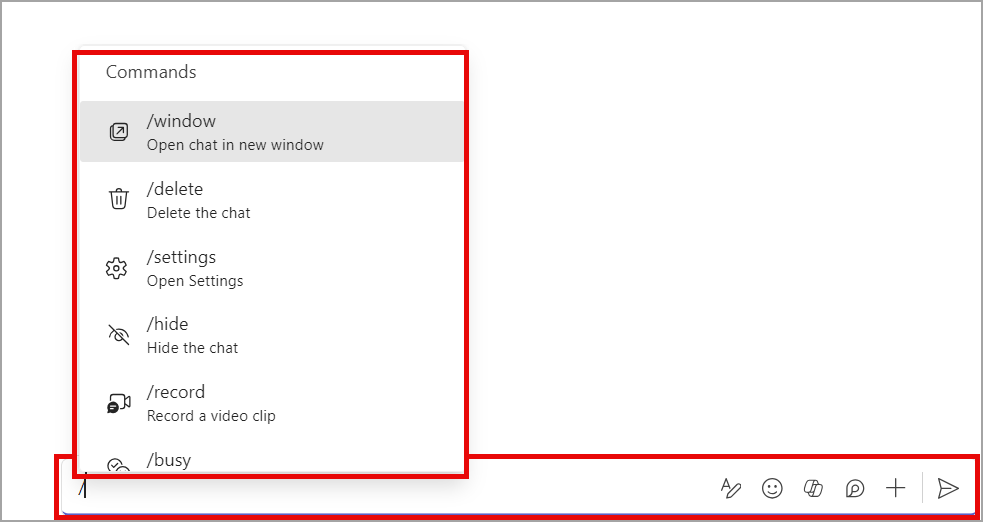
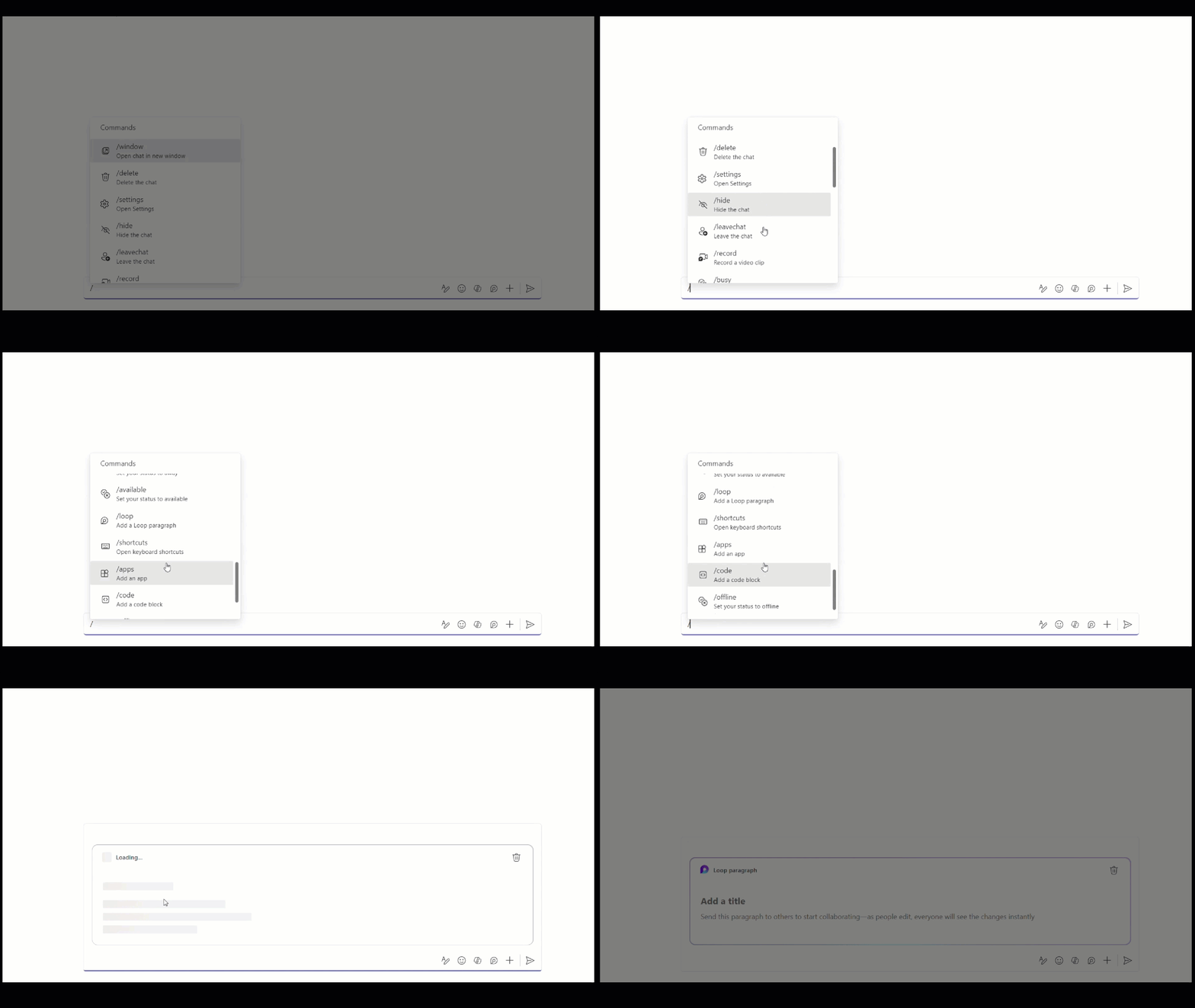
Slash commands in Teams expedite your work without memorization. To access the menu of slash commands, enter a forward slash in the compose box.

Here are just a few examples of what you can do:

  • /code: Add a code block to your message
  • /mute: Mute the chat you're in
  • /loop: Incorporate a loop component into your message
  • /settings: Navigate to settings
  • /away: Set your presence to away

Slash commands in the Teams compose message box:

user commands

user controls

What you need to do to prepare:

This rollout will happen automatically by the specified date with no admin action required before the rollout. You may want to notify your users about this change and update any relevant documentation as appropriate.


Timeline

📅
Published
Apr 24, 2024
Message published to Message Center
✏️
Updated
Jul 22, 2024
Message content updated
🏁
End Date
Aug 30, 2024
Message timeline ends

Tags

#Updated message#New feature#User impact

Category

📖Stay Informed

Related Messages

Similar updates

MC790796

Microsoft Teams: New onboarding to teams and channels

May 6, 2024
MC790792

Microsoft Teams: New file image previews in messages

May 6, 2024
MC789611

Microsoft Teams: Message reactions in right-click menu

May 2, 2024
MC789315

Microsoft Teams: Create avatars from photo

Apr 30, 2024
MC781595

Microsoft Teams: Tenant-wide policy for permission to download meeting transcription

Apr 19, 2024