Message Center

MC777847Loop components in Microsoft OneNote

This announcement expired on Sep 30, 2024 and is no longer active in Message Center.

Summary

Loop components will be available in Microsoft OneNote, enhancing collaboration and productivity. Rollout for OneNote Web starts early April 2024, and for the Desktop App, early June 2024. Users can insert Loop components for real-time collaboration. Admins should update policies and documentation to prepare. Microsoft 365 Roadmap ID 379968 is associated with this update.

More information
Updated August 20, 2024: We have updated the rollout timeline below. Thank you for your patience.

You can create or insert Loop components into your Microsoft OneNote notebook. 

This message is associated with Microsoft 365 Roadmap ID 379968

When this will happen:

General Availability (OneNote Web): We will begin rolling out early April 2024 and expect to complete by early May 2024.

General Availability (OneNote Desktop App): We will begin rolling out early June 2024 and expect to complete by mid-August 2024 (previously early August).

How this will affect your organization:

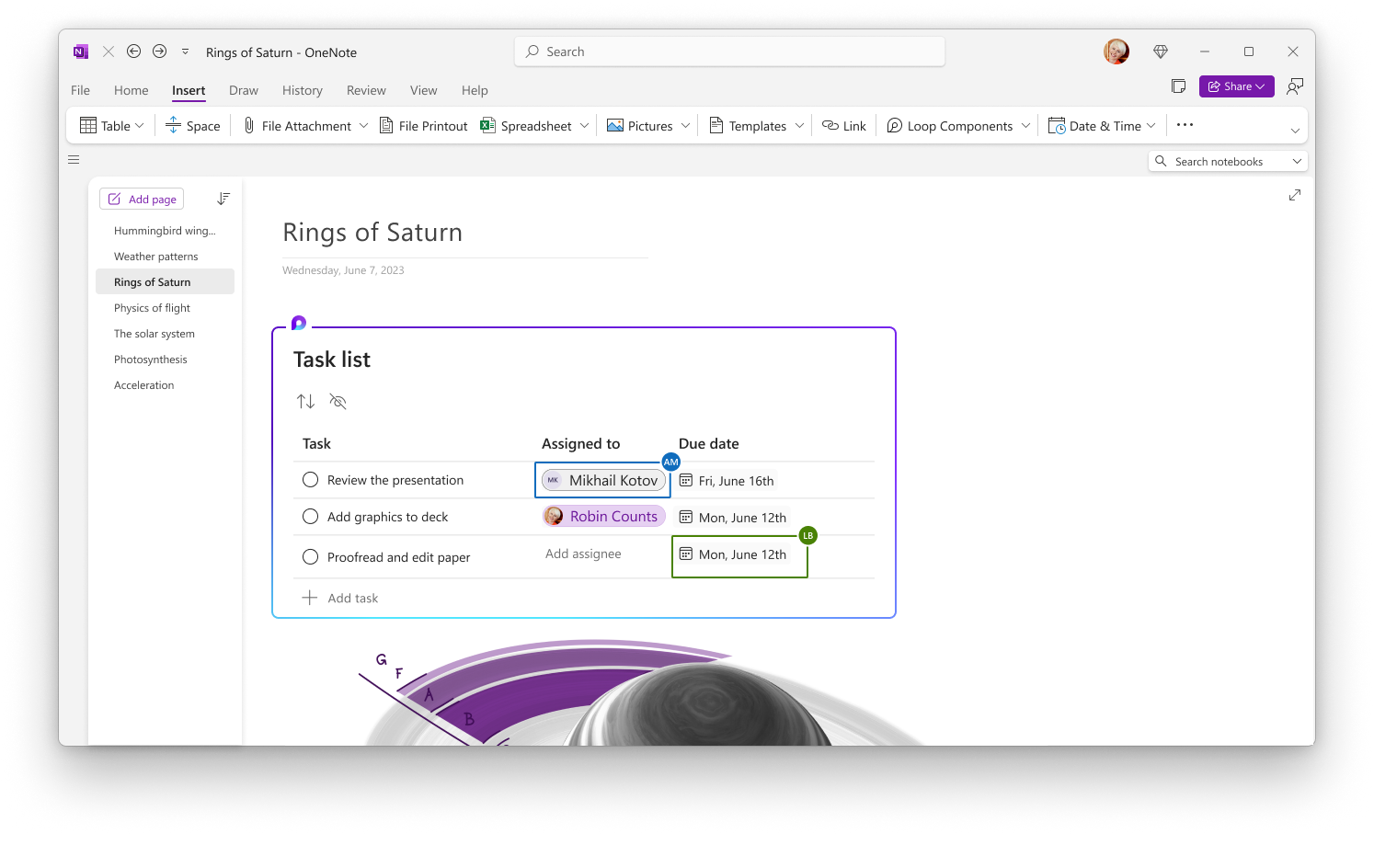
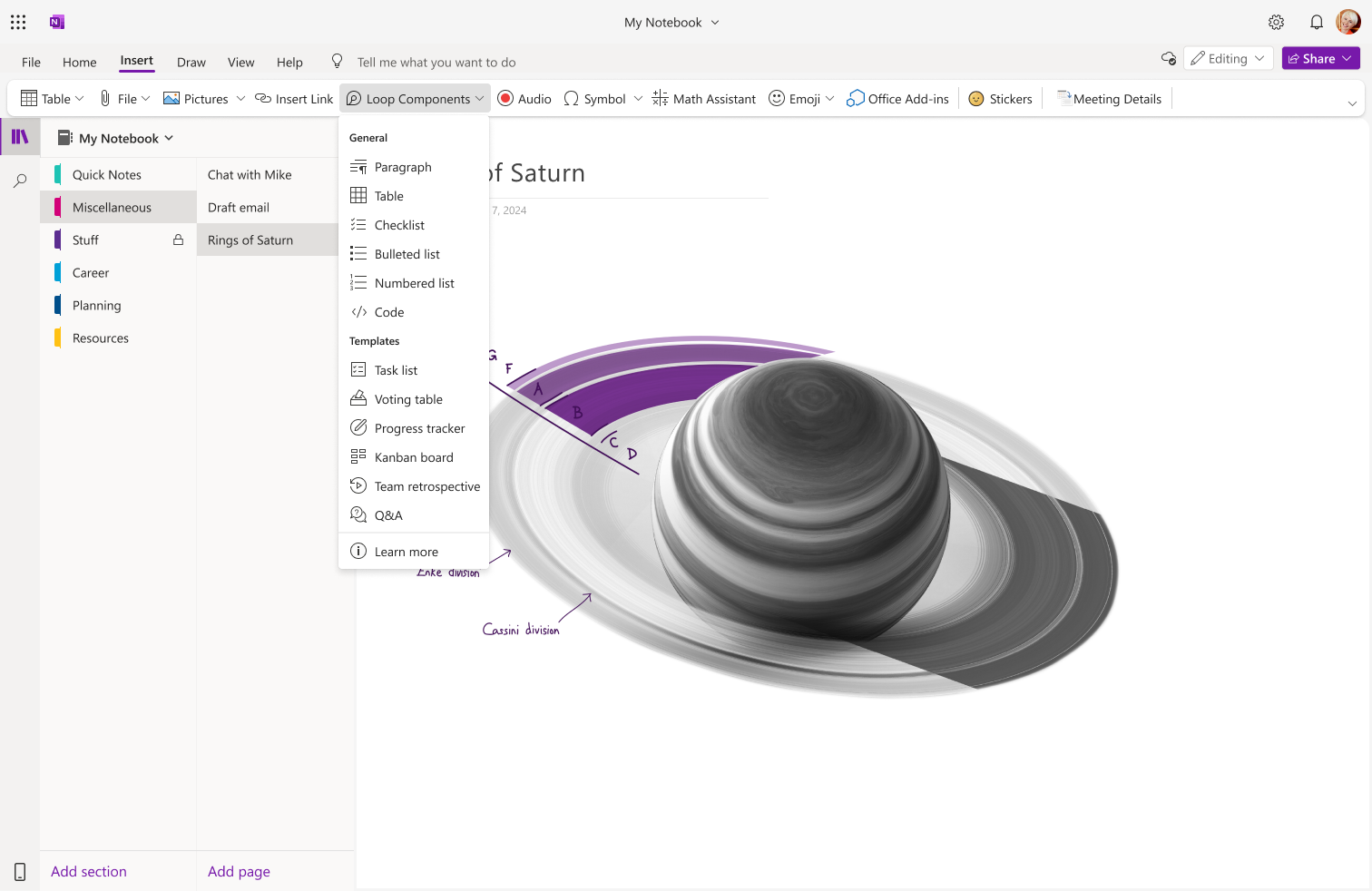
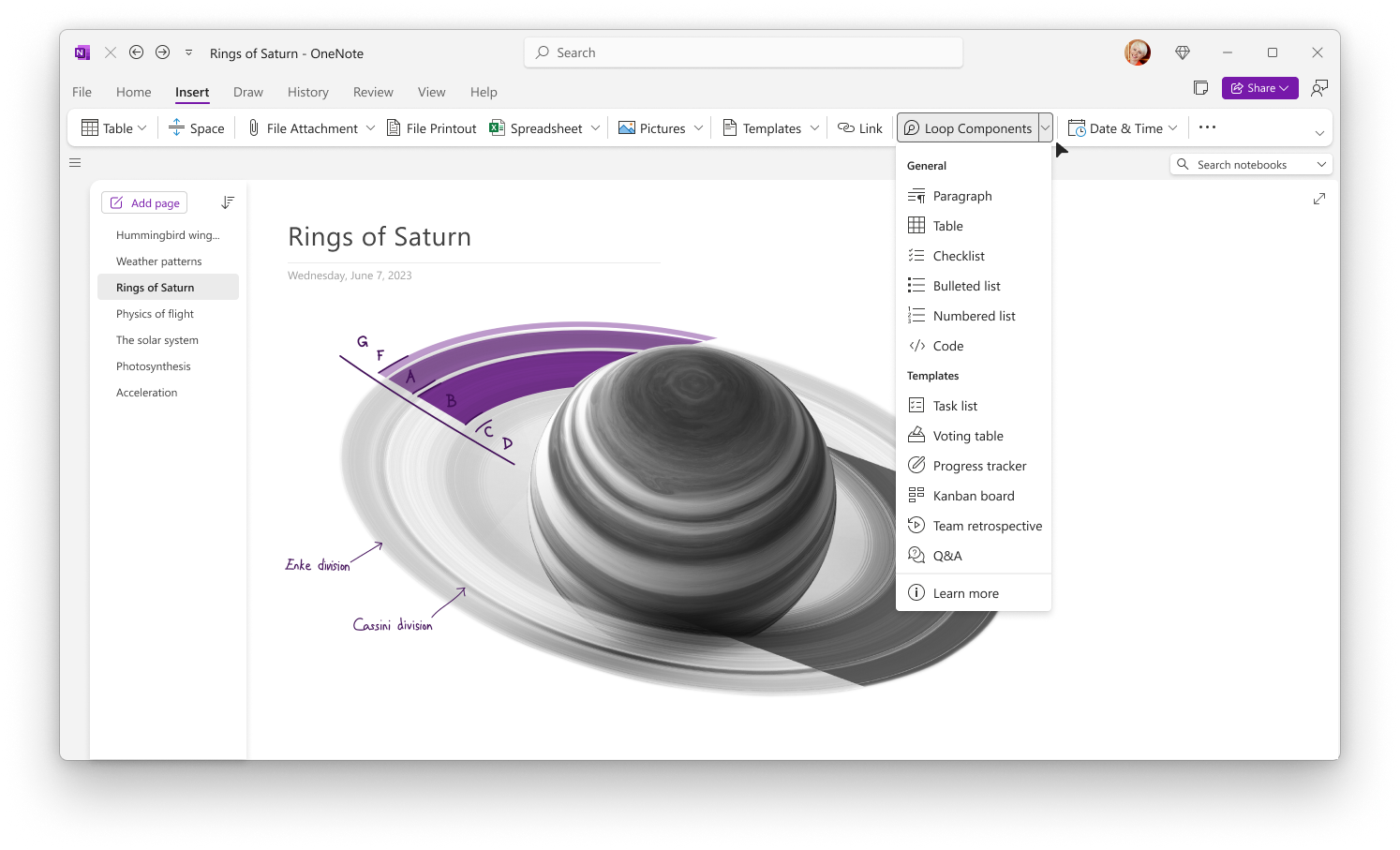
Navigate to Insert > Loop to create a new component or paste a link to an existing component to have it show up on your OneNote canvas.

OneNote Web:


OneNote Desktop:


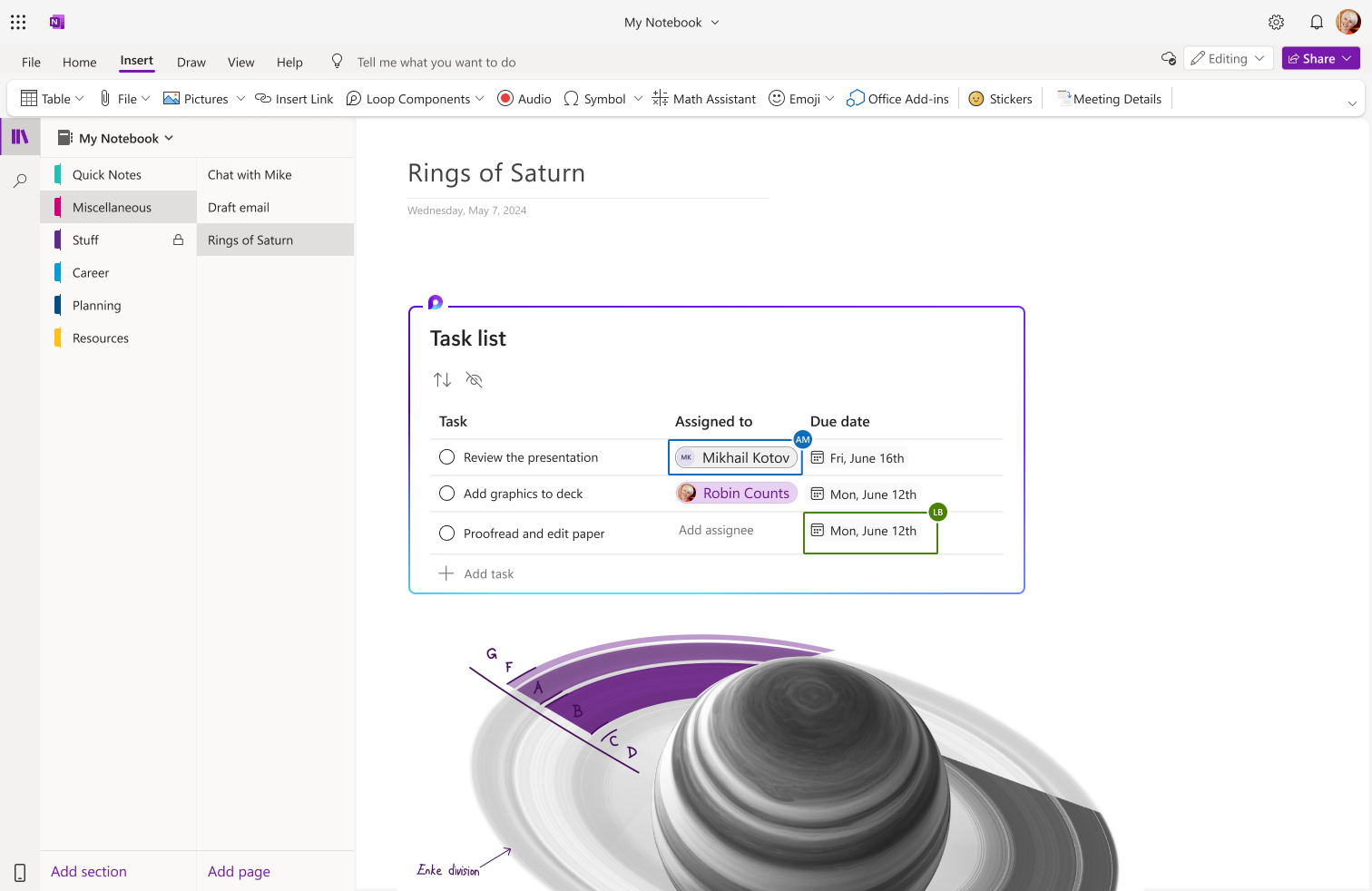
With Loop components in OneNote, users can:

  • Enhance Collaboration: Bring unstructured, collaborative content from Loop components in Microsoft Teams and Microsoft Outlook into OneNote notebooks, fostering real-time collaboration and sharing.
  • Improve Productivity: Quickly augment and recall collaborative notes within the familiar workflow of OneNote, enabling tasks to be completed more efficiently.

OneNote Web:

OneNote Desktop:


What you need to do to prepare:

Tenant admins can configure cloud polices to enable/disable Loop components across Microsoft 365 for their users. Learn more about this here: Manage Loop components in OneDrive and SharePoint | Microsoft Learn.

This rollout will happen automatically with no admin action required. You may want to notify your users about this change and update any relevant documentation as appropriate.

Additional information:

Version history

4 versions tracked

Updated 3 times since Apr 15, 2024. Microsoft 365 Message Center only shows the current version; this archive preserves tracked history.

Compare any two versions

From
To
  1. Aug 20, 2024 - 10:35 PMLatest - v4

    Changed: Body, End date

  2. Aug 1, 2024 - 05:44 PMv3

    Changed: Body, Tags

  3. Apr 15, 2024 - 11:06 PMv2

    Changed: No tracked field changed

  4. Apr 15, 2024 - 11:06 PMOriginal - v1

    Changed: Initial version