Coming soon in Microsoft Viva Engage: For Storyline and Community posts, delegates will have the ability to close conversations on behalf of (CCOBO) the delegator and Global and Engage admins can close conversations on behalf of any user.
This message is associated with Microsoft365 Roadmap ID 382930.
When this will happen:
General Availability (Worldwide): We begin rolling out early April 2024 and expect to complete by mid-April 2024.
How this will affect your organization:
Before the rollout, only a post creator can close conversations in Storyline and only the Community admins can close conversations on behalf of members in Communities. We are expanding the ability for delegates, delegate managers, Global admins, and Engage Admins to moderate Viva Engage content.
Delegates and delegate managers will be able to close conversations on behalf of the delegator, and Global and Engage admins will be able to close conversations on behalf of any content creator. This capability will be available in both Communities and in support of our psychological safety goals.
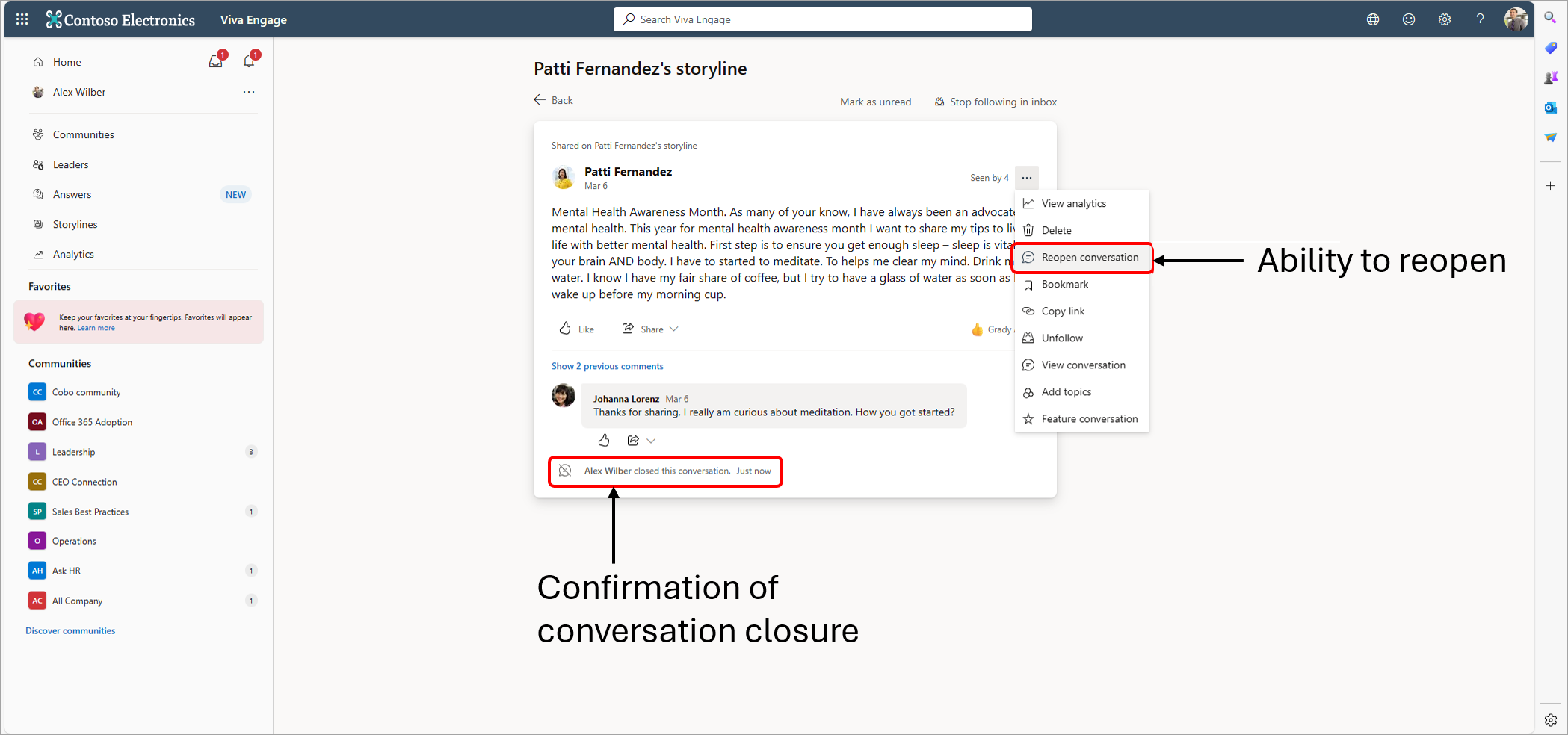
Conversations may also be reopened. Delegates (with Storyline access) only may reopen the conversation for their delegators on Storyline. Global and Engage admins will be able to reopen conversations in Communities and on Storyline.
This feature will be available on the Viva Engage website and in Teams Viva Engage clients.
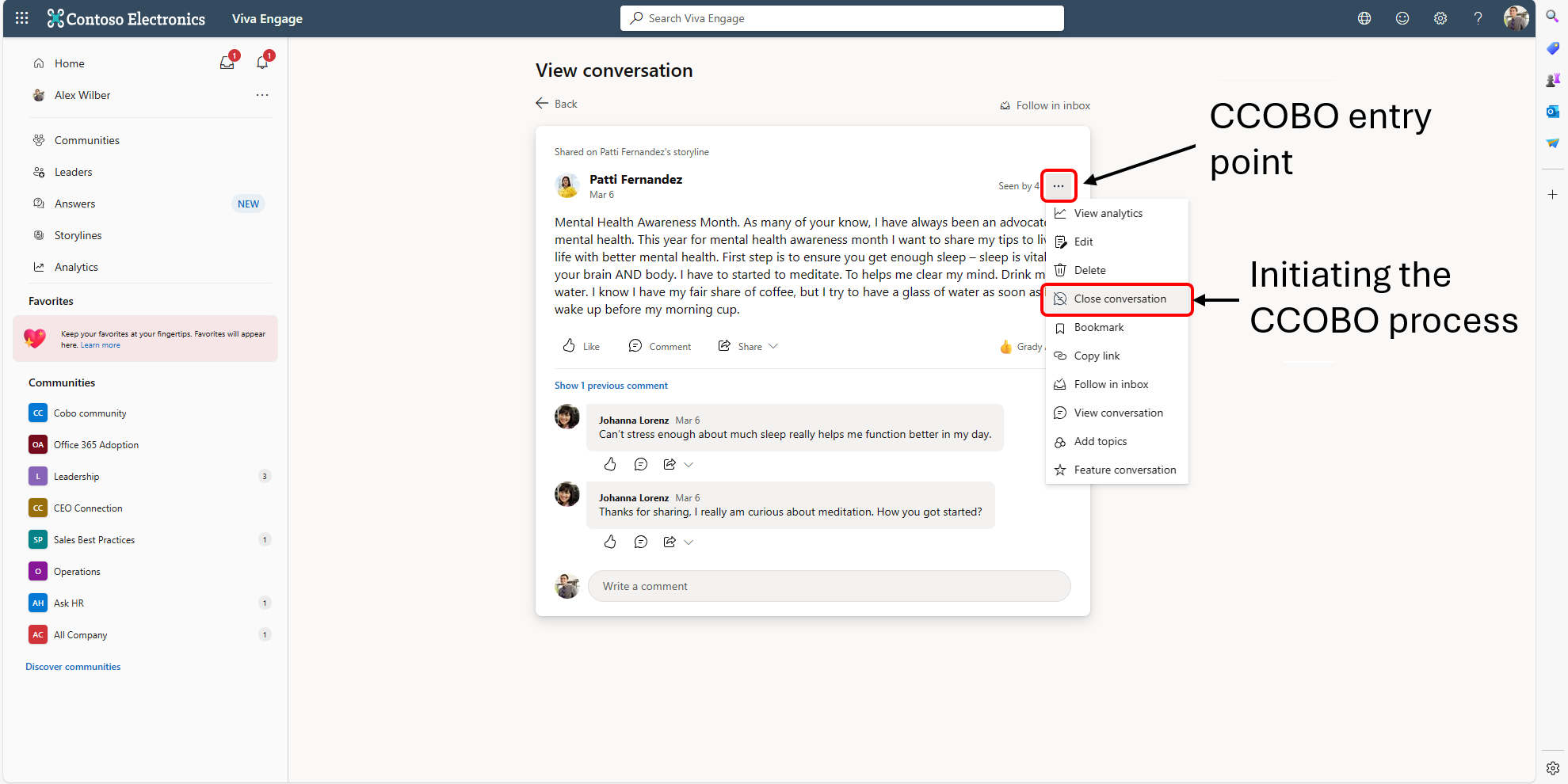
Screenshot 1: The entry point for how to close a conversation from the three-dot menu on a post. This option is only visible to users that have the relevant delegate permissions and/or Network admin permissions to close the conversation on behalf of another user:
Screenshot 1: The message on a post indicating that the conversation has been closed as well as the name of the user that closed the conversation. The user can reopen the conversation from the three-dot menu:
What you need to do to prepare:
No action is needed from you to prepare for this rollout. You may want to notify your users about this change and update any relevant documentation as appropriate.
Delegation in Viva Engage - Microsoft Support (We will update this comm before rollout with revised documentation.)