πŸ¦‰
Message CenterMicrosoft 365 Updates
HomePermissionsTenant FinderPortfolio
πŸ¦‰
M365 Message Centerby Cengiz YILMAZ

Track the latest updates, features, and announcements for Microsoft 365 services. Comprehensive archive of service updates and important changes.

Quick Links

HomePermissionsTenant FinderPortfolio

Connect

© 2026 M365 Message Center. Created with ❀️ by Cengiz YILMAZ

Data sourced from Microsoft 365 Message Center β€’ Not affiliated with Microsoft

  1. Home
  2. /
  3. MC748379

Microsoft Teams: Intelligent message translation in chats on desktop

Informational

Message ID

MC748379
View in Admin Center

Roadmap ID

99841
View in Roadmap

Services

Microsoft Teams

Affected Platforms

Desktop

Summary

Microsoft Teams will have intelligent message translation in chats on desktop. Users will see translation suggestions when they receive a message in a different language. Users can select which languages they do not want to translate and whether to translate messages automatically. The feature will begin rolling out in early April 2024 and will be completed by late June 2024. Users can access and update their translation settings through Settings > Appearance and accessibility > Translation. It is recommended to notify users and update training and documentation.

Details

Updated June 6, 2024: We have updated the rollout timeline below. Thank you for your patience.

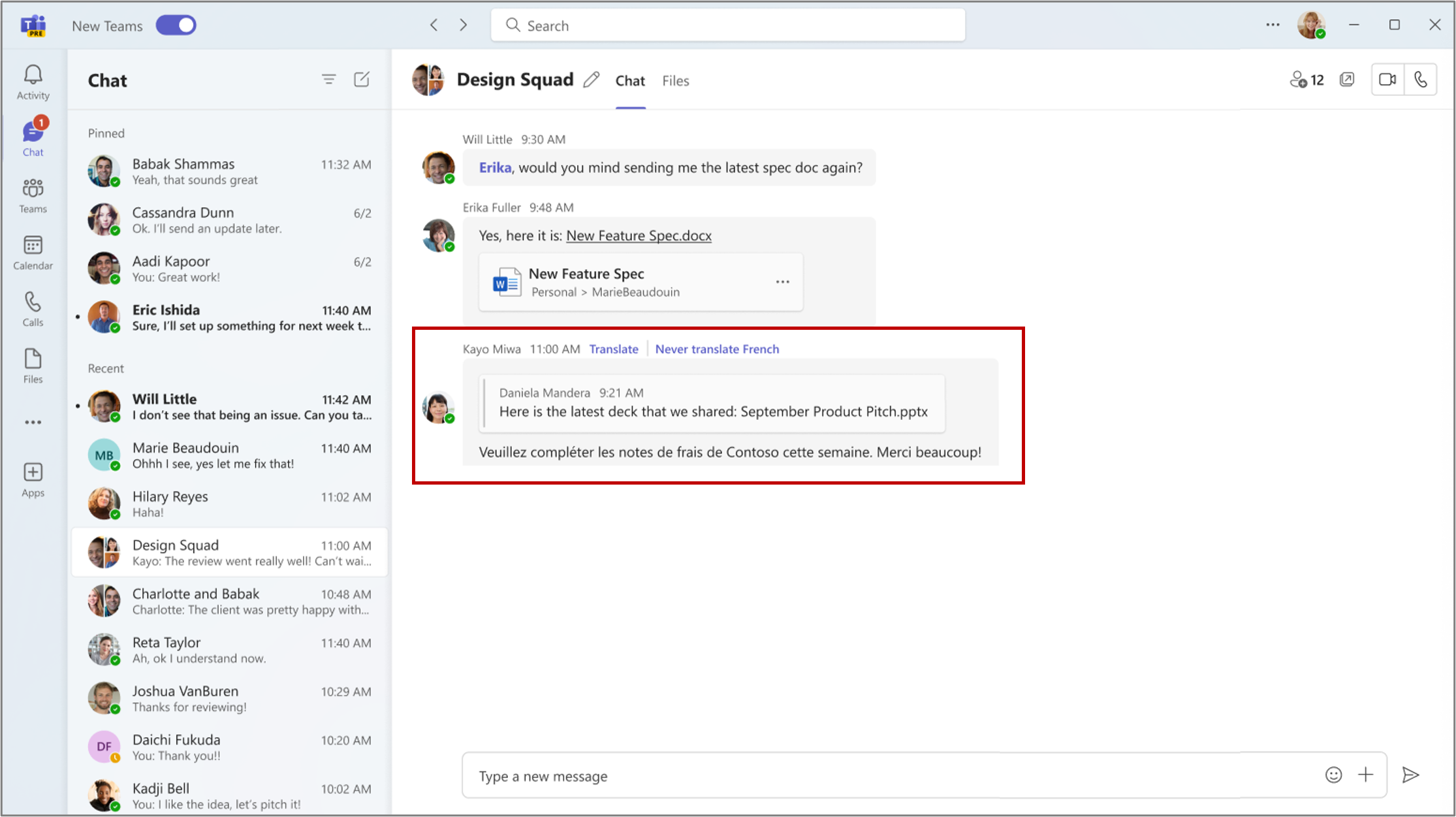
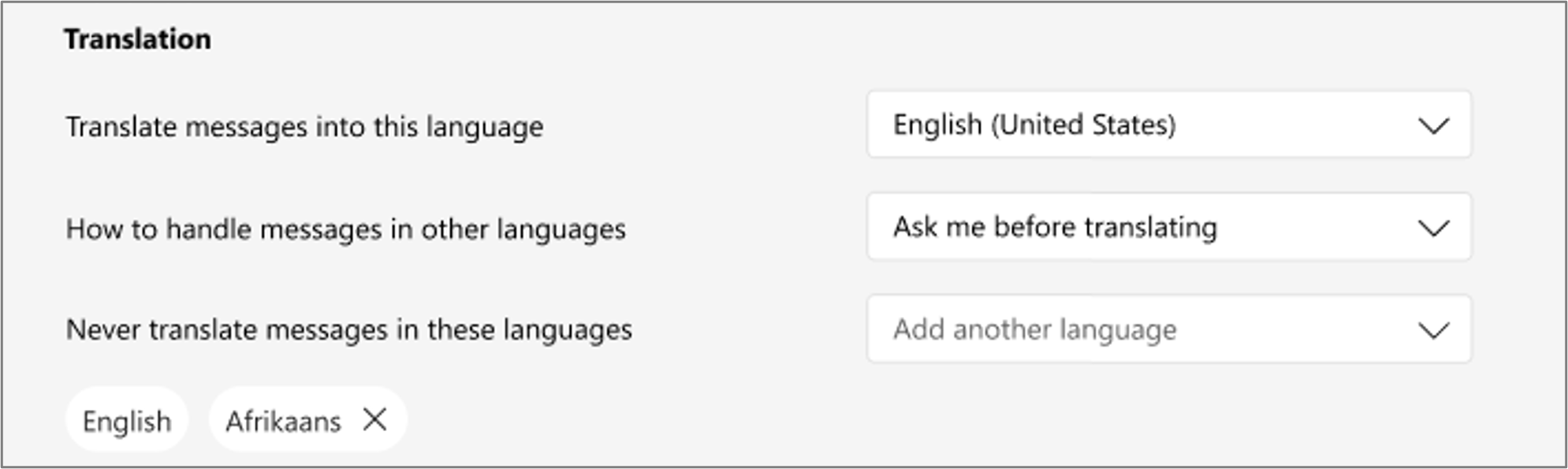
In Microsoft Teams, when you get a message in a different language, you will see translation suggestions to help you understand the message. In settings, you can select which languages you do not want to translate and whether to translate messages automatically.

This message is associated with Microsoft 365 Roadmap ID 99841.

When this will happen:

Targeted Release: We will begin rolling out early April 2024 and expect to complete by late April 2024.

General Availability (Worldwide, GCC): We will begin rolling out early May 2024 and expect to complete by late June 2024 (previously late May).

How this will affect your organization:

If you receive a Teams chat message in a language that you do not understand, you will see the option to translate the message into your preferred language (the language that you have set for Teams).

To enable this option:

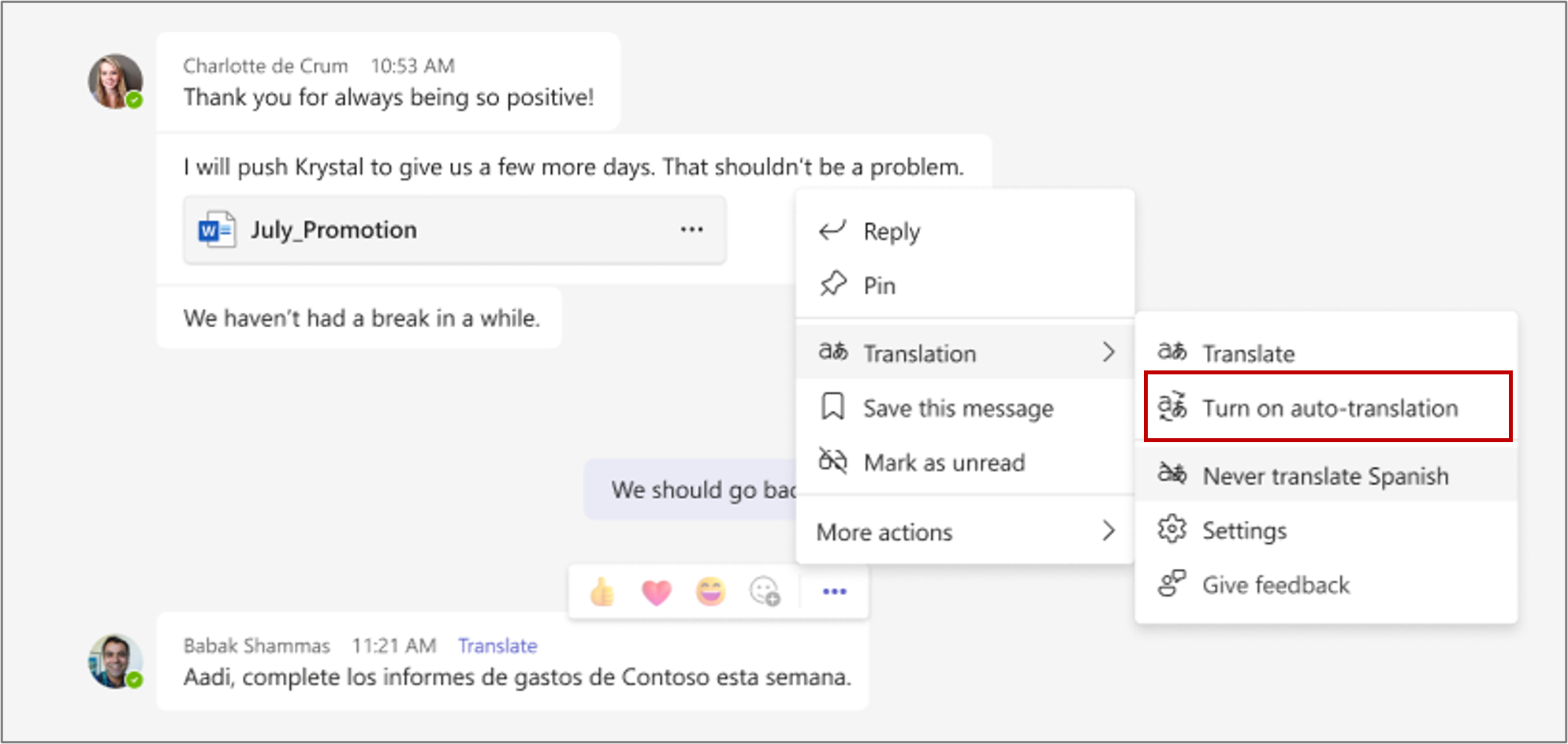
  • Select Translate to translate the message.
  • Select Never translate (language) if you donÒ€ℒt want Teams to show the option to translate that language.


You can choose Turn on auto-translation to automatically translate messages to your preferred language.


You can access and update your translation settings through Settings > Appearance and accessibility > Translation.


What you need to do to prepare:

You may want to notify your users about this upcoming capability and update your training and documentation as appropriate.

Timeline

πŸ“…
Published
Mar 20, 2024
Message published to Message Center
✏️
Updated
Jun 6, 2024
Message content updated
🏁
End Date
Aug 5, 2024
Message timeline ends

Tags

#Updated message#New feature#User impact#Admin impact

Category

πŸ“–Stay Informed

Related Messages

Similar updates

MC764456

Microsoft Teams: Explicit transcription consent to transcribe meetings

Apr 1, 2024
MC748380

Microsoft Teams: Pre-pin meeting apps for users

Mar 20, 2024
MC746332

Microsoft Teams: New Admin control for setting default storage app for file uploads

Mar 19, 2024
MC734279

Microsoft Teams: Ability to change language in Microsoft Teams Rooms on Windows

Mar 12, 2024
MC729720

SharePoint eSignature: Creators and recipients can view, track, and sign requests in Approvals app in Teams

Mar 9, 2024