🦉
Message CenterMicrosoft 365 Updates
HomePermissionsTenant FinderPortfolio
🦉
M365 Message Centerby Cengiz YILMAZ

Track the latest updates, features, and announcements for Microsoft 365 services. Comprehensive archive of service updates and important changes.

Quick Links

HomePermissionsTenant FinderPortfolio

Connect

© 2026 M365 Message Center. Created with ❤️ by Cengiz YILMAZ

Data sourced from Microsoft 365 Message Center • Not affiliated with Microsoft

  1. Home
  2. /
  3. MC716667

Microsoft Clipchamp now has automatic captions

Informational

Message ID

MC716667
View in Admin Center

Roadmap ID

381128
View in Roadmap

Services

Microsoft 365 suite

Affected Platforms

Web

Summary

Microsoft Clipchamp now offers automatic captioning for videos to make them more accessible. The feature will be rolled out in late March 2024 for targeted release and early April 2024 for general availability. The captions will be automatically generated using AI and can be corrected, hidden, or downloaded as an SRT file. Users can control the caption appearance and select a language to caption in. No action is needed to prepare for this change.

Details

Updated March 5, 2024: We have updated the rollout timeline below. Thank you for your patience.

Microsoft Clipchamp now offers automatic captioning to make your organization's videos more accessible. 

This message is associated with Microsoft 365 Roadmap ID 381128.

When this will happen:

Targeted Release: We will begin rolling out late March 2024 (previously late February) and expect to complete by early April 2024 (previously early March).

General Availability:  We will begin rolling out early April 2024 (previously early March) and expect to complete by mid-April 2024 (previously mid-March).

How this will affect your organization:

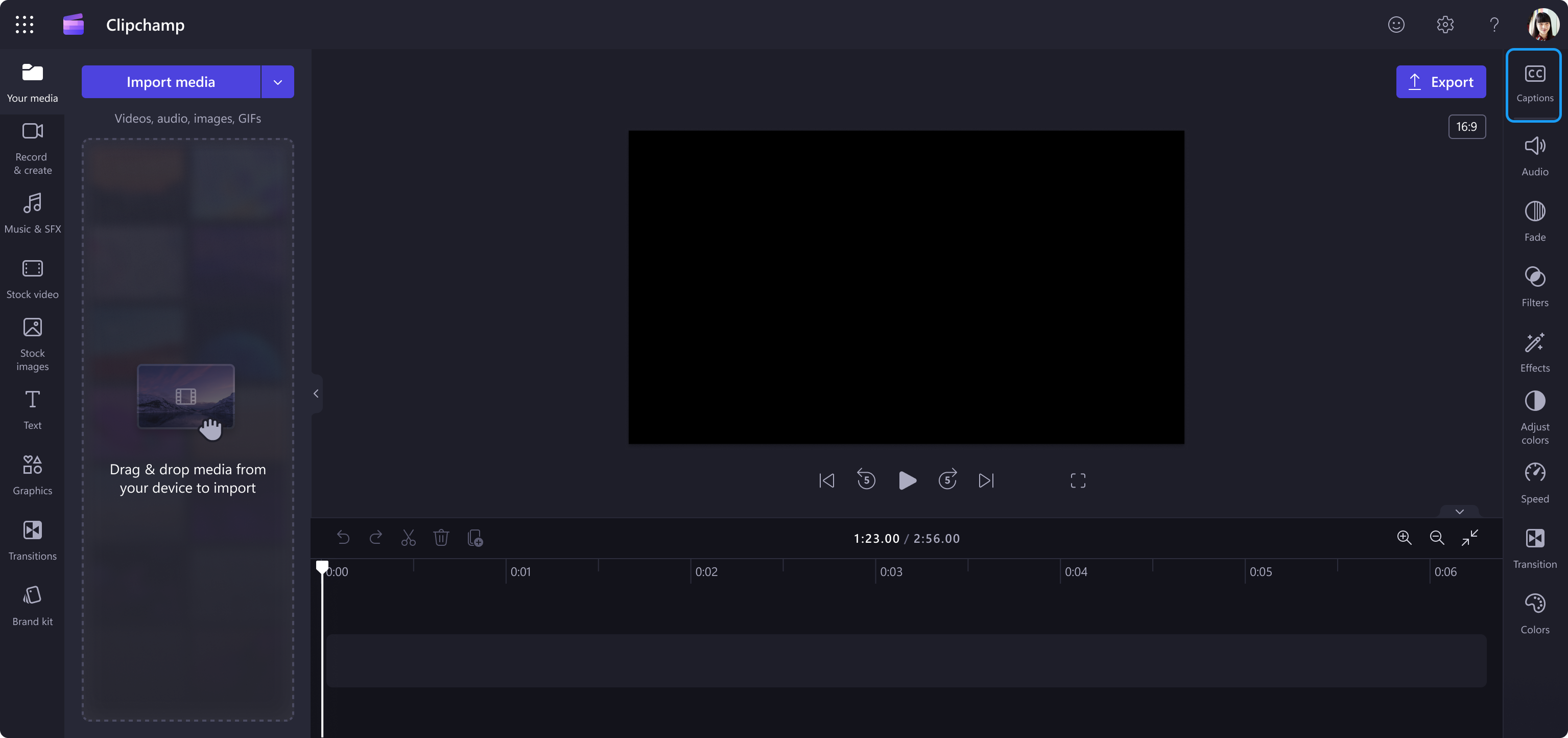
All users can use the new autocaptions for all videos at no additional cost. The Caption menu is an icon in the top right corner of the Clipchamp editor. Captions will be automatically generated using AI and added to the video as text. More details about captions:

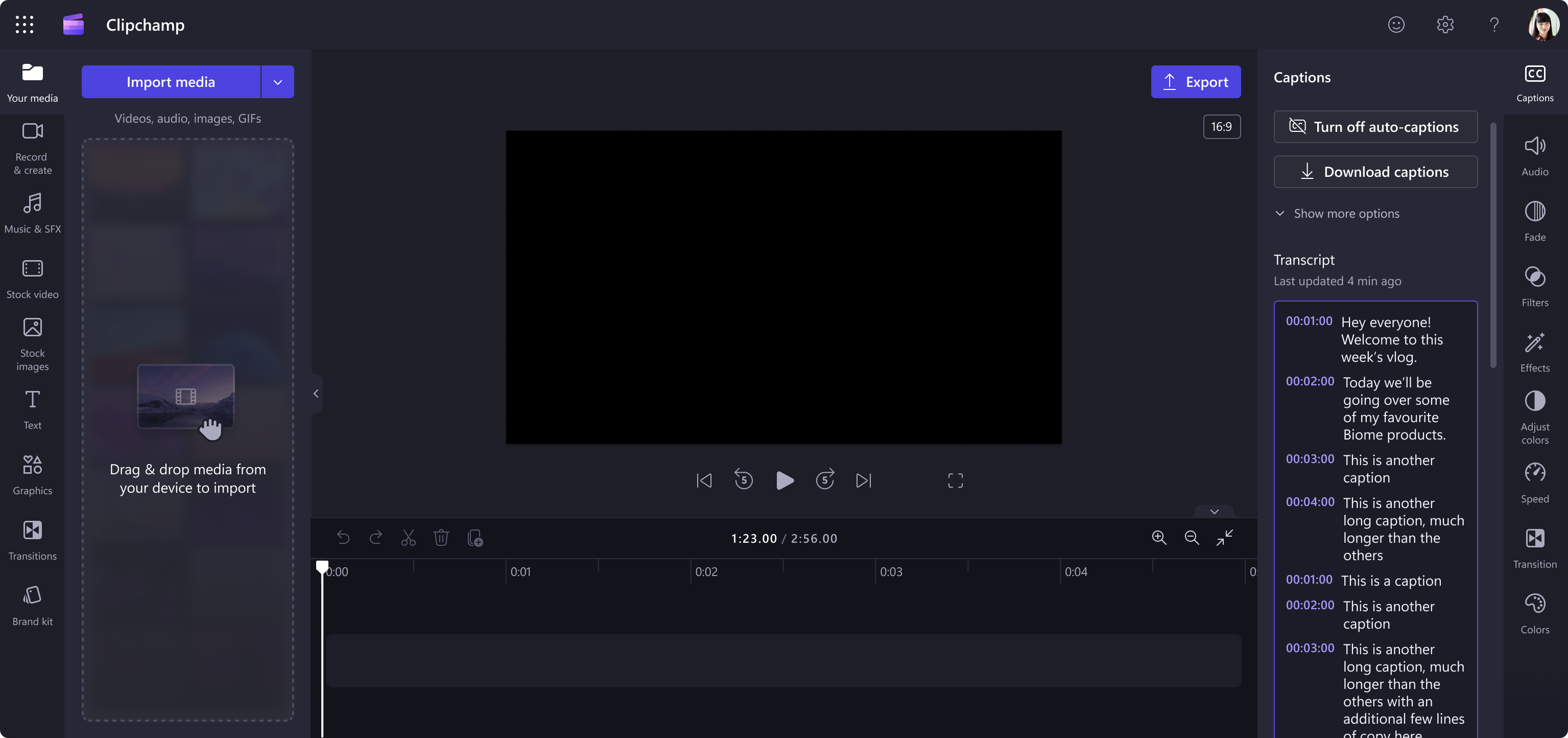
  • The transcript also creates an index of timestamps to help users navigate and edit their videos.
  • Users can choose to correct the captions, hide the captions, or download the caption as an SRT file (the standard subtitle file recognized by video players).
  • Users can control how the captions appear in the video with settings such as font size, styles and placement in the video.
  • Users will be required to select a language to caption in (we currently support one language per video).
  • Captioning is not enabled by default and can be turned on and off for each video project.
  • Captions do not have global settings that for users to set across their projects or that admins can configure for the tenant.

Video in Clipchamp with the Caption button in the top right corner:

clipchamp screen

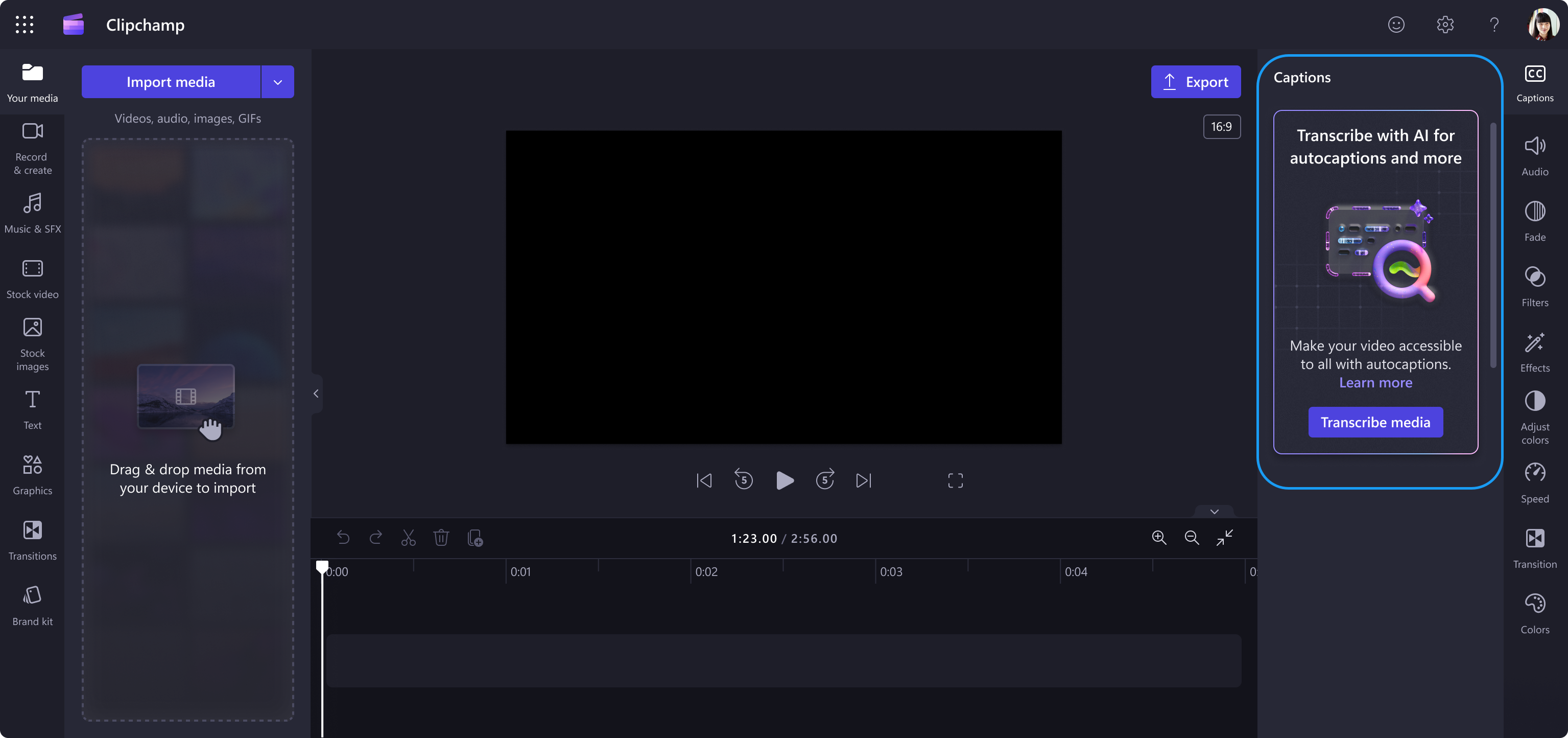
Video with the Caption panel open: 

clipchamp screen

Video with autocaptions turned on: 

clipchamp screen

What you need to do to prepare:

No action is needed to prepare for this change. You may want to notify your users about this change and update any relevant documentation as appropriate.

To learn more: How to use autocaptions - Microsoft Support

Timeline

📅
Published
Feb 16, 2024
Message published to Message Center
✏️
Updated
Mar 5, 2024
Message content updated
🏁
End Date
May 20, 2024
Message timeline ends

Tags

#Updated message#New feature#User impact

Category

📖Stay Informed

Related Messages

Similar updates

MC722584

Microsoft Search: New Content source filters in All vertical

Mar 2, 2024
MC713369

Information Protection - Save filters for Microsoft 365 Activity Explorer

Feb 6, 2024
MC709659

Microsoft Purview | Information Protection: Sensitivity labels to discover private teams and protect shared channels

Jan 24, 2024
MC707653

Microsoft Purview Insider Risk Management: Public preview of progressive alert scoring

Jan 17, 2024
MC711920

Self-service purchase and trials of the Microsoft Clipchamp Premium add-on SKU

Feb 2, 2024