Services
Affected Platforms
Details
Updated January 9, 2024: We have updated the rollout timeline below. Thank you for your patience.
This capability allows the admin with view-only restricted permissions to view the Data Loss Prevention and Information Protection policy configuration details without editing the policies or label configurations.
This message is associated with Microsoft 365 Roadmap ID 186527
When this will happen:
Preview: This is currently available.
Standard Release: We will begin rolling out in late December 2023 and complete by early February 2024 (previously early January).
How this will affect your organization:
1. Assign the admin a role with read-only permissions for DLP Policies. Some of these roles are:
a. View-only DLP Compliance Management
b. Information Protection Analyst
c. Information Protection Investigator
d. View-Only Configuration
e. Security Reader
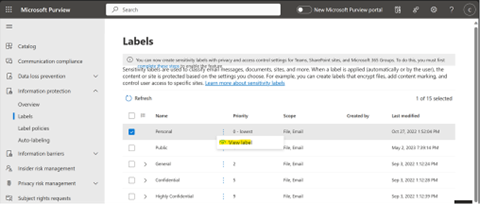
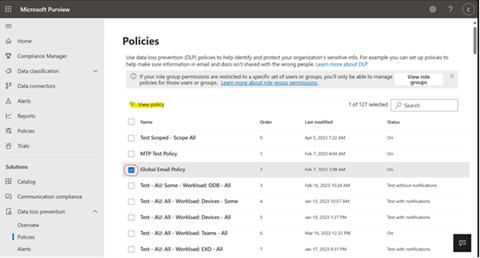
2. Go to Data Loss Prevention > Policies or Information Protection > Label Policies or Auto-labeling
3. Select a policy and click “View policy†button
4. The view-only admin will be able to go through every page of the policy wizard and view the associated details such as which users/ groups the policy is applied to, which rules are configured and the rule configuration details, etc.
Note: On Policy> Locations, the view-only admin will be able to view only the locations which are turned on in the policy.
5. Though the view-only admin can take actions on the policy, none of these actions would have any effect on the policy since the submit action is not possible and disabled with an error message on the last page.
6. Labels and their configurations can also be in view-only mode as part of this feature release in addition to the policies mentioned above.
What you need to do to prepare:
There is nothing you need to do prepare; the feature capabilities will be available if you choose to use it.