Updated January 5, 2024: We have updated the rollout timeline below. Thank you for your patience.
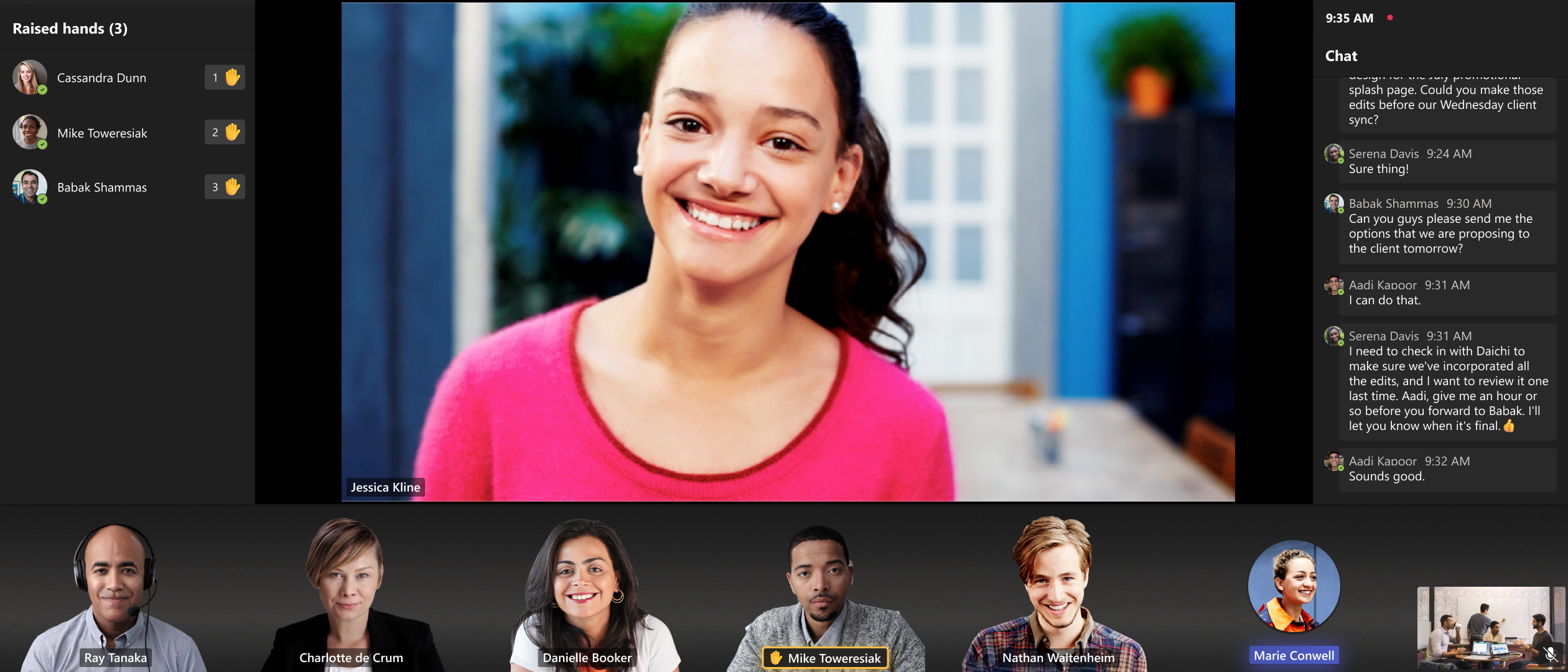
The latest version of Teams Rooms on Windows app 4.19 includes updates to Front Row experience to promote active video speakers to the spotlight area to improve space utilization and provide in-room users with immersive experience across single and dual display configurations.
This message is associated with Microsoft 365 Roadmap ID 161825.
When this will happen:
Standard Release: We will begin rolling out mid-November and expect to complete it by late January 2024 (previously late-December).
How this will affect your organization:
The Front Row layout is improved to promote pinned or spotlighted participants to the center stage when there is no shared content in the meeting. This addresses customer feedback on empty space utilization and aligns pinned or spotlighted participants treatment across single and dual front of room displays. Additionally, active speaker video is promoted to the center stage to utilize display to create immersive experience for in room users. For single display configurations, when no one is pinned, spotlighted or sharing content, the most recent active speaker video will be promoted to the center. In dual display mode, when no one is pinned, spotlighted or sharing content, two most recent active speaker videos are promoted to the center on each screen. When someone is sharing content in the meeting, it’s displayed on one display while the other display shows the most recent active video speaker.
What you need to do to prepare:
Please notify your users about this new experience and update your training and documentation as appropriate.