Updated November 30, 2023: We have updated the rollout timeline below. Thank you for your patience.
A new channels experience in Microsoft Teams has been built with an intuitive design that allows teams to focus and stay on tasks, bring everyone up to speed, and actively engage in real-time. The following features will be rolling out:
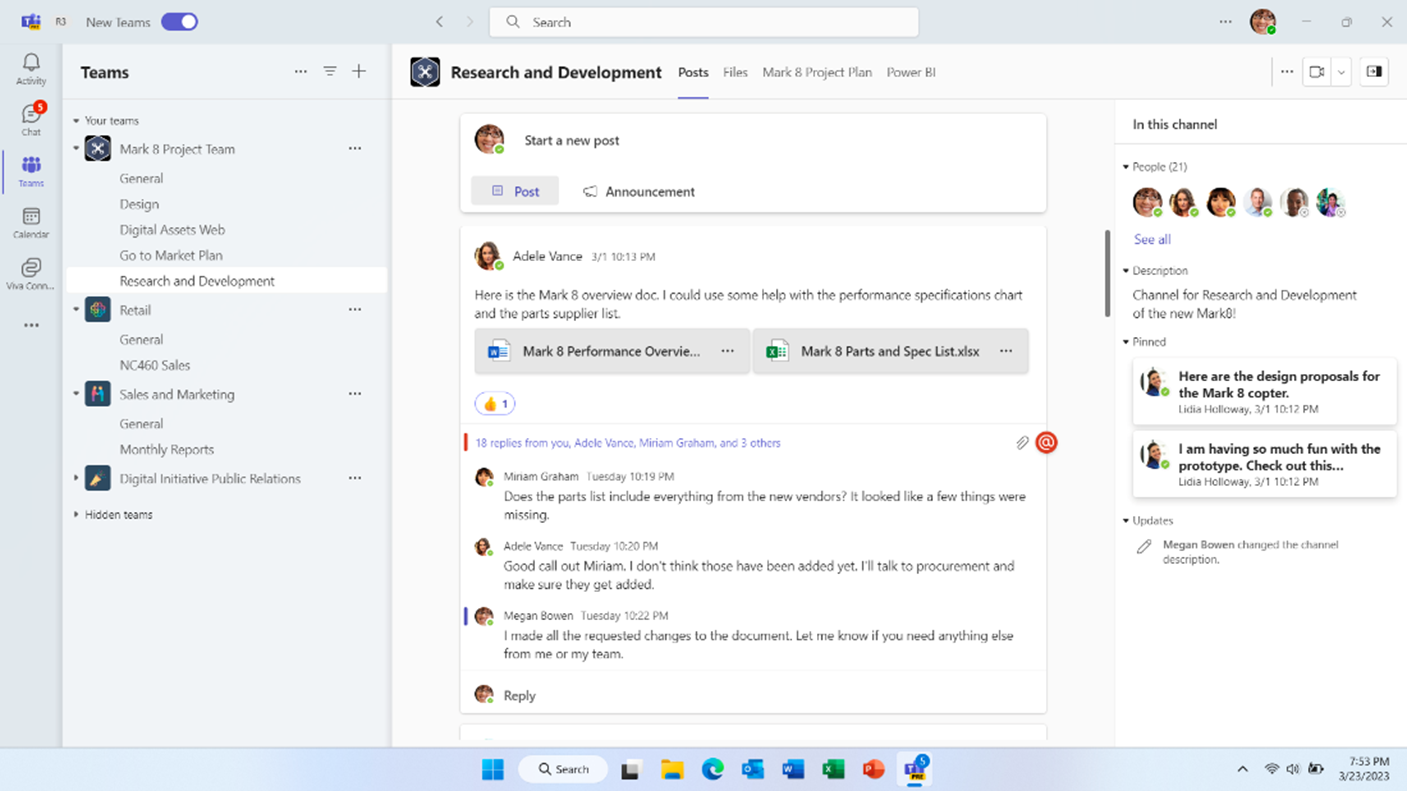
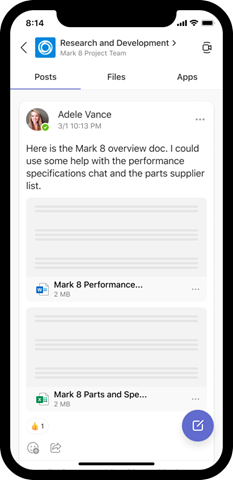
- The compose box and recent posts will appear at the bottom (previously top) of the channel by default. Users can configure channels to show new posts at the top via the more options ... menu the top of the channel. It'll now be much easier to start a new post, keep up with the latest conversations and participate - giving users the confidence that they’ve not missed anything.
- Every post is now a true conversation that users can focus on. Users can navigate to a conversation view that makes the discussion more engaging and synchronous, just like a chat. Users can also pop out the post, keep an eye on the discussion, while continuing to work on other topics.
- A streamlined information pane will include all the important contextual information like channel’s members and pinned posts so new team members can quickly on-board and for all members to find the information they need, right in the channel.
- Pin posts to make it easy for everyone to know what’s important in the channel and quickly reference it.
- Simplified badging is making it easier for users to understand when there are new unread activities in teams. In addition, the simplified design helps users focus on the specific channels which requires the most attention, like channels in which the user was @mentioned.
This message is associated with Microsoft 365 Roadmap ID 91683
When this will happen:
Targeted Release: Started rolling out in May and is expected to complete in late August 2023 (previously early July). Complete
Standard: We will begin rollout in early October 2023 (previously mid-September) and expect to complete rollout by late October 2023 (previously mid-August). Complete
GCC, GCC High, and DoD: We will begin rollout in mid-December 2023 and complete in early February 2024.
How this will affect your organization:
Users in your organization will not need to make any changes and will get the new channels experience by default.
What you need to do to prepare:
Admins will not need to make any changes.