Message Center

MC531738Launching new way to open links in Edge from Outlook for iOS and Android

This announcement expired on Jun 14, 2024 and is no longer active in Message Center.

More information
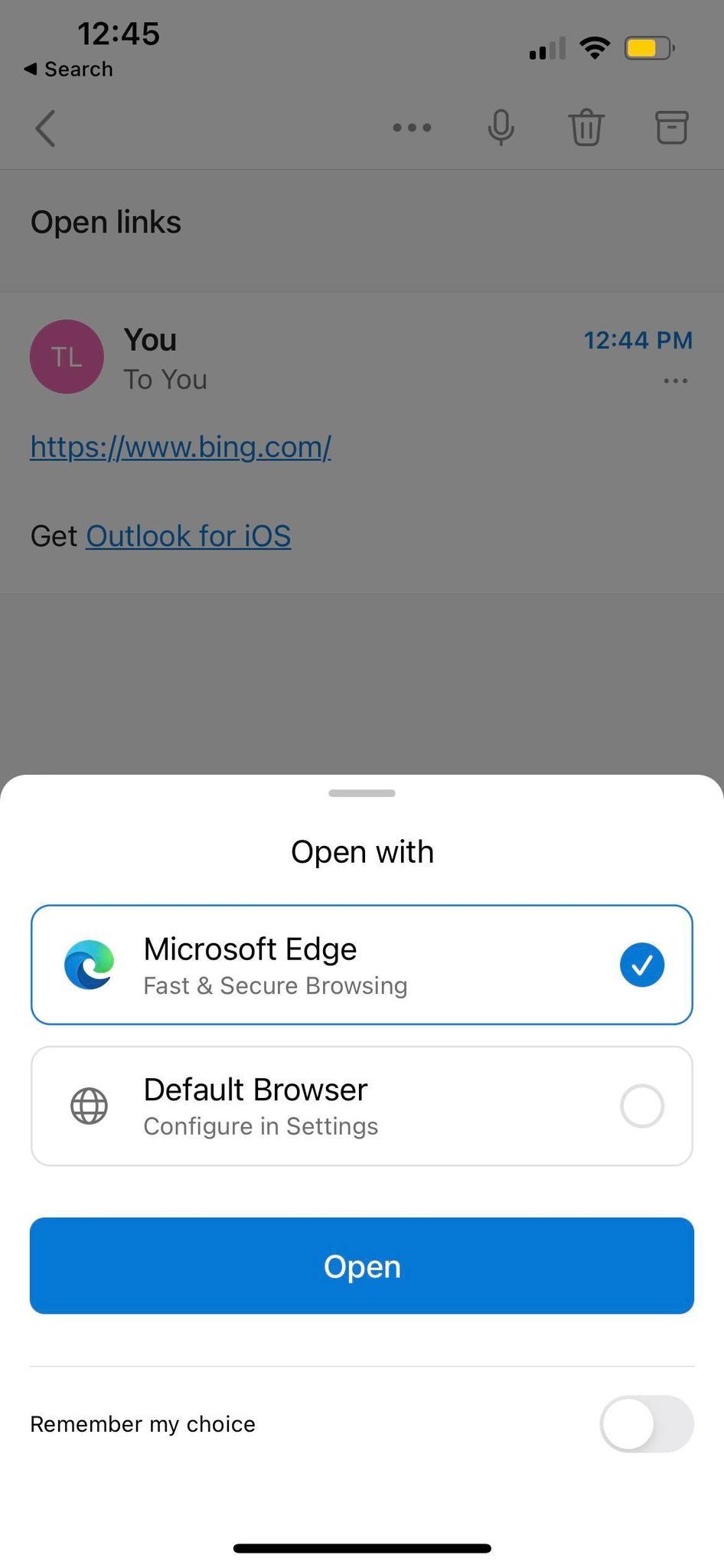
Updated May 25, 2023: We have updated the content below with details on how to manage through Intune.

Currently users open links automatically from Outlook for iOS and Android in their default browser. This change will prompt users to choose their browser instead. Users can choose their default browser if they prefer and configure that preference in their Outlook Mobile settings.

We apologize for not communicating about this change sooner, per our commitment to proactive change communication. 

When will this happen:

This is currently rolling out.

How will this affect your organization:

  • Users will be seeing this experience launch when they open a link.
  • If Edge is not installed, they will have the option to download it.
  • In Intune, leverage these app configuration policies:
    • com.microsoft.outlook.Settings.OpenLinks.UseSystemDefaultBrowser
    • com.microsoft.outlook.Settings.OpenLinks.UserChangeAllowed

Open links with

Version history

2 versions tracked

Updated 1 time since May 25, 2023. Microsoft 365 Message Center only shows the current version; this archive preserves tracked history.

Compare any two versions

From
To
  1. May 25, 2023 - 08:23 PMLatest - v2

    Changed: Body

  2. May 25, 2023 - 08:23 PMOriginal - v1

    Changed: Initial version