What and why
Microsoft Teams mobile users will be able to decline an incoming Teams call and send a message to the caller at the same time. This gives users a faster way to communicate their availability without answering the call or separately navigating to chat.
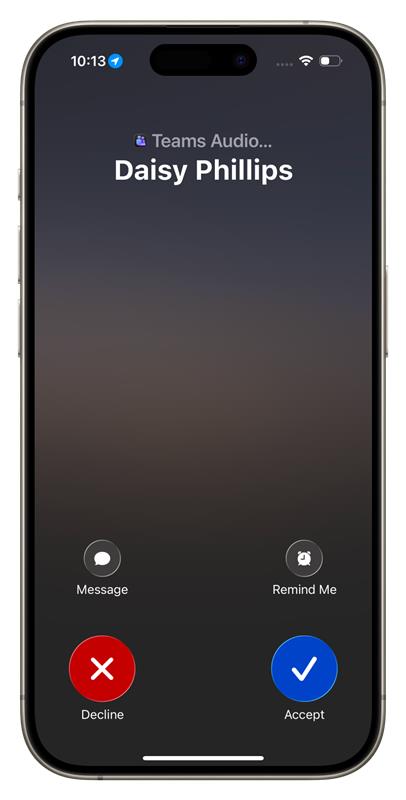
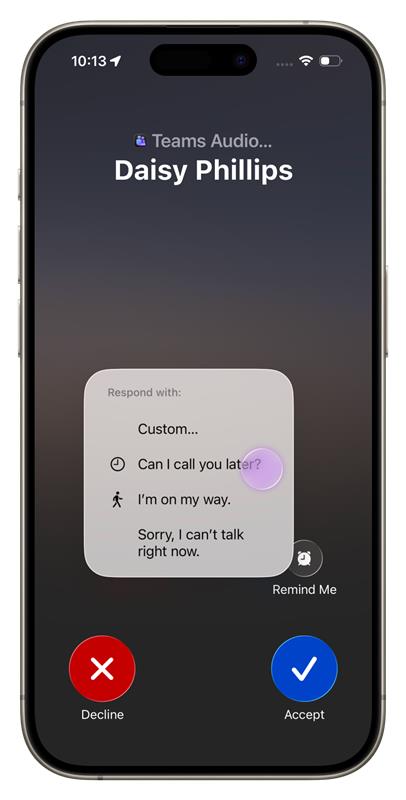
From the incoming call screen, users can select Message and choose a predefined response or select Custom to compose a personalized response in the relevant Teams chat.
Rollout schedule
- General Availability (Worldwide, GCC, GCC High, DoD): We will begin rolling out in early December 2026 and expect to complete by mid-December 2026.
Impact on your organization
Who is affected
- Microsoft Teams mobile users who receive eligible Teams-to-Teams calls and have an associated Teams chat available for the response
Platforms and services
What will happen
Once this feature is available:
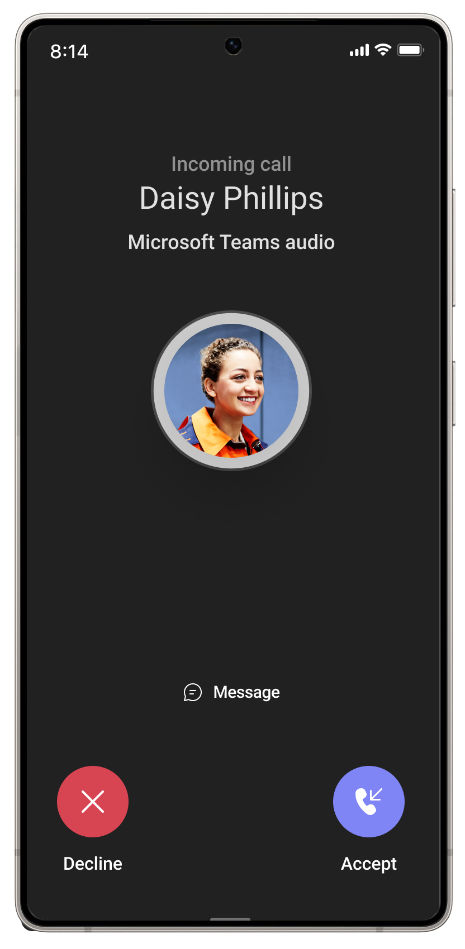
- Users will see a new Message option on the incoming call screen.
- Users can choose a predefined response, such as “Can I call you later?”, “I’m on my way.”, or “Sorry, I can’t talk right now.”
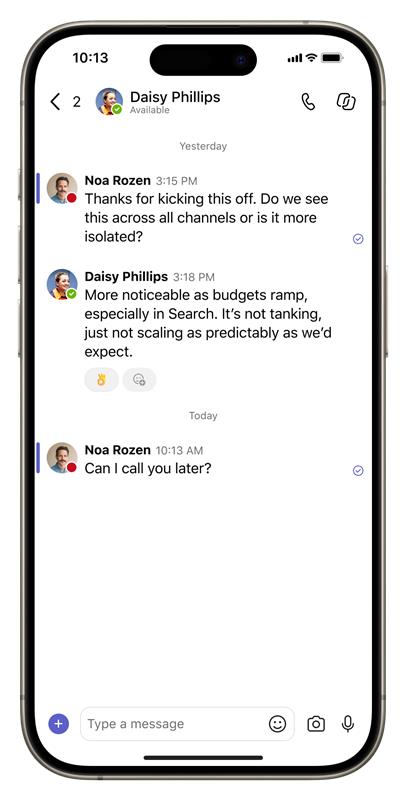
- Selecting a predefined response will decline the call and immediately send the selected message to the caller in Teams chat.
- Users can select Custom to decline the call and open the relevant Teams chat to compose a personalized response.
- The response will appear in Teams chat so users can continue the conversation after the call is declined.
- This capability will not apply to PSTN, anonymous, or interoperability calls where there is no corresponding Teams chat to receive the message.
- Existing options to accept or decline an incoming call will not change.
- The feature will become available automatically as it rolls out to eligible users.
iOS experience
Screenshot 1 - IOS view 1:
Screenshot 2 - IOS view 2:
Screenshot 3 - IOS view 3:
Android experience
Screenshot 4 - Android view 1:
Screenshot 5 - Android view 2:
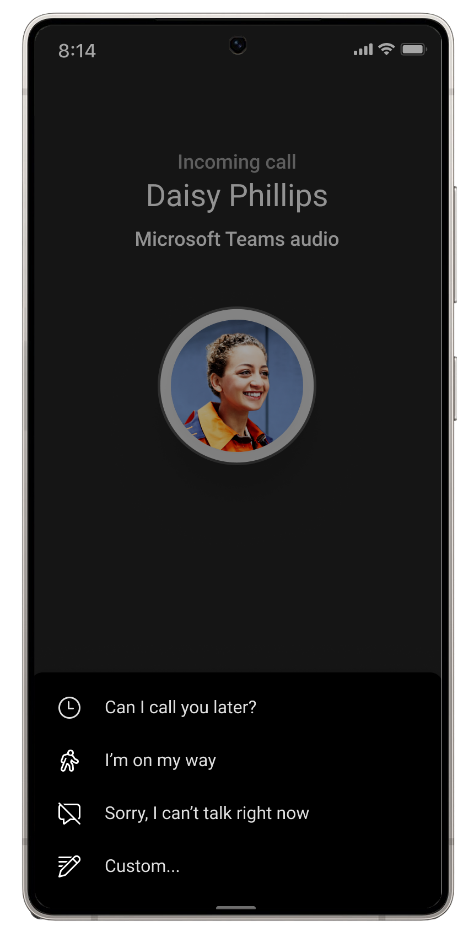
Screenshot 6 - Android view 3:
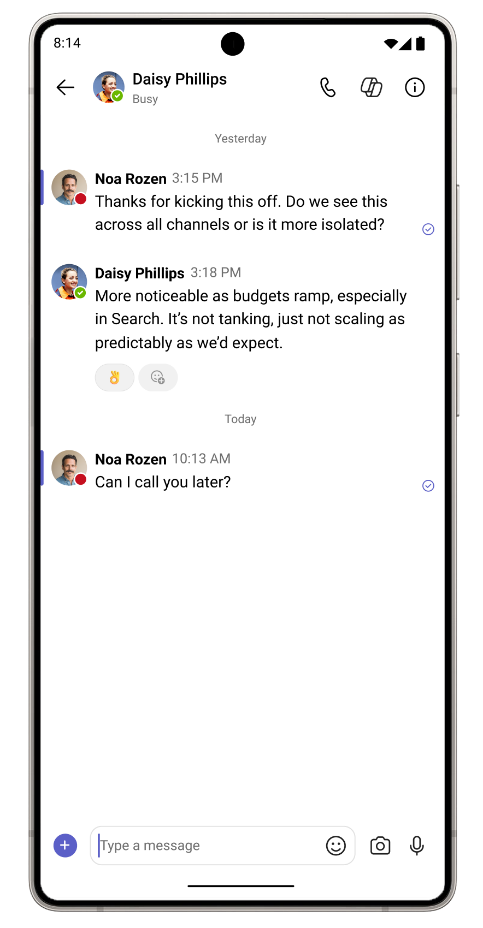
Action required and recommendations
No admin action is required before rollout.
We recommend informing your help desk and users about the new Message option, particularly users who frequently handle Teams calls from their mobile devices.
Compliance considerations
This change provides a new way for users to communicate by allowing a user declining an eligible Teams call to send a predefined or custom message to the caller through Teams chat. Review this change as appropriate for your organization.