Updated September 18, 2026: We have updated the content. Thank you for your patience.
What and why
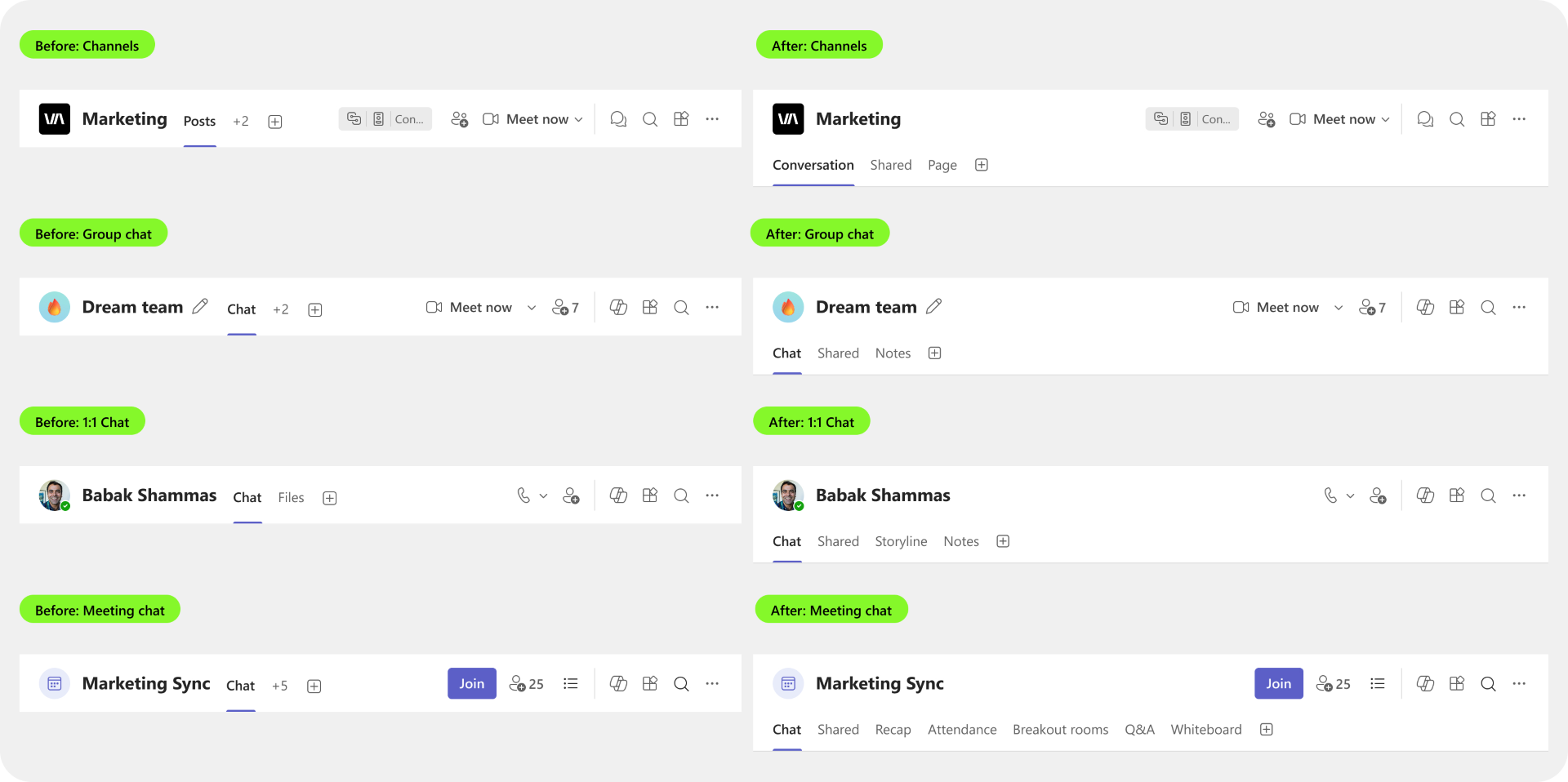
We are introducing a more consistent way for users to access and manage important resources in Microsoft Teams chats and channels. Users will be able to pin frequently used resources directly below the chat or channel header, pin multiple messages alongside other resources, and organize them into folders. On Microsoft Teams mobile, users will be able to access shared resources and folders by tapping the chat or channel header. This change will help users stay organized and provide them with a centralized location to quickly find, access, and manage important resources.
As part of this update, the In this chat and In this channel panes will be removed. Existing resources within these panes will be accessible through the new resource management experience.
Rollout schedule
- Targeted Release (Worldwide): Rollout begins in late September 2026 and is expected to complete by early October 2026.
- General Availability (Worldwide, GCC, GCC High, and DoD): Rollout begins in early October 2026 and is expected to complete by mid-October 2026.
Impact on your organization
Who is affected
- Users who access or manage resources in Microsoft Teams chats and channels.
Platforms and services
- Microsoft Teams
- Microsoft Teams mobile
What will happen
- Users will have a centralized location to find, access, and manage important resources.
- Users will be able to pin frequently used resources directly below the chat or channel header, pin multiple messages alongside other resources, and organize them into folders.
- On mobile devices, users will be able to access shared resources and folders by tapping the chat or channel header.
- The In this chat and In this channel panes will be removed; existing resources within these panes will be accessed and managed through the updated experience.
Screenshot - Comparison before and after
Action required and recommendations
No administrative action is required. We recommend that you:
- Inform users about the updated resource pinning and management experience.
- Update any internal training or support documentation that references the In this chat and In this channel panes.
Learn more
We will update this post with new documentation.
Compliance considerations
No compliance considerations identified. Review as appropriate for your organization.