What and why
We're updating OneDrive for the web to align its file browsing experience with the modern SharePoint document library experience. This update introduces improved navigation and expanded filtering capabilities to help users find, organize, and manage files more efficiently across Microsoft 365. The changes also provide a more consistent experience between OneDrive and SharePoint.
This message is associated with Microsoft 365 Roadmap ID 566316.
Rollout schedule
- Targeted Release: Beginning in mid-August 2026 and expected to complete by late August 2026
- General Availability (Worldwide): Beginning in late August 2026 and expected to complete by mid-September 2026
Impact on your organization
Who is affected
- All users of OneDrive Web
Platforms and services
- OneDrive for the web
- SharePoint Online
What will happen
Users will see a refreshed file browsing and filtering experience in OneDrive for the web.
Key changes include:
OneDrive for the web will use the modern SharePoint document library experience for file browsing and management.
- Updated navigation and layout will provide a more consistent file management experience across Microsoft 365.
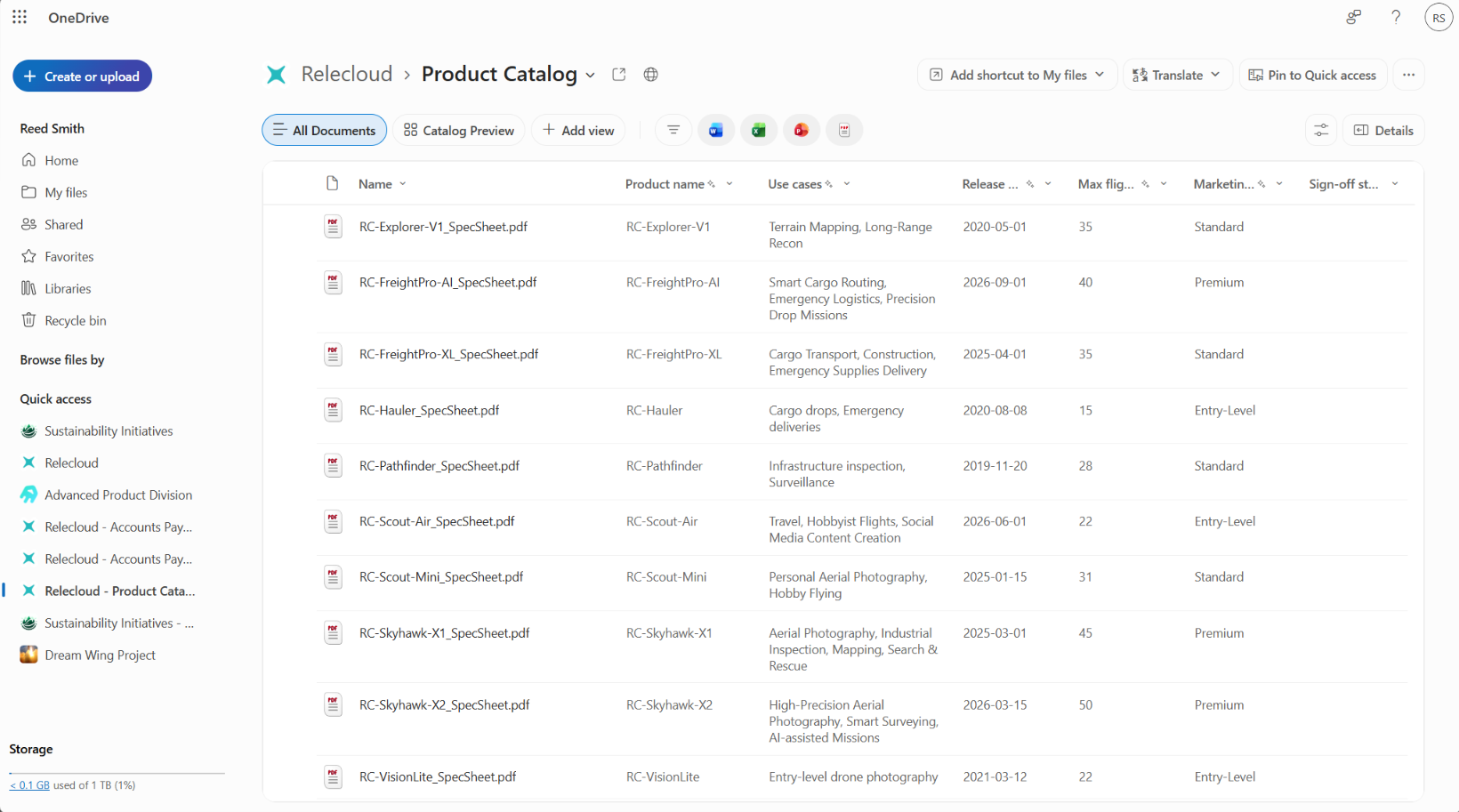
Enhanced filtering capabilities will be available in folder-based views such as My files and Shared.
- Users can filter content by file type.
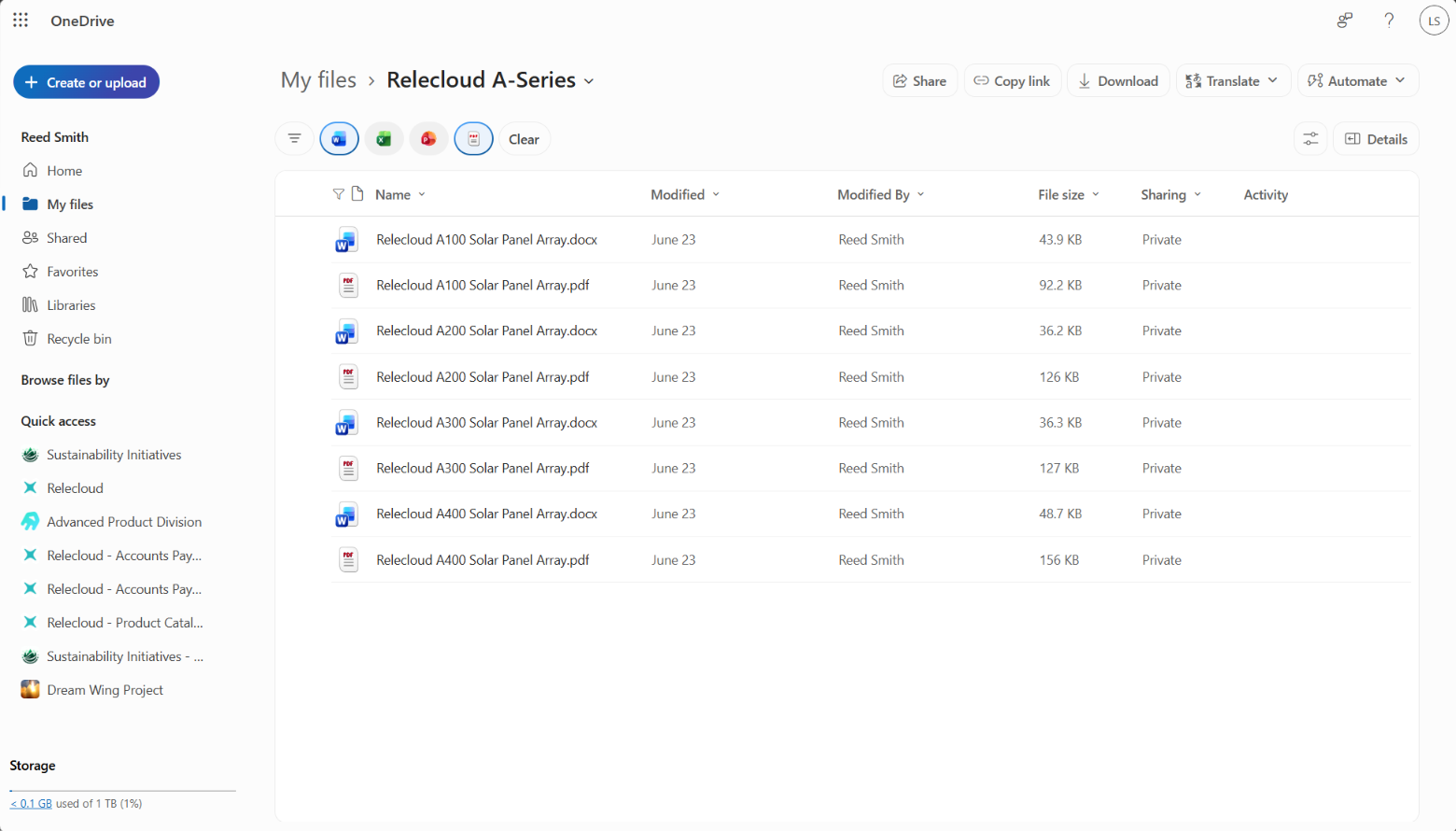
- Filters can be applied using filter pills and the filter pane.
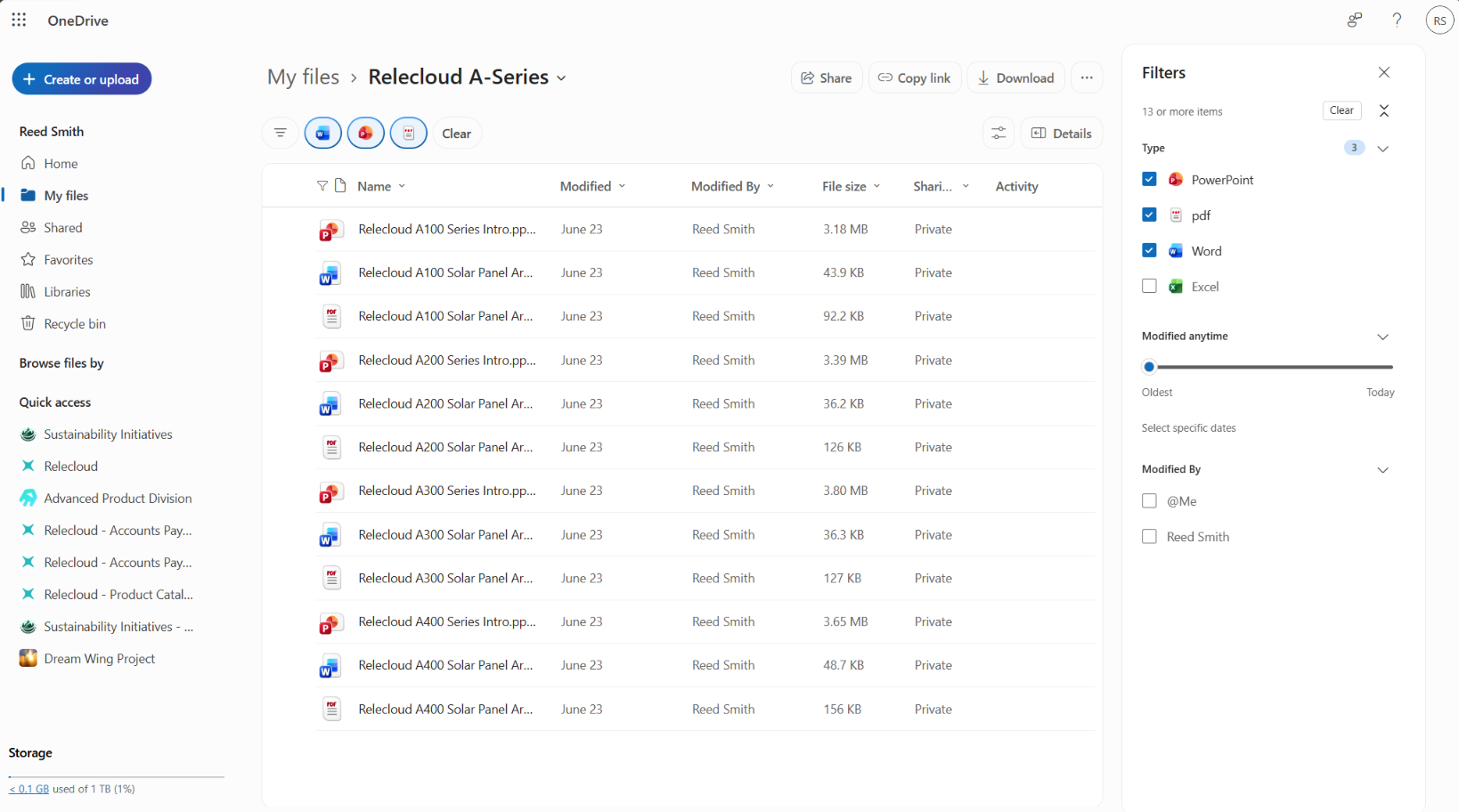
Improved filtering across OneDrive views.
- Users can apply multiple filters simultaneously.
- Enhanced filtering will be available in Home, Shared, People, Meetings, and Favorites views.
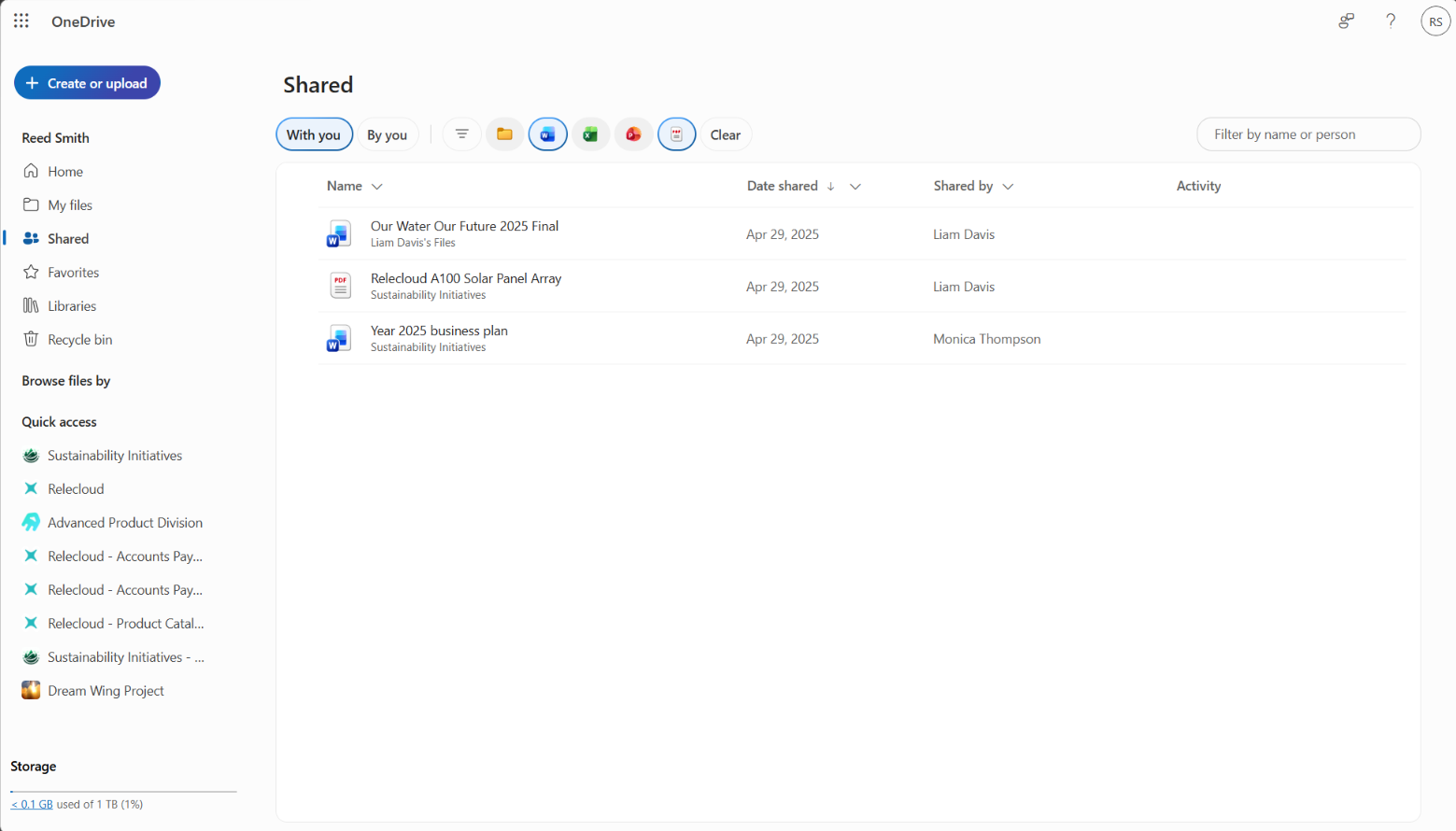
Navigation, filtering, and file management behaviors will be more closely aligned between OneDrive and SharePoint.
The feature will be enabled by default.
Existing permissions, sharing settings, and policies are unchanged.
Action required and recommendations
No action is required.
We recommend that you:
- Review and update internal training materials that reference the current OneDrive experience.
- Inform help desk and support teams about the updated navigation and filtering experience.
- Communicate the upcoming changes to users who regularly use OneDrive for the web.
Compliance considerations
No compliance considerations identified. Review as appropriate for your organization.