Updated September 11, 2026: We have updated the timeline. Thank you for your patience.
What and Why:
We are updating the post creation experience in Viva Engage with a simpler, more intuitive layout. This change helps users create and publish posts with fewer distractions, clearer organization of tools, and improved accessibility. The update supports personal and team productivity by making it easier for employees to share updates, start conversations, and engage with their communities in Viva Engage.
This message is associated with Microsoft 365 Roadmap ID 558935.
Rollout Schedule:
General Availability (Worldwide): Rollout will begin in mid-July 2026 and is expected to complete by mid-October 2026 (previously mid-August).
Impact on Your Organization:
Who is affected: Users who create posts in Viva Engage.
Platforms/Services: Viva Engage
What will happen:
- Users will see a refreshed post creation experience in Viva Engage.
- The layout for creating posts will be updated to make publishing clearer and easier.
- Tools used to create posts will be organized more intuitively.
- Accessibility improvements will be included in the updated experience.
- Existing post creation capabilities will remain the same.
- No admin configuration is required.
- This experience will be available by default as it rolls out.
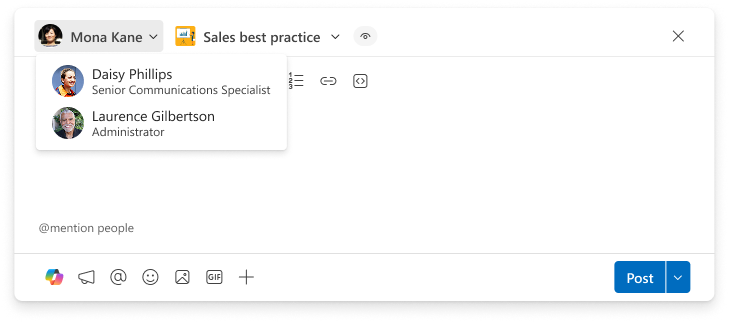
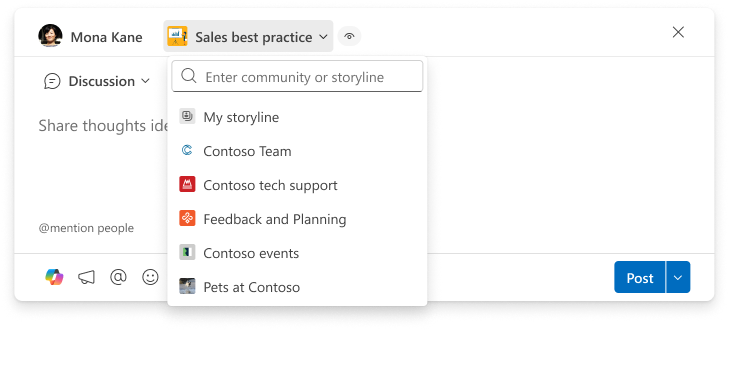
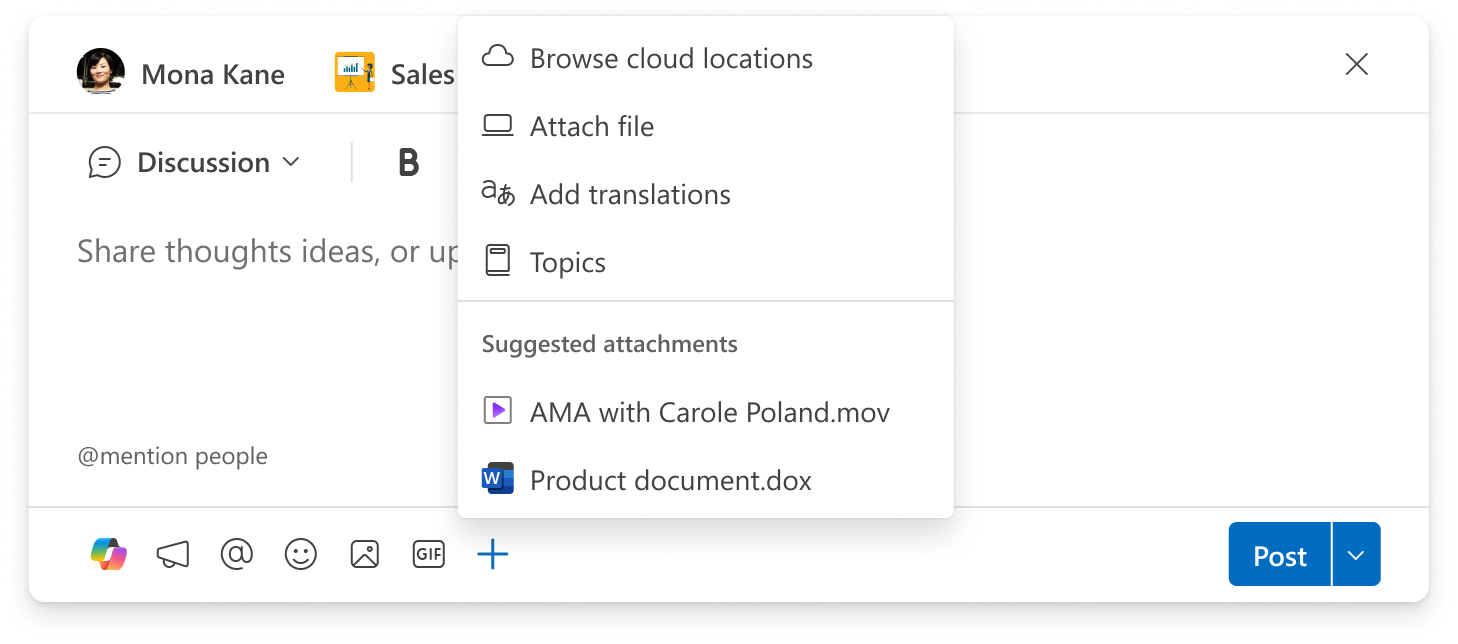
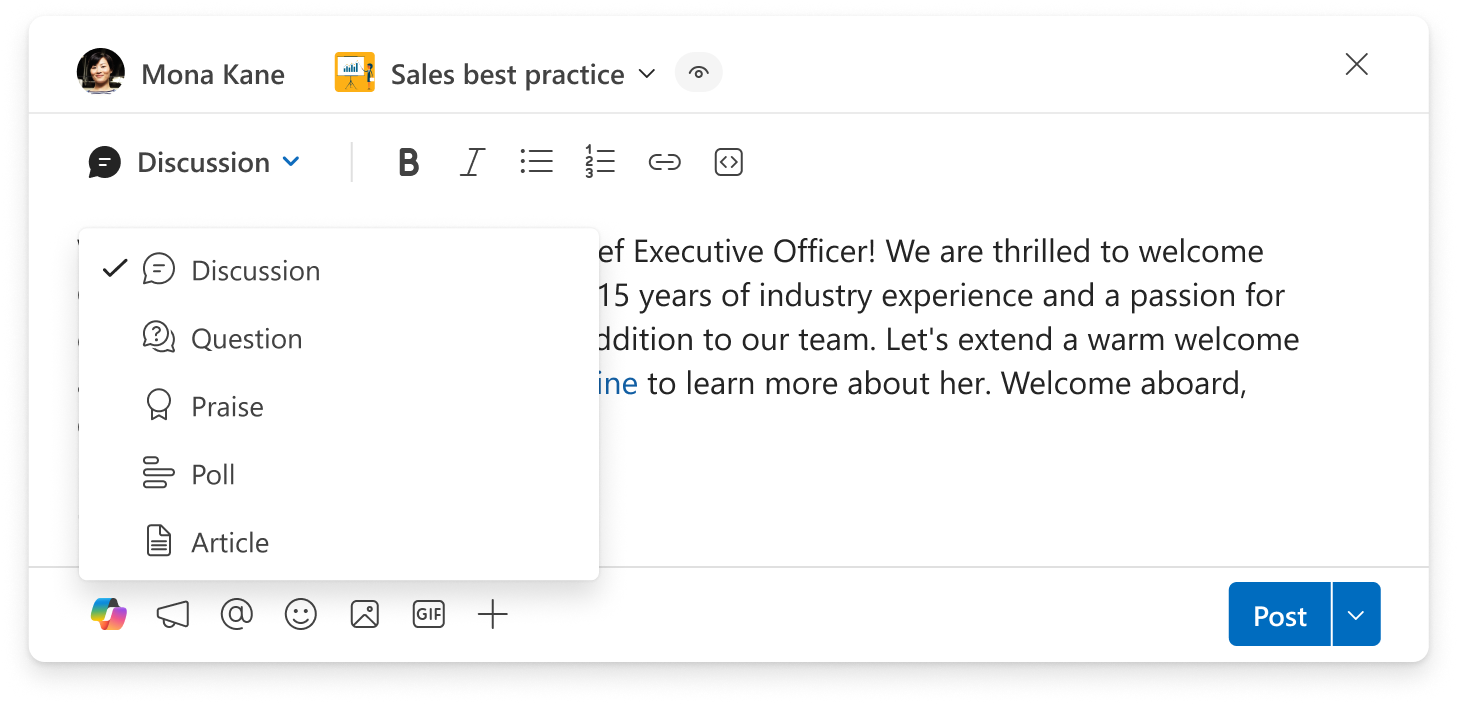
The following screenshots highlight the updated experience:
Screenshot 1: Post on behalf of selection is now at the top of the Publisher:
Screenshot 2: Destination (Storyline and Community) selection is at the top of the Publisher:
Screenshot 3: Simplified toolbar at the bottom of the Publisher shows the most used options by default. Additional options can be accessed by selecting the + (plus) icon:
Screenshot 4: You can change the post type using the menu at the top of the Publisher
Action Required/Recommendations:
No admin action is required.
We recommend that you:
- Inform users that the Viva Engage post creation experience is being updated.
- Update internal training or support materials that show the current post creation layout.
- Notify help desk or support teams so they can answer questions about the new layout.
Compliance considerations:
No compliance considerations identified, review as appropriate for your organization.