Updated August 21, 2026: We have updated the timeline. Thank you for your patience.
What and Why
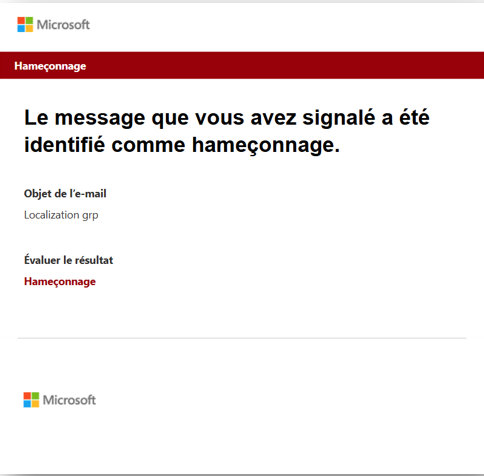
Microsoft Defender for Office 365 is introducing localization support for the default “Mark and notify” email template used in admin review and automated notification flows for user-reported messages.
This update ensures that users receive notification emails in their preferred language based on their Outlook settings, improving clarity and understanding of review outcomes. This helps improve engagement and supports stronger security practices.
This message is associated with Microsoft 365 Roadmap ID 557558.
Rollout Schedule
General Availability
- Worldwide: Rollout begins in June 2026 and is expected to complete by end of September 2026 (previously late July).
- GCC, GCC High, DoD: Rollout begins in mid-July 2026 and is expected to complete by end of September 2026 (previously late July).
Impact on Your Organization
Who is affected
- Organizations using Microsoft Defender for Office 365
- Admins and users participating in user-reported message workflows
- Applies only when the default notification template is used
Platforms/Services
- Microsoft Defender for Office 365
- Microsoft 365 Defender portal (web)
- Exchange Online
What will happen
- Default “Mark and notify” email templates will be localized.
- Notifications will be delivered in the user’s preferred language based on Outlook settings.
- Feature is enabled by default when auto-notification is turned on.
- Notifications will have consistent formatting and messaging across supported languages.
- No changes to message verdicts or classification logic.
- No changes to automated investigation behavior.
- No changes to custom notification templates configured by admins in the user reported settings page.
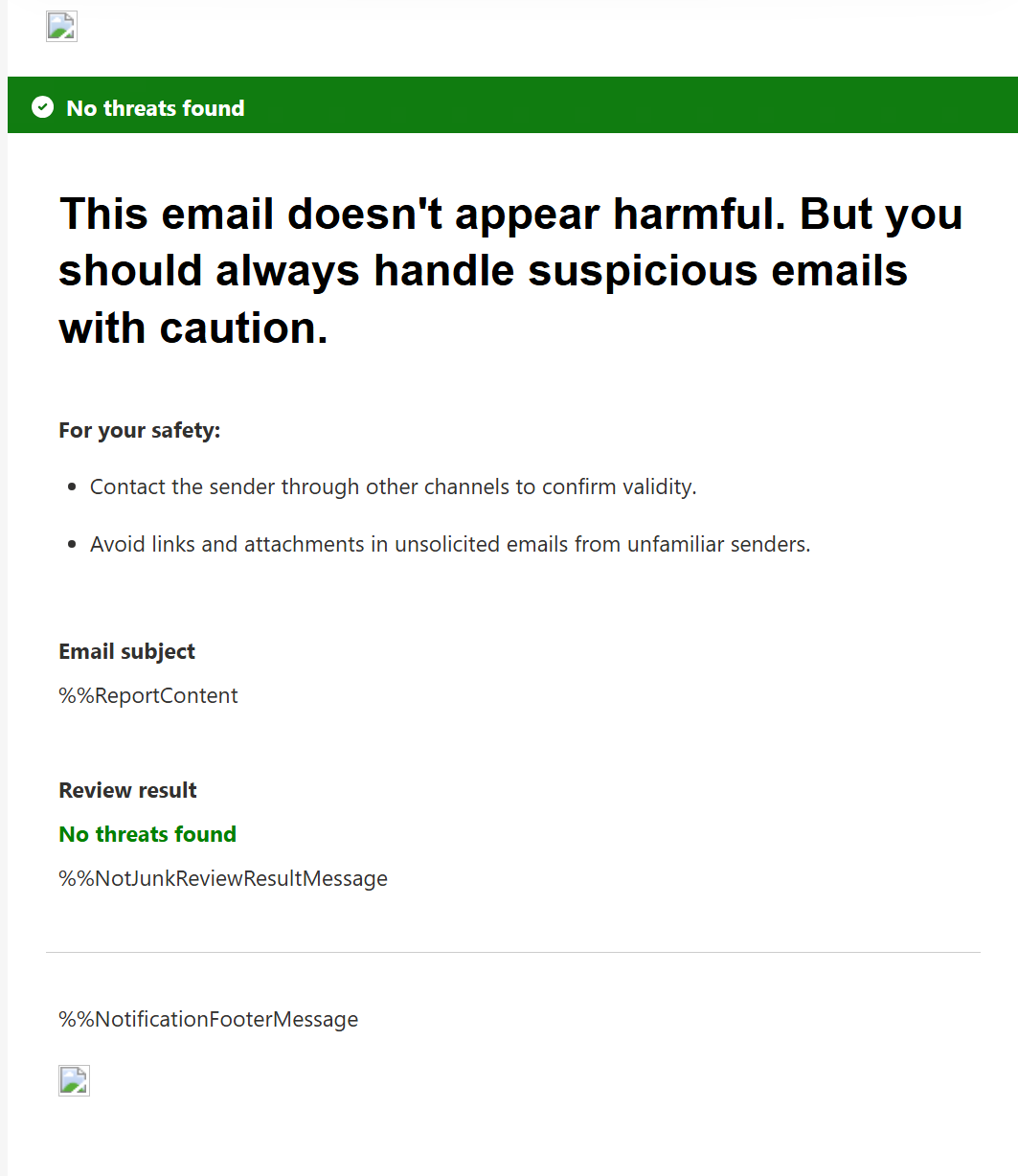
- Default 'safe' message template will also use softer, clearer wording while continuing to advise users to exercise caution:
- This email doesn’t appear harmful. But you should always handle suspicious emails with caution.
- The safe-message template will also advise users to:
- Contact the sender through another channel to confirm the message’s validity.
- Avoid links and attachments in unsolicited emails from unfamiliar senders.
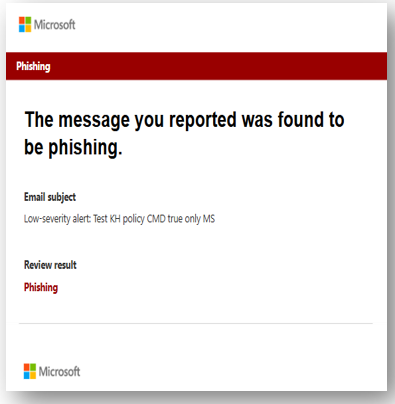
Screenshot 1 - Before localization view:
Screenshot 1 - Localized template view:
Screenshot 2 - Default safe message:
Action Required/Recommendations
No action is required.
You may consider the following:
- Inform users that notification emails may now appear in their preferred language.
- Review notification settings in Microsoft Defender: Settings > Email and collaboration > User reported settings.
- Update internal documentation or helpdesk guidance if this workflow is documented.
Learn more: Notify users about admin submitted messages to Microsoft - Use the Submissions page to submit suspected spam, phish, URLs, legitimate email getting blocked, and email attachments to Microsoft | Microsoft Defender for Office 365 | Microsoft Defender | Microsoft Learn
Compliance considerations
No compliance considerations identified. Review as appropriate for your organization.