Updated August 19, 2026: We have updated the timeline. Thank you for your patience.
What and Why:
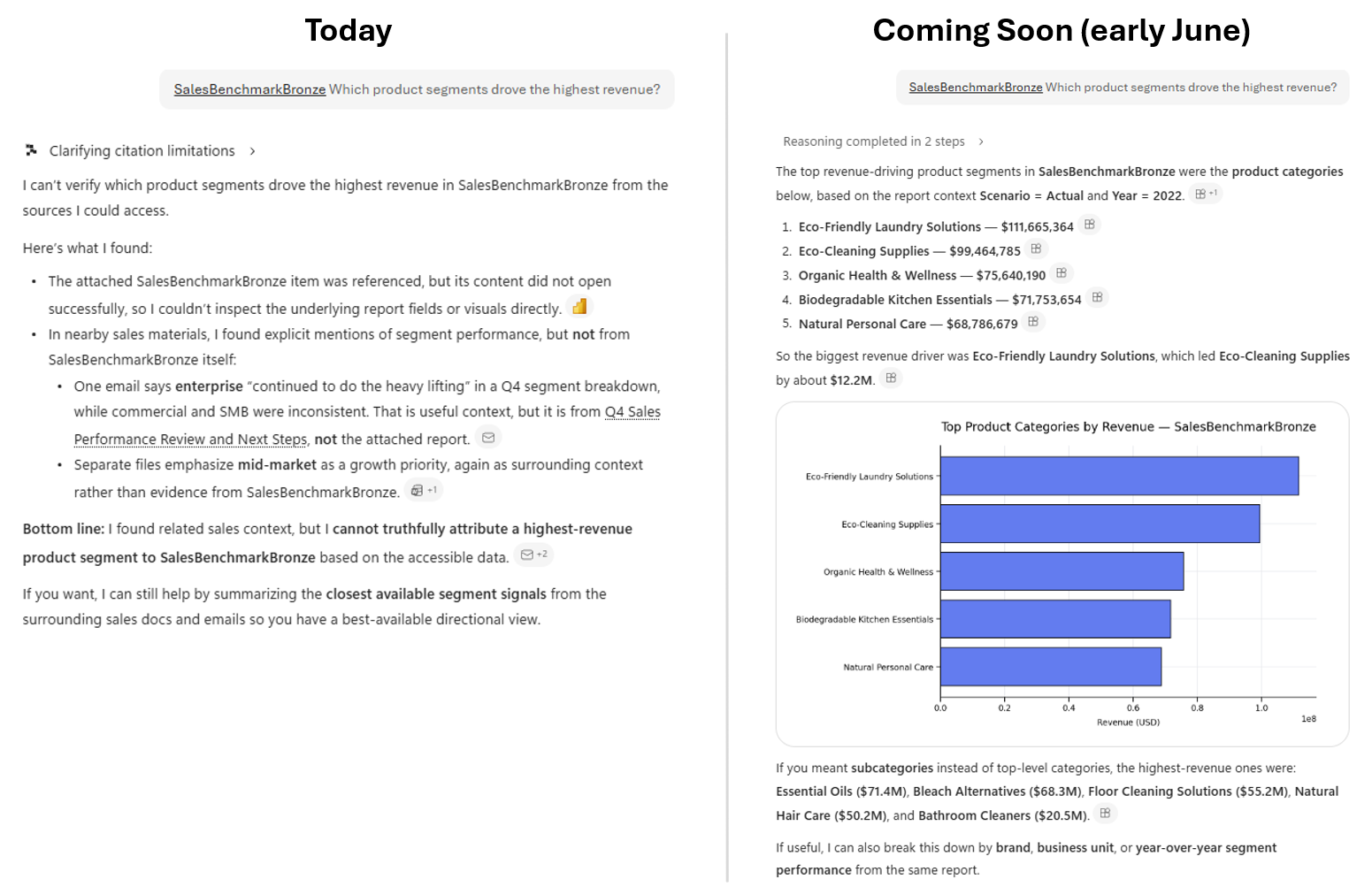
Beginning in mid-June 2026, Microsoft 365 Copilot will be able to answer user questions using Power BI reports and semantic models for customers enrolled in Frontier. Copilot will ground responses in Power BI data, including scenarios where users share a specific report and scenarios where Copilot finds the right report automatically. The experience is built to work within existing security and permission models.
Rollout Schedule:
Data answering capabilities grounded in Power BI content will roll out across Frontier and Worldwide environments on the following schedule:
- Frontier Private: June 17, 2026 (applied to TAP, TAP Subset, and AIX00)
- Frontier Public (Entra): June 22, 2026
- Worldwide: Starting late August 2026 (previously mid-August), expected to complete by early September 2026 (previously late August)
Impact on Your Organization:
- Who is affected: Organizations using Microsoft 365 Copilot and Power BI that are enrolled in Frontier
- Platforms/Services: Microsoft 365 Copilot, Power BI, Microsoft Fabric
- Licensing requirements:
- Microsoft 365 Copilot (Premium) license is required to use this feature.
- Use of Fabric content, including Power BI reports, will be subject to the usual Power BI licensing to view content in the service.
- Users are not required to have access to Fabric Copilot.
- What will happen:
- Users can ask Copilot questions grounded in Power BI reports and semantic models.
- Responses respect existing Power BI and Microsoft 365 permissions.
- The feature is enabled by default. Admins can disable the feature through the Microsoft 365 admin center.
- To generate responses, Microsoft 365 Copilot will search and retrieve data stored in Fabric, which means user query data from Microsoft 365 Copilot will be shared with Fabric. Fabric operates separately from Microsoft 365 Copilot and is subject to different commitments. Data processed in Fabric is subject to Fabric's Product Terms.
Action Required / Recommendations:
- No action is required.
- Admins can disable the feature in the Microsoft 365 admin center. At the time of release, this control will be available on the Copilot settings page under the setting Fabric data in Microsoft 365 Copilot.
Compliance considerations:
| Question | Explanation |
| Does the change store new customer data, if so, where, and is the data cached or permanently stored? | Fabric grounding data used by Microsoft 365 Copilot to answer user questions are stored in Substrate and governed by applicable compliance and data policies. |
| Does the change alter how existing customer data is processed, stored, or accessed? | Query data from Microsoft 365 Copilot is shared with and processed in Fabric to retrieve the information needed for Copilot to generate responses. |
| Does the change introduce or significantly modify AI/ML capabilities interacting with customer data? | Microsoft 365 Copilot gets an additional grounding source through Power BI reports and semantic models. |
| Does the change provide end users a new way of interacting with generative AI? | Users can ask natural‑language questions and get answers grounded in Power BI data. |
| Does the change include an admin control, and can it be controlled through Entra ID or admin settings? | Admins can disable the feature through the Microsoft 365 admin center. |