🦉
Message CenterMicrosoft 365 Updates
HomePermissionsTenant FinderPortfolio
🦉
M365 Message Centerby Cengiz YILMAZ

Track the latest updates, features, and announcements for Microsoft 365 services. Comprehensive archive of service updates and important changes.

Quick Links

HomePermissionsTenant FinderPortfolio

Connect

© 2026 M365 Message Center. Created with ❤️ by Cengiz YILMAZ

Data sourced from Microsoft 365 Message Center • Not affiliated with Microsoft

  1. Home
  2. /
  3. MC1187781

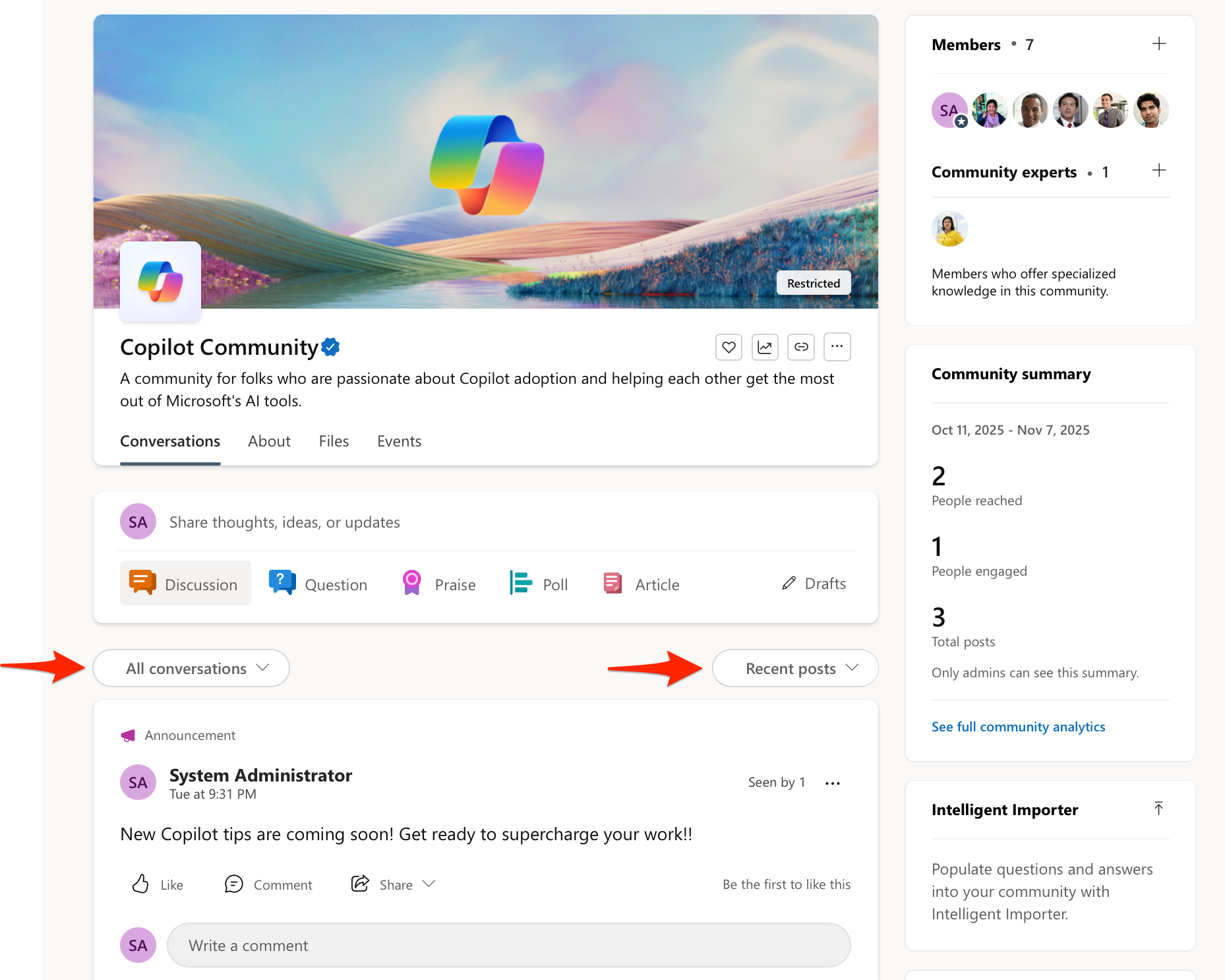
Viva Engage: Community feeds improvements

Informational

Message ID

MC1187781
View in Admin Center

Roadmap ID

513275
View in Roadmap

Services

Microsoft Viva

Affected Platforms

Web

Summary

Viva Engage communities will default to viewing conversations by recent posts instead of recent activity starting February 2026. The new view is on by default, includes unread indicators in all feeds, and preserves user feed preferences across communities. No action or compliance changes are needed.

Details

Updated January 27, 2026: We have updated the timeline. Thank you for your patience. 

Introduction:

We’re introducing a simpler way to view conversations in Viva Engage communities, organized by recent posts rather than recent activity. This new view is designed to make it easier for users to follow discussions and will be available as an option, alongside the current system, for those who prefer sorting by recent activity and filtering to new conversations only.

This message is associated with Microsoft 365 Roadmap ID 513275.

When this will happen:

General Availability (Worldwide): We will begin rolling out in February 2026 (previously January).

How this will affect your organization:

This change should align better with how people expect to browse and engage with content in their communities, while still preserving the triage flow for those who prefer it.

Who is affected: All Viva Engage users in your organization.

Current experience:

  • Communities default to “new” and “recent activity” if there’s any new content (posts or replies).
  • If there’s no new content, the feed falls back to “all.”
  • Unread indicators on content only exist in the “new” feed.

New experience:

  • The feature will be ON by default.
  • Communities will default to “all” and “recent posts”:
  •  user settings

  • Unread indicators will exist in both the “new” and “all” feeds.
  • A sticky user preference will be introduced:
    • If someone changes the feed (new/all) or sort order (recent posts/recent activity), we will maintain that setting across their communities.
    • If someone picks “new” and there’s no new content in the next community, we will fall back to “all” for that community visit, but “new” will remain the preference for that user.

      What you can do to prepare:

      No action is required.

      Compliance considerations:

      No compliance considerations identified, review as appropriate

      Timeline

      📅
      Published
      Nov 18, 2025
      Message published to Message Center
      ✏️
      Updated
      Jan 27, 2026
      Message content updated
      🏁
      End Date
      Mar 30, 2026
      Message timeline ends

      Tags

      #Updated message#New feature#User impact#Admin impact

      Category

      📖Stay Informed

      Related Messages

      Similar updates

      MC1191915

      Microsoft Viva: Copilot Dashboard - Broader access to M365 Copilot Chat insights

      Dec 3, 2025
      MC1173208

      Microsoft Copilot Analytics: Data export public preview for Copilot metrics in the Copilot dashboard

      Oct 16, 2025
      MC1218423

      Microsoft Teams: Viva Engage communities in Teams

      Jan 16, 2026
      MC1218413

      Microsoft Viva: Viva Glint - Survey Designer Role

      Jan 16, 2026
      MC1146816

      Microsoft Copilot dashboard (in Viva Insights): New benchmarks to compare Copilot usage across organizations

      Sep 2, 2025