Services
Summary
Microsoft Teams will soon allow users to react to messages directly from the right-click menu. This feature will be available in Teams for web and desktop, starting with a Public Preview in early June 2024 and General Availability in mid-June 2024. No admin action is required for this update.
Details
Updated July 22, 2024: We have updated the rollout timeline below. Thank you for your patience.
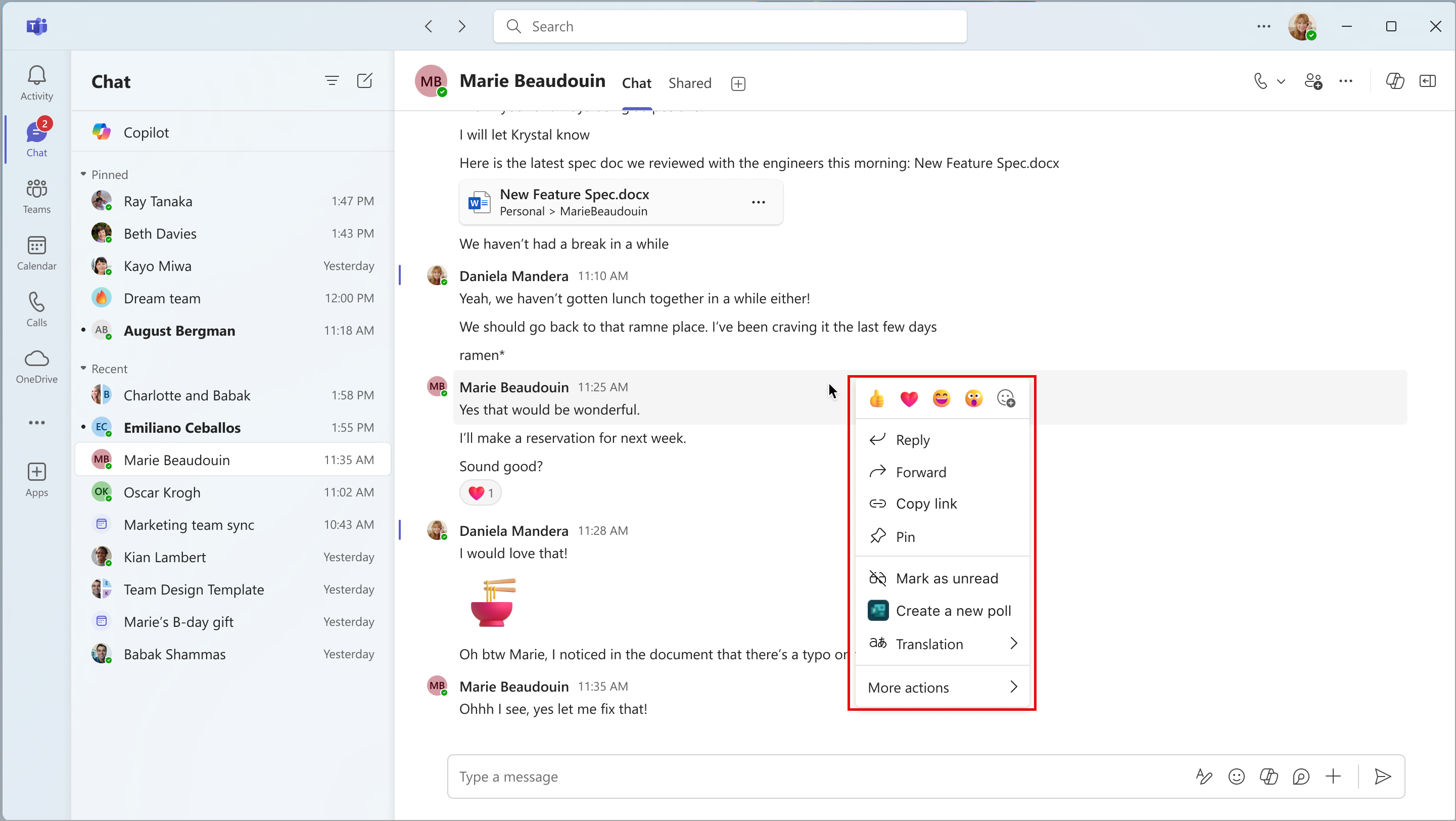
Coming soon: In Microsoft Teams: users will be able to right-click any message and react to it directly from the right-click menu. With this rollout, we are adding reactions to the right-click menu to give users another way to react to messages. This rollout applies to Teams for the web and Teams for desktop T2.1.
When this will happen:
Public Preview: We will begin rolling out early June 2024 (previously late April) and expect to complete by mid-June 2024 (previously early May).
General Availability (Worldwide, GCC, GCC High, and DoD): We will begin rolling out mid-June 2024 (previously mid-May) and expect to complete by late July 2024 (previously late June).
How this will affect your organization:
After this rollout, all messages where the right-click menu was present before rollout will have the new reactions. Before the rollout, users could hover their cursor over the message to choose a reaction, and this option will continue to be available after rollout.
Reactions in the right-click menu:
What you need to do to prepare:
This rollout will happen automatically by the specified date with no admin action required before the rollout. You may want to notify your users about this change and update any relevant documentation as appropriate.
We will update this comm before rollout with revised documentation.