Services
Summary
Microsoft Entra and Teams are introducing new resource-specific consent settings for teams and chats to enhance secure app adoption. These settings will affect Chat RSC and Team RSC for apps in Microsoft Teams. Existing Group owner consent settings and API and the existing Chat RSC API will be retired with this update. The new settings will be managed using Microsoft Graph PowerShell commandlets and will start taking effect on March 7, 2024, and will completely roll out to all tenants by April 14, 2024. Teams-level admins can independently manage these settings. Instructions for modifying the new teams-specific consent settings can be found in the Configure consent settings section of Grant RSC permissions to an app - Teams | Microsoft Learn.
Details
Updated March 20, 2024: We have updated the rollout timeline below. Thank you for your patience.
For Microsoft Entra and Microsoft Teams, we are introducing two new resource-specific consent settings (RSC) for teams and chats to enhance secure app adoption. These settings will affect Chat RSC and Team RSC for apps in Microsoft Teams. This update also empowers Teams-level admins to independently manage these settings. Existing Group owner consent settings and API and the existing Chat RSC API will be retired with this update.
When this will happen:
Worldwide: We will begin rolling out early March 2024 and expect to complete by mid-April 2024 (previously mid-March). See the What you need to do to prepare section of this message for specific dates.
How this will affect your organization:
For now, the new teams-specific settings will be managed using Microsoft Graph PowerShell commandlets. All current settings for Group Owner UX and Chat RSC API will be migrated to the new Team RSC and Chat RSC PowerShell settings by March 14, 2024. No action is needed, but admins may optionally choose to change their Chat RSC or Team RSC settings with Microsoft Graph PowerShell commandlets prior to March 4, 2024, to manually preserve current settings.
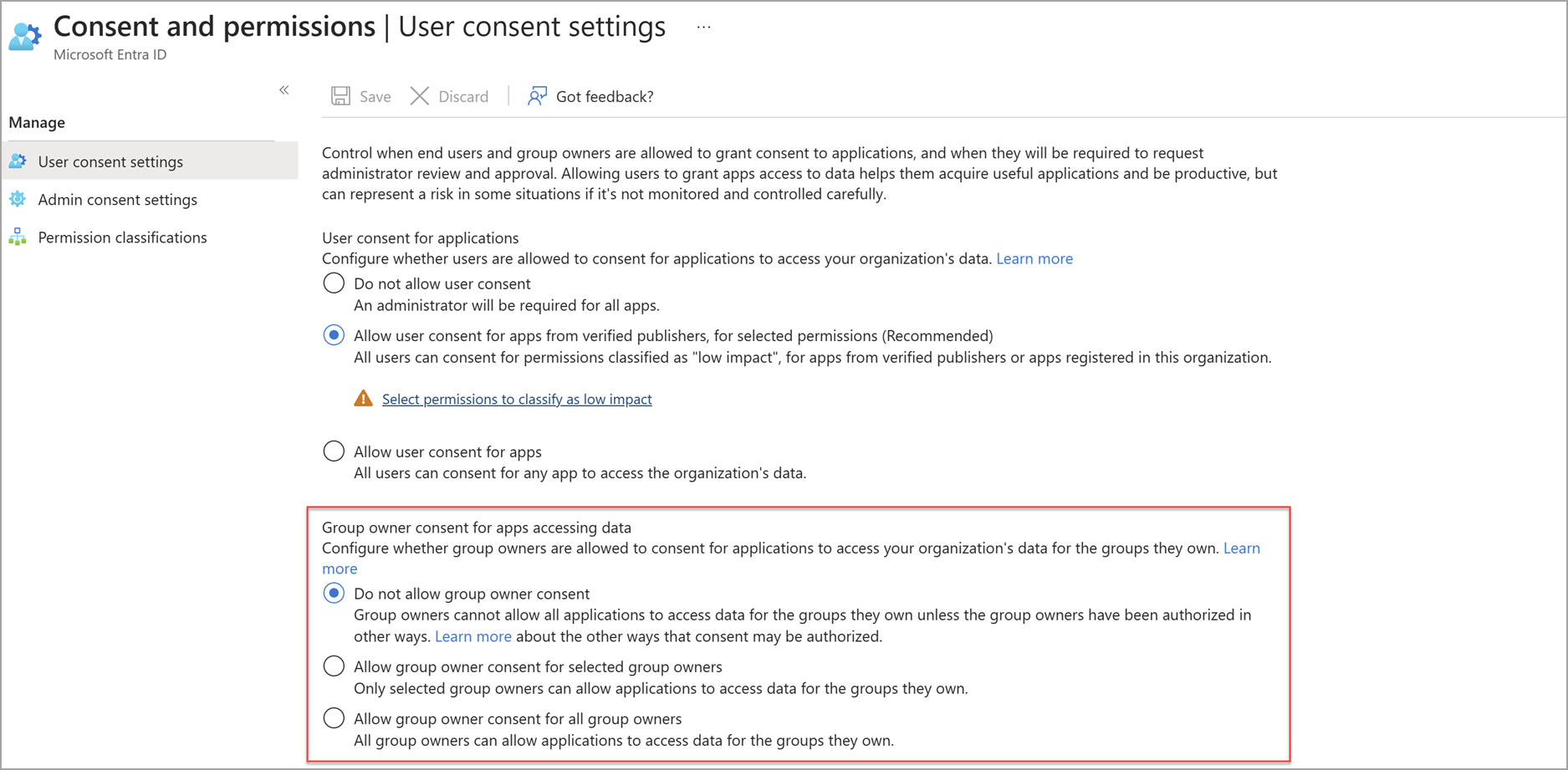
Previously, Team Resource-Specific Consent (RSC) was governed by the Group owner consent setting in the Microsoft Entra admin center and was managed only by Entra admins. The Group owner consent setting will be retired with the rollout of the new PowerShell RSC settings.
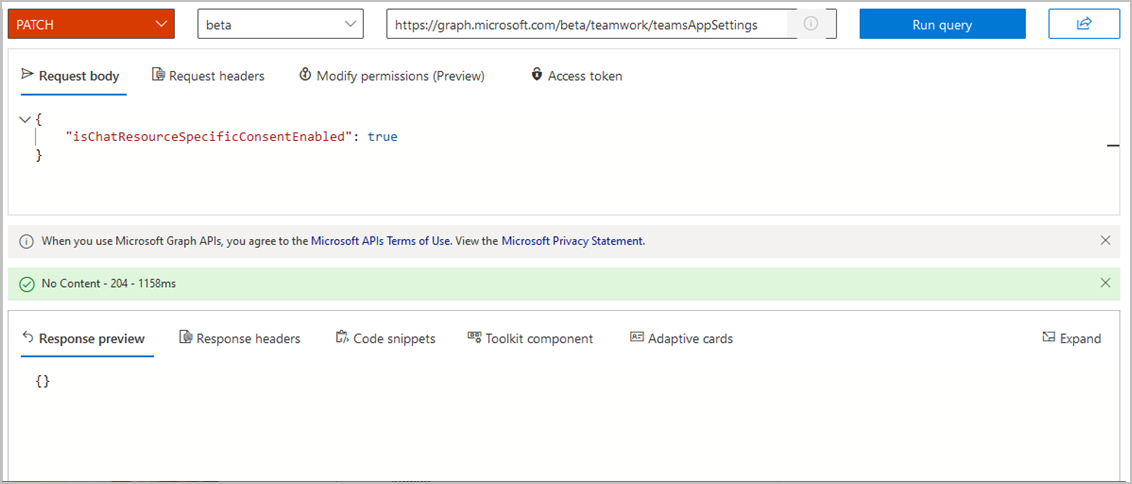
Previously, Chat Resource-Specific Consent (RSC) was controlled by Graph API in teamsAppSettings. The isChatResourceSpecificConsent value in this API will be deprecated and controlled via the new Chat RSC setting in PowerShell. On March 14, 2024, the deprecation of isChatResourceSpecificConsent will begin, and you must use the new Microsoft Graph PowerShell commandlets to make changes to Chat RSC in your tenant.
What you need to do to prepare:
We're providing a four-week preselection period before introducing the new settings, allowing time for Teams admins to make adjustments. The preselection period begins on February 5, 2024, and will gradually roll out to all tenants by February 14, 2024. During the preselection period, Entra admins may use the PowerShell commandlets to preselect their desired Team RSC and Chat RSC settings. After the pre-selection period ends March 4, 2024, Teams admins also can adjust these settings. Your current Team and Chat RSC settings will not be affected during this preselection period. The new policies will gradually start taking effect on March 7, 2024 and will completely roll out to all tenants by April 14, 2024. When rolled out, the new settings will take on a new ManagedByMicrosoft state. Instructions for modifying the new teams-specific consent settings can be found in the Configure consent settings section of Grant RSC permissions to an app - Teams | Microsoft Learn.