Services
Details
Updated November 7, 2023: We have updated the content below with additional information.
We are bringing the goodness of templates to SharePoint document libraries. Creating document libraries will now be a breeze with our ready-made templates with scenario relevant structure, metadata, and content types - all to save you time and maintain broader consistency across your content management organization.
This message is associated with Microsoft 365 Roadmap ID: 124879
When this will happen:
- Targeted Release: early November 2023
- Standard Release: mid-November 2023
How this will affect your organization:
We are rolling out a brand-new Document library creation experience that will be available in two locations:
- SharePoint Home > New > Document library
- SharePoint Site > Site contents > New > Document library
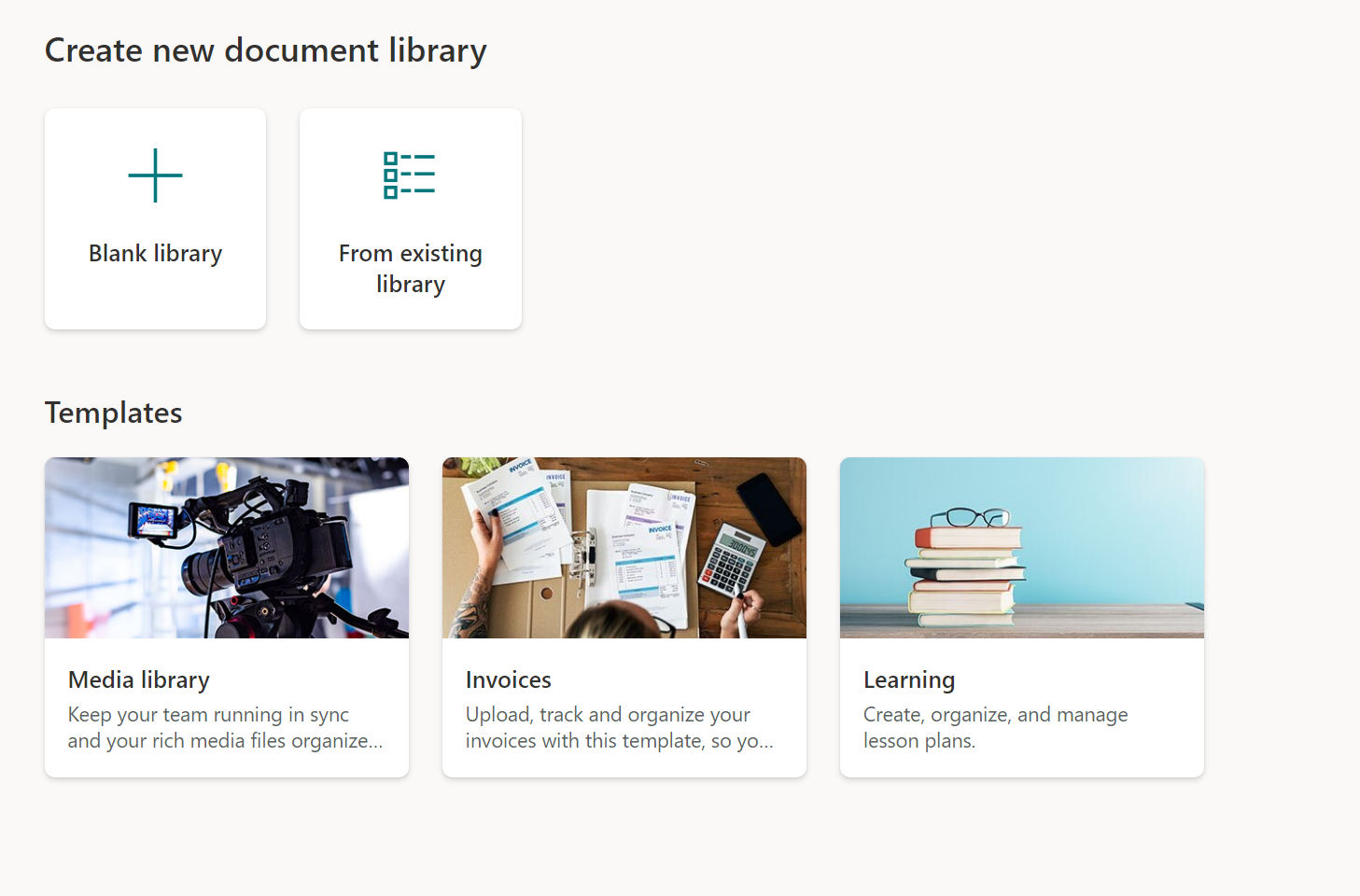
With the new experience you will be able to create Document libraries in different ways:
- Blank library: this experience will replicate the current library creation experience where a document library will be created with the basic columns of Name, Modified and Modified by.
- From existing library: this experience will allow you to choose any document library from a site you have access to, and replicate the structure, formatting, metadata and content types in a new document library. please note that data will not copy over, only the structure will
- From templates: we have three brand new templates for you: Media library, Invoices and Learning. Each template will come with a pre-defined schema, formatting, views etc. to kickstart your content management journey!
- Flows packaged into the out-of-the-box-templates: the Media Library and Invoices templates also come with pre-packages Flows that can be skipped or completed depending on the user's needs.
Disabling out-of-the-box templates
You can disable the out-of-the-box templates by running the following PowerShell command, while connected as a Global Administrator or SharePoint Administrator:
Set-SPOTenant -DisableModernListTemplateIds '<template ID>'
Where the template ID is:
- Media library: 7fdc8cba-3e07-4851-a7ac-b747040ff1ce
- Learning: 2a31cc9a-a7a2-4978-8104-6b7c0c0ff1ce
- Invoices: cb3f4b1a-d4d8-40b3-a3e8-c39c470ff1ce
To re-enable a built-in template, use the parameter EnableModernListTemplateIds.
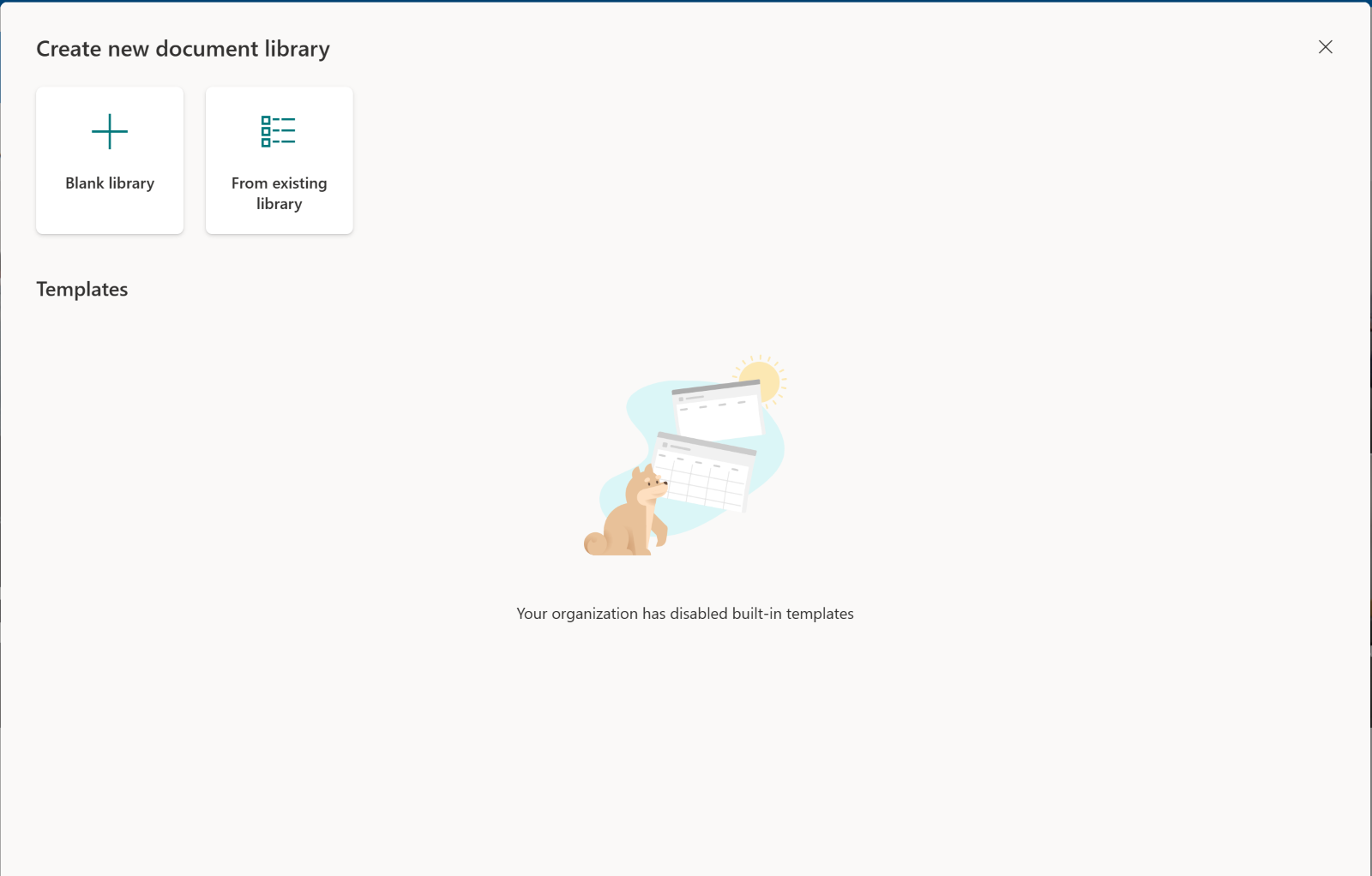
When all three templates are disabled, the creation dialog will look as follows to users:
What you need to do to prepare:
Consider educating users that there are now more ways to create a Document Library.